Warning Message
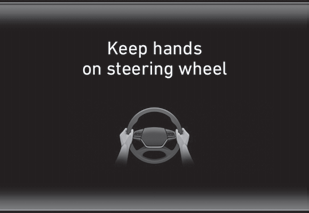
Keep Hands on Steering Wheel
If the driver takes their hands off the steering wheel for several seconds while the HDA system is activated, the system will warn the driver.
Information
If the steering wheel is held with a light grip, the message may appear because the HDA system may not recognize that the driver has hands on the steering wheel.
WARNING
The warning message may be delayed depending on road conditions. Therefore, always keep hands on the steering wheel while driving.
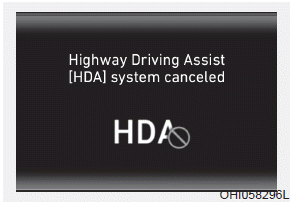
Highway Driving Assist (HDA) System Canceled
If the driver still does not have their hands on the steering wheel after the "Hold Steering Wheel" message, the HDA system will be canceled. However, if Smart Cruise Control is manually reactivated by the driver, the Highway Driving Assist System will be activated again.
The HDA system will not be in the ENABLED state and/or the steering wheel will not assist when:
- The turn signal is activated before changing lanes. If you change lanes without activating the turn signal, the steering wheel may be controlled.
- The vehicle is not centered in the lane when the system is turned on or immediately after changing lanes.
- ESC (Electronic Stability Control) or VSM (Vehicle Stability Management) is activated.
- The vehicle is driving through a sharp curve.
- Vehicle speed exceeds 95 mph (153 km/h).
- The vehicle makes a sudden lane change.
- The vehicle brakes suddenly.
- Only one lane marking is detected.
- The lane is very wide or narrow.
- There are more than two lane markers on the road (for example, a construction area).
- The radius of the curve is too small.
- The vehicle is driving on a steep incline.
- The steering wheel is turned sharply.
System Malfunction
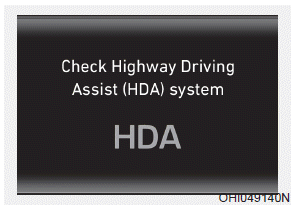
Check the Highway Driving Assist (HDA) System
If there is a problem with the system, a message will appear for several seconds. If the problem is not resolved, have the vehicle inspected by an authorized HYUNDAI dealer.
Information
- Highway Driving Assist is limited in other countries.
- The Highway Driving Assist System operates only based on highway speed limits, but it does not work with speed cameras.
- A time gap may occur between the navigation speed warning and system operation.
- The system is not designed to operate on highways other than those mentioned as controlled access roads. The system is automatically canceled when you leave the highway.
- If there is a problem with the Highway Driving Assist, the system cannot be activated on the infotainment system screen.
- If your vehicle is within 1640 ft (500 m) ahead of and behind open toll gates, the system is automatically canceled. In addition, it switches to Smart Cruise Control automatically with a pop-up message in the navigation.
- In the automatic speed mode, the vehicle automatically accelerates or decelerates when the highway speed limit changes.
- If your vehicle speed exceeds 153 km/h, Highway Driving Assist is automatically canceled. It also converts to Smart Cruise Control with a pop-up message in the navigation.
- If you enter a highway rest area or IC/JC (interchange/junction) without a destination set, the system is canceled later than when the vehicle actually exits the highway.
CAUTION
The Highway Driving Assist System may not operate properly in the following situations:
- The navigation does not operate properly.
- The navigation does not update.
- The real-time GPS or map information provided has errors.
- The navigation is overloaded by functions such as route search, video playback, voice recognition, etc. operating simultaneously.
- GPS signals are blocked in areas such as tunnels.
- The driver deviates from the course, or the route to the destination is changed or canceled by resetting the navigation.
- The vehicle enters a service station or rest area.
- Android Auto or CarPlay is operating.
- The navigation cannot detect the current position of the vehicle (for example: overpasses, including an overpass near a general road, or nearby roads with a parallel route).
- The navigation updates while driving.
- The navigation resets while driving.
- The road is slippery due to bad weather, such as rain or snow.
Information
- For information on the vehicle-to-vehicle distance control and front radar, refer to "Smart Cruise Control (Stop & Go)" in this chapter.
- For information on the steering assist and front camera, refer to "Lane Follow Assist (LFA)" in this chapter.
Information
This device complies with Part 15 of the FCC Rules.
Operation is subject to the following two conditions:
1. This device may not cause harmful interference, and
2. This device must accept any interference received, including interference that may cause undesired operation.
3. Changes or modifications not expressly approved by the party responsible for compliance could void the user's authority to operate the equipment.
Information
Radio Frequency Radiation Exposure Information:
This equipment complies with FCC radiation exposure limits set forth for an uncontrolled environment.
This equipment must be installed and operated with a minimum distance of 8 in. (20 cm) between the radiator (antenna) and your body.
This transmitter must not be co-located or operating in conjunction with any other antenna or transmitter.
Test yourself
A quick Hyundai Palisade quiz: every answer comes with an explanation and a link to the manual page.