Driving Your Vehicle
On Curves
In this manual: Driving Your Vehicle
~1min read
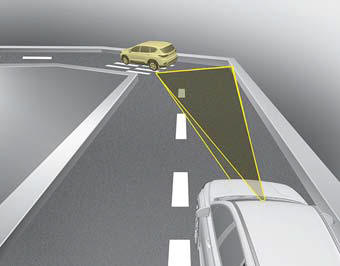
- On curves, Smart Cruise Control may not detect a moving vehicle in your lane, and your vehicle may accelerate to the set speed. In addition, vehicle speed may decrease rapidly when a vehicle ahead is suddenly detected.
- Select an appropriate set speed on curves and adjust your vehicle speed by pressing the accelerator pedal or brake pedal according to the road conditions ahead and driving conditions.
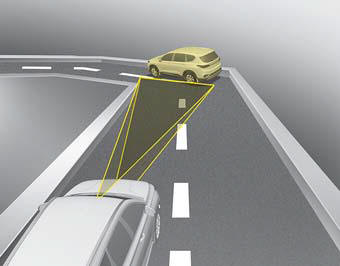
- Your vehicle speed may be reduced due to a vehicle in an adjacent lane. Adjust your vehicle speed by pressing the brake pedal according to the road conditions ahead and traffic conditions. Apply the accelerator pedal and select an appropriate set speed. Make sure road conditions ensure safe operation of Smart Cruise Control.
Test yourself
A quick Kia Cadenza VG Owner's Manual quiz: every answer comes with an explanation and a link to the manual page.
Was this page helpful?