Temperature Control
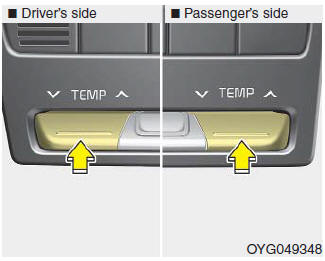
The temperature will increase to maximum (HI) by moving the switch to the far up position.
The temperature will decrease to minimum (Lo) by moving the switch to the far down position.
When you raise or press the switch, the temperature will increase or decrease by 1°F/0.5 °C. When set to the lowest temperature, the air conditioner will operate continuously.
Driver and Passenger Side Temperature Control Set Together
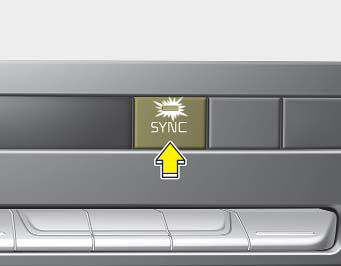
- Press the SYNC button to adjust the driver and passenger side temperatures equally. The passenger side temperature will be set to the same temperature as the driver side temperature.
- Adjust the temperature using the driver's side control switch. The driver and passenger side temperatures will be adjusted equally.
Driver and Passenger Side Temperature Control Set Independently
- Press the "SYNC" button again to set the driver and passenger side temperatures independently. The switch indicator light will turn off.
- Driver side temperature control knob: Use to adjust the driver side temperature.
- Passenger side temperature control knob: Use to adjust the passenger side temperature.
Temperature Unit Conversion
You can change the temperature mode from Celsius to Fahrenheit as follows:
While holding the OFF button, press the AUTO button for 3 seconds or more.
The display will change from Celsius to Fahrenheit, or from Fahrenheit to Celsius.
If the battery is discharged or disconnected, the temperature display will reset to Fahrenheit.
Test yourself
A quick Kia Cadenza VG Owner's Manual quiz: every answer comes with an explanation and a link to the manual page.