Driving Your Vehicle
Warning Timing
In this manual: Driving Your Vehicle
~1min read
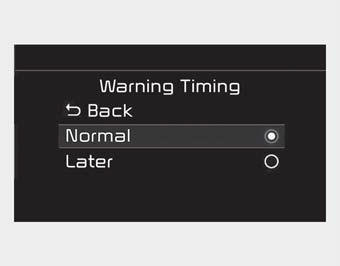
- The driver can select the initial warning activation timing in "Settings > Vehicle > Driver Assistance > Warning Timing" on the infotainment system screen. The initial inattentive driving warning options are as follows:
- Normal:
The Driver Attention Warning helps warn the driver of their fatigue level or inattentive driving earlier than the Late mode.
- Late:
The Driver Attention Warning helps warn the driver of their fatigue level or inattentive driving later than the Normal mode. - The Driver Attention Warning setting will be saved as it is selected when the engine is restarted.
✽ NOTICE
Other driver assistance systems, such as Forward Collision-Avoidance Assist, etc., may change when the warning timing setting is changed.
Test yourself
A quick Kia Cadenza VG Owner's Manual quiz: every answer comes with an explanation and a link to the manual page.
Was this page helpful?