Vehicle Specifications
3. Searching for a Parking Space (Optional)
In this manual: Vehicle Specifications
~1min read
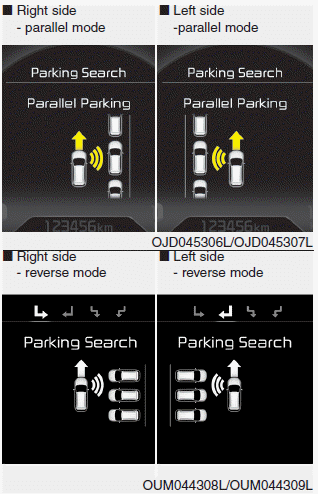
- Slowly drive forward while maintaining a distance of approximately 50 cm ~ 150 cm (19.6 in. ~ 59.0 in.) from the parked vehicles. The side sensors will search for a parking space.
- If the vehicle speed exceeds 20 km/h, a message will appear to notify you to reduce speed.
- If the vehicle speed exceeds 30 km/h, the system will deactivate.
✽ NOTICE
- Turn on the hazard warning lights if the area is crowded with other vehicles.
- If the parking space is small, drive slowly close to the parking space.
- The search for a parking space will be completed only when there is enough space for the vehicle to park.
✽ NOTICE
- When searching for a parking space, the system may not find a parking space if no vehicle is parked, there is a parking space after passing, or parking spaces are available before driving.
- The system may not operate normally under the following conditions:
(1) When the sensors are frozen
(2) When the sensors are contaminated
(3) When heavy snow or rain is falling
(4) When a pole or object is nearby
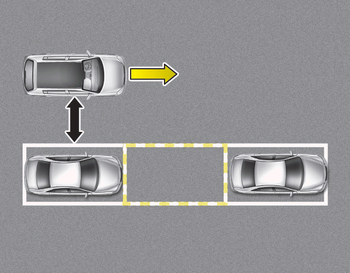
✽ NOTICE
Slowly drive forward while maintaining a distance of approximately 50 cm ~ 150 cm (19.6 in. ~ 59.0 in.) from the parked vehicles. If the distance is not maintained, the system may not be able to find a parking space.
CAUTION
After the search for a parking space is complete, continue using the system after checking the surrounding area.
Test yourself
A quick Kia Cee'd quiz: every answer comes with an explanation and a link to the manual page.
Was this page helpful?