Vehicle Specifications
5. Steering wheel control
In this manual: Vehicle Specifications
~1min read
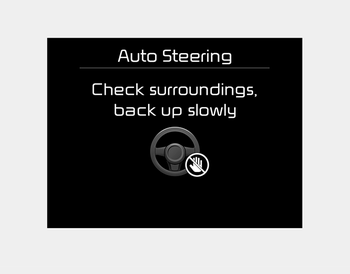
- The above message will appear if the shift lever is in R (Reverse). The steering wheel will be controlled automatically.
- The system will be canceled if you firmly hold the steering wheel while it is being controlled automatically.
- The system will be deactivated if the vehicle speed exceeds 7 km/h.
WARNING
Do not place your hands between the steering wheel spokes while it is being controlled automatically.
CAUTION
- Always drive slowly with the brake pedal depressed.
- Always check for objects around your vehicle before driving.
- If the vehicle does not move even though the brake pedal is not depressed, check the surroundings before pressing the accelerator pedal. Be sure not to exceed a speed of 7 km/h.
✽ NOTICE
- If you do not follow the instructions given, you may not park your vehicle. However, if the parking assist system warning sound (distance from object is within 30 cm: continuous warning sound) occurs, slowly drive the vehicle in reverse toward the detected object after checking the surroundings.
- Always check the surroundings before driving your vehicle when the parking assist system warning sound (distance from object is within 30 cm: continuous warning sound) is heard, as an object is near your vehicle.
Canceling the System During Parking
Press the Smart Parking Assist System button or turn the steering wheel to the left or right.
Shifting Gears During Steering Control
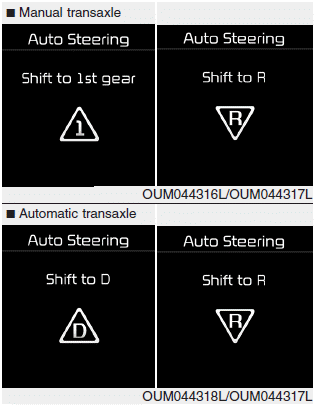
When the above message appears with a warning sound, shift the transmission and drive the vehicle with the brake pedal pressed.
CAUTION
Always check the surroundings before releasing the brake pedal.
WARNING
Always be careful when parking near other vehicles or pedestrians.
Test yourself
A quick Kia Cee'd quiz: every answer comes with an explanation and a link to the manual page.
Was this page helpful?