Smart Key Antenna
Repair Procedures
Removal
Interior Antenna 1
Disconnect the negative battery cable.
Remove the Surround View Monitor (SVM) unit.
(Refer to Advanced Driver Assistance System (ADAS) - "Surround View Monitor (SVM) Unit")
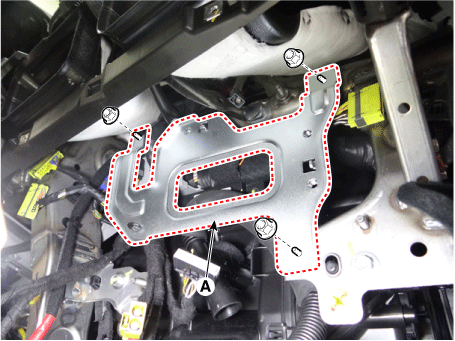
Remove the SVM bracket (A) by loosening the mounting nuts.
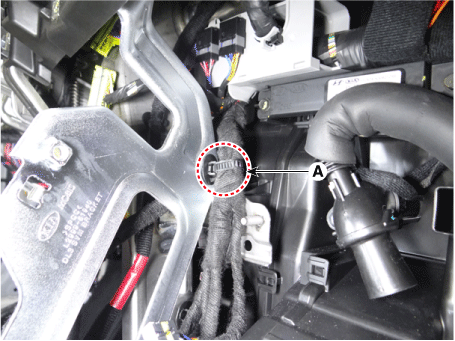
Remove the retaining clip (A) from the SVM bracket.
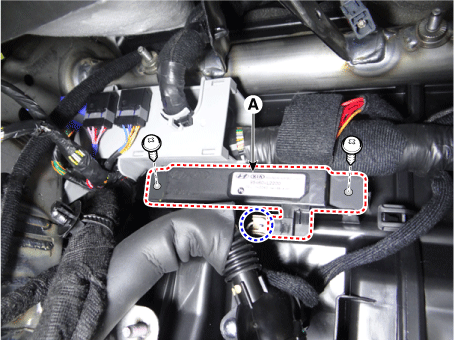
Remove the interior antenna 1 (A) by loosening the screws after disconnecting the connector.
Interior Antenna 2
Disconnect the negative battery cable.
Remove the floor console assembly.
(Refer to Body - Floor Console Assembly)
Disconnect the interior antenna 2 connector (A).

Remove the interior antenna 2 (A) by loosening the mounting screws.

Interior Antenna 3
Disconnect the negative battery cable.
Remove the rear crossmember trim.
(Refer to Body - "Rear Crossmember Trim")
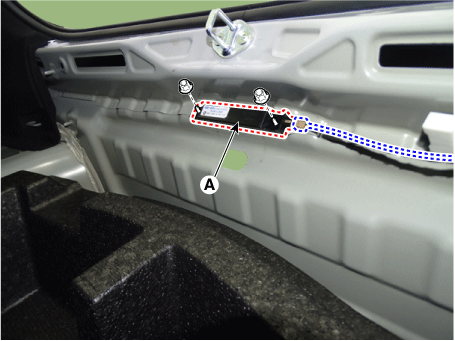
Remove the interior antenna 3 (A) by loosening the nuts after disconnecting the connector.
Bumper Antenna
Disconnect the negative battery cable.
Remove the rear bumper assembly.
(Refer to Body - "Rear Bumper Assembly")
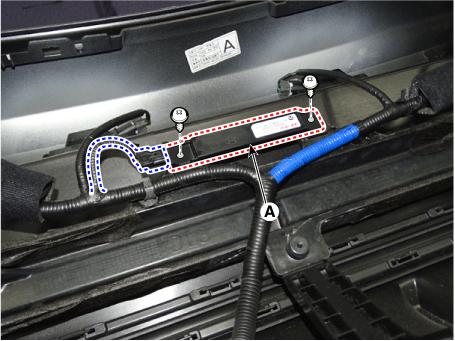
Remove the outside bumper antenna (A) by loosening the screws after disconnecting the connector.
Front Antenna
Disconnect the negative battery cable.
Remove the front bumper assembly.
(Refer to Body - "Front Bumper Assembly")
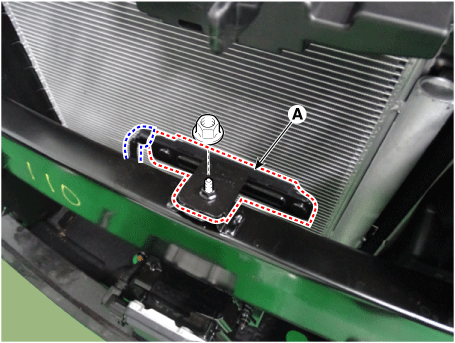
Remove the front antenna (A) by loosening the nut after disconnecting the connector.
Front Door Antenna
Disconnect the negative battery cable.
Remove the front door trim panel.
(Refer to Body - "Front Door Trim Panel")
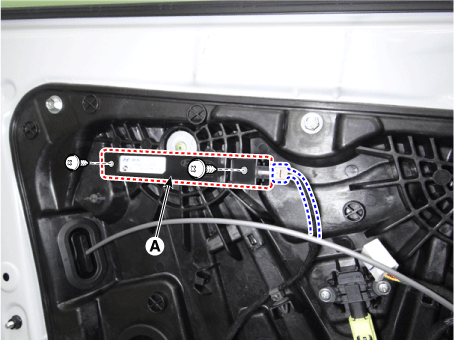
Remove the front door antenna (A) by loosening the screws after disconnecting the connector.
Installation
Install in the reverse order of removal.
Inspection
Inspect the antenna using the KDS.
(Refer to Smart Key System - Smart Key Diagnosis)
Test yourself
A quick Kia Optima DL3 quiz: every answer comes with an explanation and a link to the manual page.