Speaker
Components and Component Location
Component Location
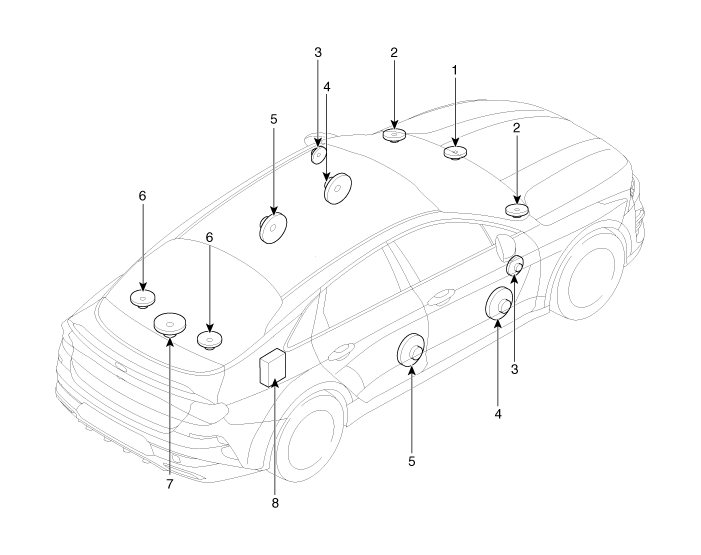
| 1. Center Speaker 2. Tweeter Speaker 3. Front Midrange Speaker 4. Front Door Speaker |
5. Rear Door Speaker 6. Surround Speaker 7. Subwoofer 8. External Amplifier |
Repair Procedures
Inspection
Basic Inspection
Loosen the screws to avoid interference from body trim and surrounding parts, then remove the speaker.
After removing the speaker, check the speaker sound quality with the connector connected.
Individual Inspection
Abnormal vibration
Before replacing, make sure the speaker mounting screws are properly tightened.
Reinstall the speaker and check that the problem is resolved.
If the symptom does not disappear, replace the speaker with a new one.
Noise
Make sure the speaker connector is properly connected, and reconnect the connector if necessary.
If noise occurs in radio mode, switch to media player mode.
If noise occurs in both modes, replace the speaker with a new one.
Poor Sound Quality
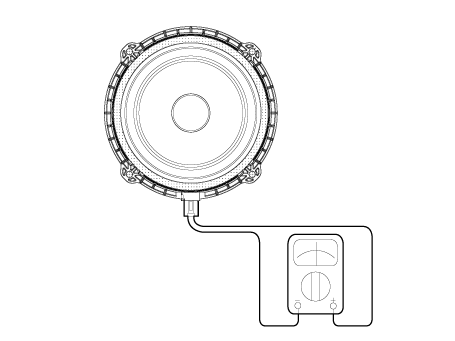
Check the positive (+) and negative (-) speaker terminals using an ohmmeter.
Removal
Center Speaker
Disconnect the negative battery cable.
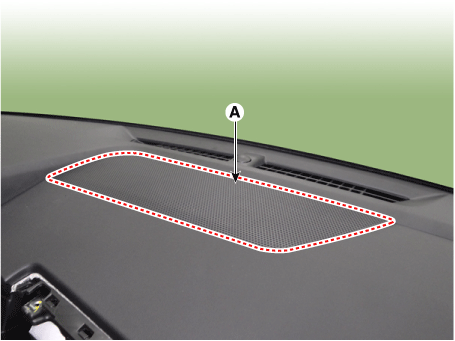
Remove the center speaker grille (A) using a screwdriver or remover.
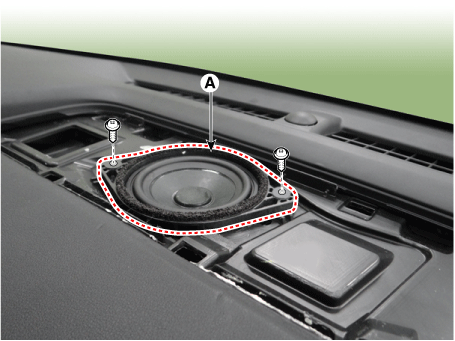
Remove the center speaker (A) after loosening the mounting screws.
Disconnect the center speaker connector (A).
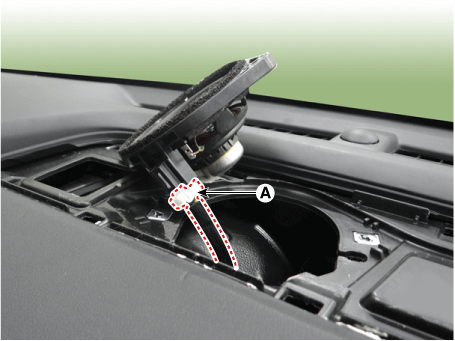
Tweeter Speaker
Disconnect the negative battery cable.
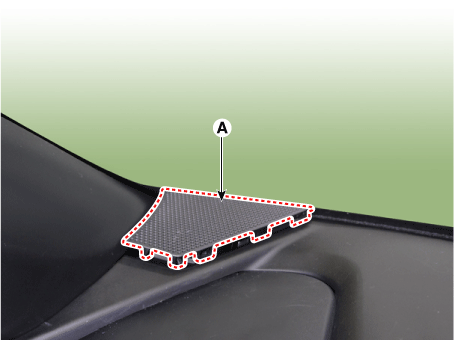
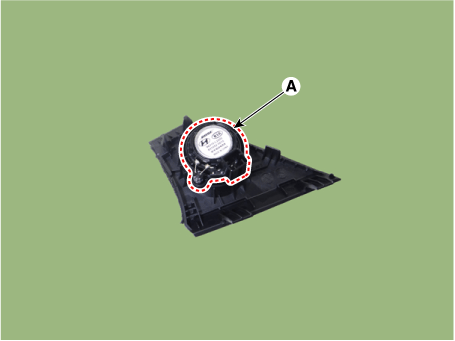
Remove the tweeter grille (A) using a screwdriver or remover.
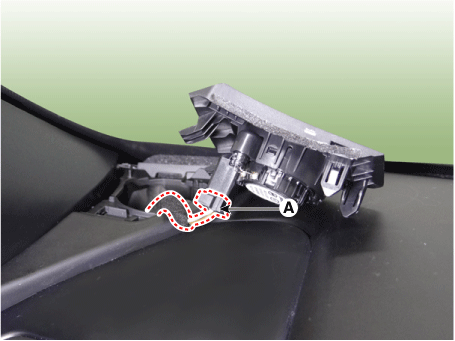
Disconnect the tweeter connector (A).
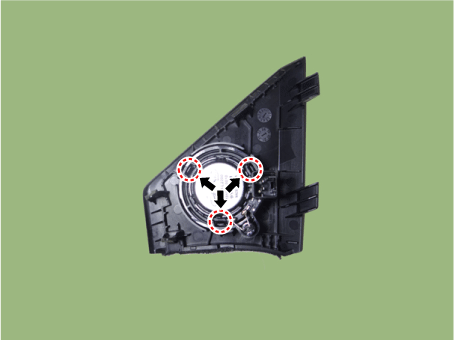
Remove the tweeter (A) by sliding the holder in the direction of the arrow.
Front Midrange Speaker
Disconnect the negative battery cable.
Remove the front door trim panel.
(Refer to Body - "Front Door Trim Panel")
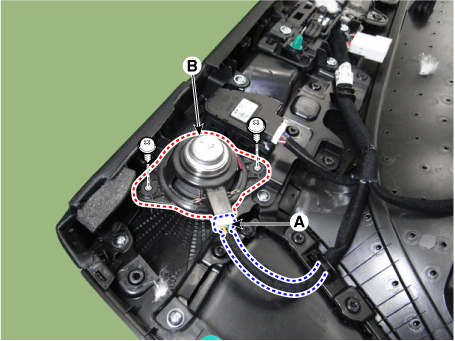
Disconnect the connector (A) and remove the front midrange speaker (B) by loosening the screws.
Front Door Speaker
Disconnect the negative battery cable.
Remove the front door trim panel.
(Refer to Body - "Front Door Trim Panel")
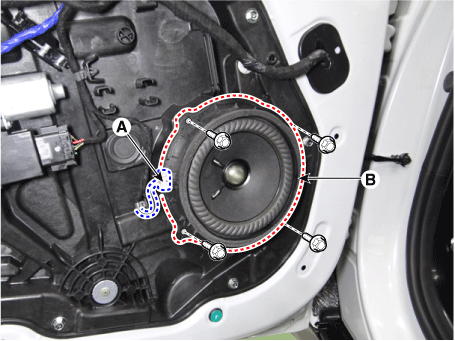
Disconnect the connector (A), then remove the front door speaker (B) by loosening the bolts.
Rear Door Speaker
Disconnect the negative battery cable.
Remove the rear door trim.
(Refer to Body - "Rear Door Trim Panel")
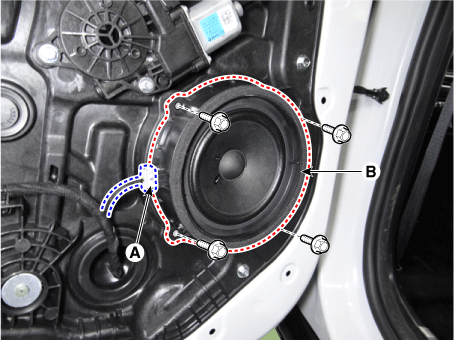
Disconnect the connector (A) and remove the rear door speaker (B) by loosening the bolts.
Surround Speaker
Disconnect the negative battery cable.
Remove the rear parcel shelf trim.
(Refer to Body — "Luggage Compartment Rear Trim Panel")
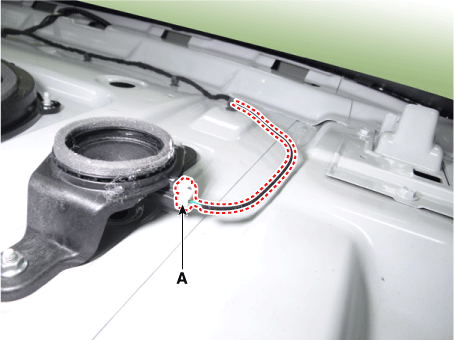
Disconnect the surround speaker connector (A).
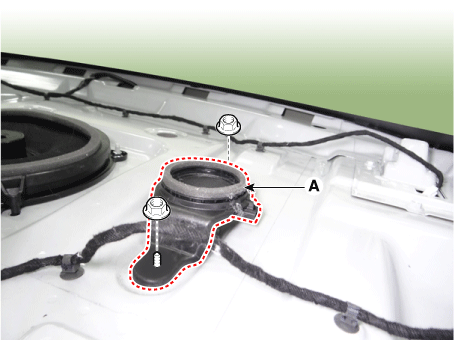
Remove the surround speaker (A) after loosening the mounting nuts.
Subwoofer speaker
Disconnect the negative battery cable.
Remove the rear parcel shelf trim.
(Refer to Body — "Luggage Compartment Rear Trim Panel")
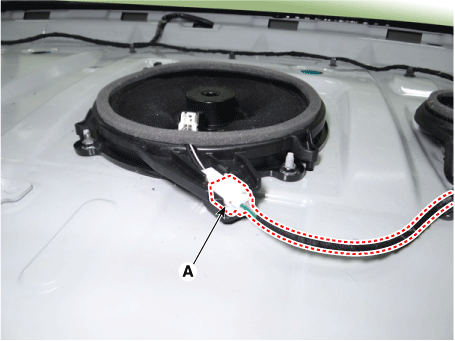
Disconnect the subwoofer speaker connector (A).
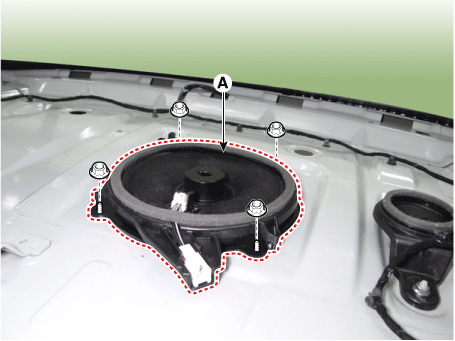
Remove the woofer (A) after loosening the mounting nuts.
Installation
Install in the reverse order of removal.
Test yourself
A quick Kia Optima DL3 quiz: every answer comes with an explanation and a link to the manual page.