USB Charger
Circuit Diagrams
Connector and Terminal Function
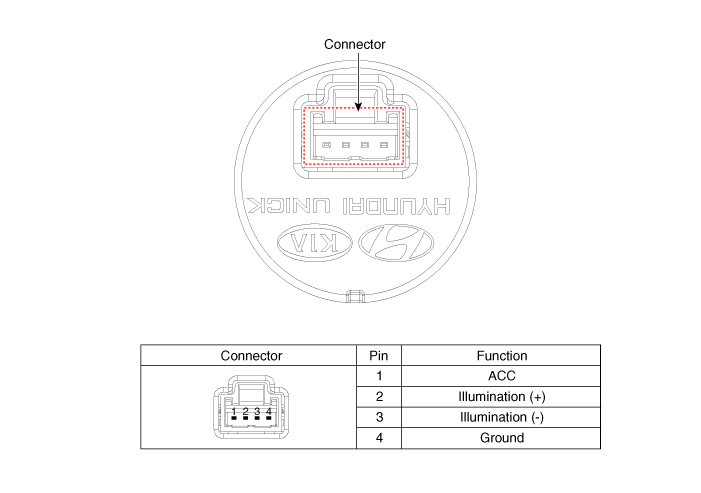
Repair Procedures
Removal
[Floor Console Tray]
Disconnect the negative battery cable.
Remove the console upper cover.
(Refer to Body - Floor Console Assembly)
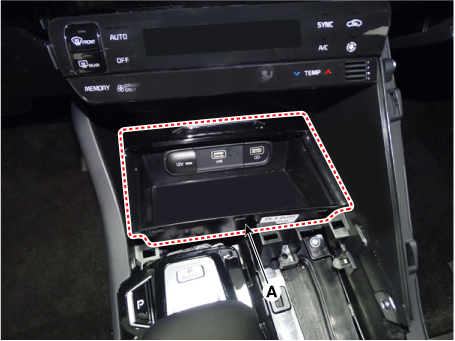
Remove the floor console tray (A) using a screwdriver or a removal tool.
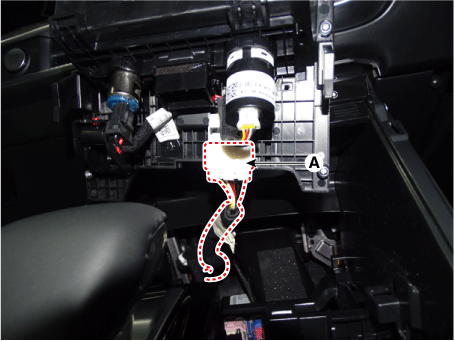
Disconnect all connectors from the floor console tray.
Disconnect the multimedia connector (A) by pressing the hooks.

Disconnect the main connector (A).
Disconnect the USB charger connector (A).
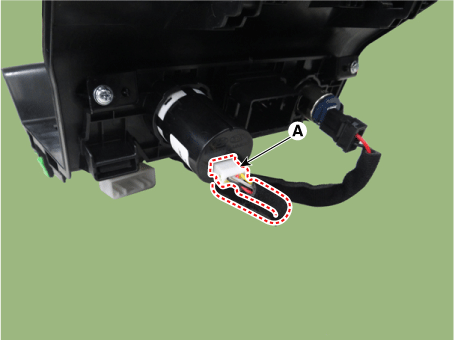
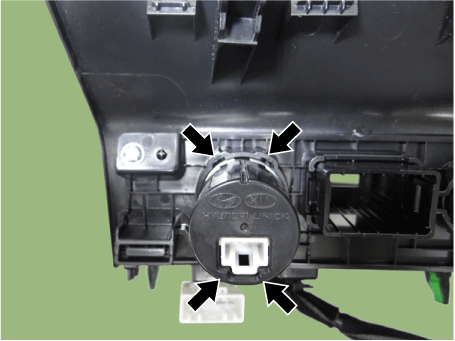
Remove the USB charger (A) by pressing the hooks.

[Rear Console Cover]
Disconnect the negative battery cable.
Remove the floor console assembly.
(Refer to Body - Floor Console Assembly)
Disconnect the USB charger connector (A).

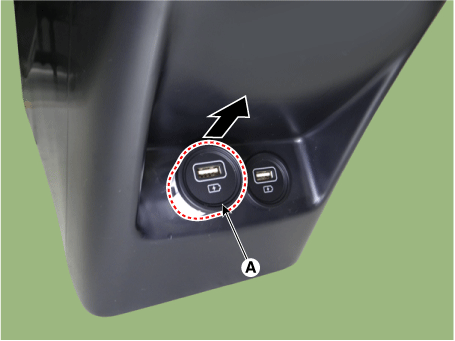
Remove the USB charger (A) by pressing the hooks.

[Console Armrest]
Disconnect the negative battery cable.
Remove the floor console assembly.
(Refer to Body - Floor Console Assembly)
Disconnect the USB charger connector (A).
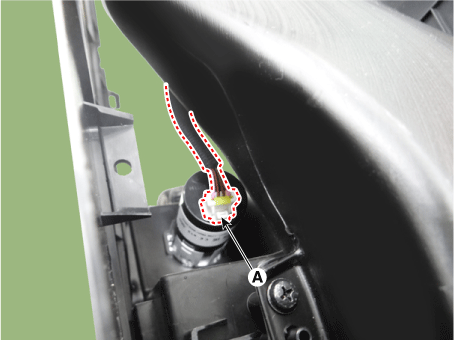
Remove the USB charger (A) by pressing the hooks.


Installation
Install in the reverse order of removal.
Test yourself
A quick Kia Optima DL3 quiz: every answer comes with an explanation and a link to the manual page.