Body Electrical System
Wireless Charging Indicator
In this manual: Body Electrical System
4steps
~24min
2/5difficulty
Done 0 of 4
Circuit Diagrams
Connector and Terminal Function
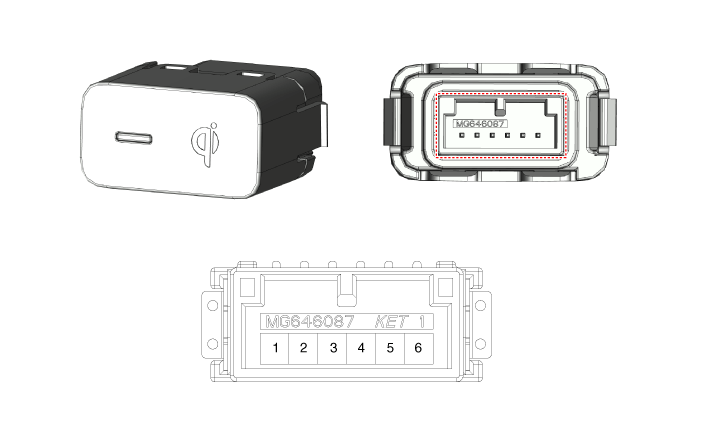
| Pin | Function |
| 1 | Ground |
| 2 | Charging LED lamp (green) |
| 3 | Charging LED lamp (amber) |
| 4 | - |
| 5 | Illumination (-) |
| 6 | Illumination (+) |
Repair Procedures
Removal
Disconnect the negative battery cable.
Remove the console upper cover.
(Refer to Body - Floor Console Assembly)
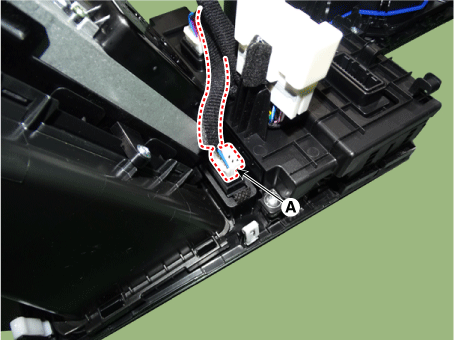
Disconnect the wireless charging indicator connector (A).
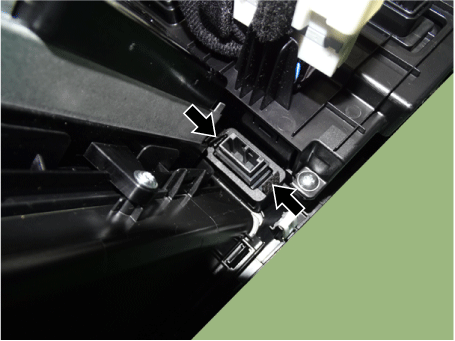
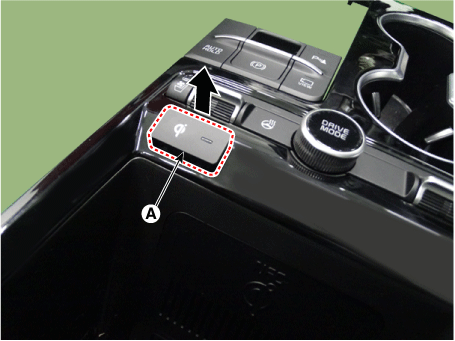
Remove the wireless charging indicator (A) by pressing the retaining hooks.
Installation
Install in the reverse order of removal.
Test yourself
A quick Kia Optima DL3 quiz: every answer comes with an explanation and a link to the manual page.
Was this page helpful?