Monitor, Climate, Audio, Phone and Voice Recognition Systems
Pairing Procedure
In this manual: Monitor, Climate, Audio, Phone and Voice Recognition Systems
2steps
~12min
1/5difficulty
Done 0 of 2
NOTE:
Perform pairing when the vehicle is stationary. The process is cancelled if the vehicle starts moving during pairing.
To connect a phone to the Bluetooth® hands-free phone system:
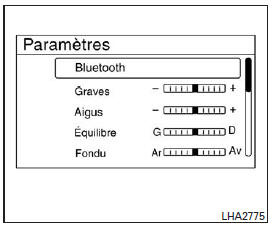
- Press the Settings key.
- Use the TUNE/FOLDER knob to select "Bluetooth", then press the ENTER button.
| Menu options | Result | |
| Bluetooth On/Off | Allows the user to turn the Bluetooth system on or off. The Bluetooth system must be on to connect the device. | |
| On | Turns on the Bluetooth function | |
| Off | Turns off the Bluetooth function | |
| Add a Phone or Device | When this key is pressed, a message with a PIN code appears on the screen. Activate the Bluetooth phone to enter the PIN code and complete the connection process. | |
| Replace Phone | Replaces the phone currently connected to the system. This option allows the user to keep the voice tags that were recorded using the previous phone if the vehicle is equipped with the voice recognition system. | |
The connection procedure varies for each phone. Refer to the phone owner's manual for complete details. You can also visit www.nissanusa.com/bluetooth or call the NISSAN Consumer Affairs Department for instructions on pairing recommended phones.
Test yourself
A quick Nissan Altima quiz: every answer comes with an explanation and a link to the manual page.
Was this page helpful?