Vehicle settings personalisation menu
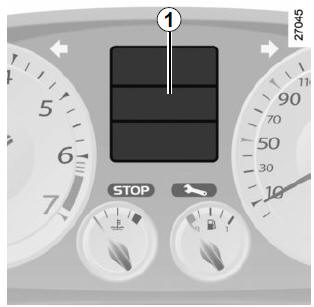
This function, built into on-board computer 1, allows certain vehicle functions to be switched on/off and adjusted.
Accessing the vehicle settings personalisation menu
With the vehicle stationary, press either button 2 or 3 several times until the message "Settings menu: long press" appears on display 1.
Press and hold either button 2 or 3 for more than 2 seconds to enter the menu.

Selecting settings
Press either button 2 or 3 to select the function to change (depending on vehicle):
- unlocking driver's door only;
- automatic door locking while driving;
- rear wiper when reversing;
- front parking aid;
- rear parking aid;
- parking aid volume;
- language.
 function activated
 function
deactivated
Once the line is selected, press and hold either button 2 or 3 to change the function.
For the "Parking aid volume" or "Language" options, you will get a further selection. In this case, make your choice and confirm it by pressing and holding either button 2 or 3. The selected value is shown by in front of the line.
To exit the menu, select "Exit" or "Back", then confirm by pressing and holding either button 2 or 3. It may be necessary to repeat this operation several times.
The vehicle settings personalisation menu cannot be used while driving. Above 20 km/h for vehicles fitted with a manual gearbox (0 km/h for vehicles fitted with an automatic gearbox), the display automatically returns to on-board computer mode.Test yourself
A quick Renault Laguna quiz: every answer comes with an explanation and a link to the manual page.