Trip parameters
The information displayed below DEPENDS ON VEHICLE EQUIPMENT AND COUNTRY.
Selection examples |
Interpreting the selected display |
 | a) Total and partial odometer. |
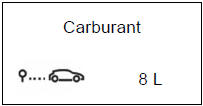 | b) Trip settings. Fuel used. Fuel consumed since the last Top Départ. |
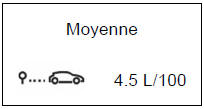 | Average consumption since the last Top Départ. The value is displayed after at least 400 metres have been travelled since the last Trip Start. |
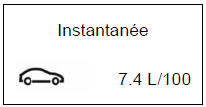 | Instantaneous consumption. Value displayed above a speed of 30 km/h. |
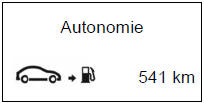 | Predicted range with the remaining fuel. This range takes into account the average consumption since the last trip reset. Value displayed after travelling 400 metres. |
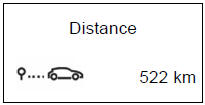 | Distance travelled since the last trip reset. |
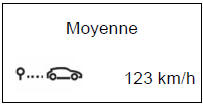 | Average speed since the last trip reset. Value displayed after 400 metres have been travelled. |
The information displayed below DEPENDS ON VEHICLE EQUIPMENT AND COUNTRY.
| Display selection examples | Interpreting the selected display |
| Trip computer with the service range message | |
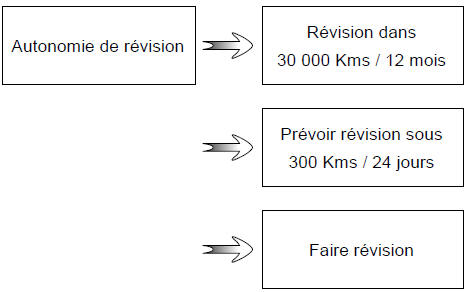 | c) Service range or oil change range. Service range: Ignition on and engine not running. When the message "Service range" is displayed, press button 2 or 3 for about 5 seconds to display the service range. Distance remaining until the next service (displayed in kilometres and months). When the range is close to zero, several cases arise:
The vehicle requires a service as soon as possible. |
| Reset: to reset the service range, press and hold button 2 or 3 for about 10 seconds without interruption until the service range is displayed steadily. Note: if a service is carried out without an engine oil change, only the service range must be reset. If an engine oil change is carried out, both the service range and the oil change range must be reset. |
|
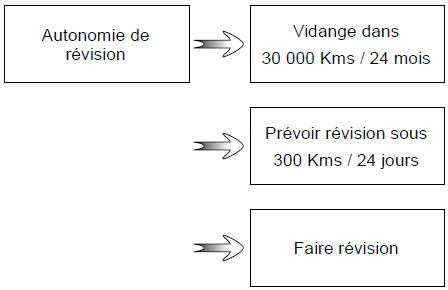 | c) Service range or oil change range. Oil change range: Ignition on, engine not running and the display set to "Service range". Press one of buttons 2 or 3 for about 5 seconds to display the service range, then briefly press one of buttons 2 or 3 to display the oil change range (distance or time until the next service). When the range is close to zero, several cases arise:
The vehicle then requires an oil change as soon as possible. |
| Depending on the vehicle, the oil change range adapts to the driving style (frequent driving at low speeds, short trips, prolonged idling, towing a trailer, etc.). The distance remaining until the next oil change may therefore in some cases decrease faster than the distance actually travelled. Reset: to reset the oil change range, press and hold button 2 or 3 for about 10 seconds until the oil change range is displayed steadily. Note: if a service is carried out without an engine oil change, only the service range must be reset. If an engine oil change is carried out, both the service range and the oil change range must be reset. |
|
 .
The information displayed below DEPENDS ON VEHICLE EQUIPMENT AND COUNTRY.
Selection examples |
Interpreting the selected display |
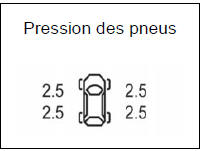 | d) Tyre pressure monitoring system Refer to Chapter 2, section "Tyre pressure monitoring system". |
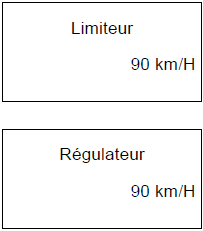 | e) Speed limiter/cruise control set speed. Refer to Chapter 2, sections "Speed limiter" and "Cruise control". |
 | e) Vehicle settings personalisation menu. Allows certain vehicle functions to be adjusted (instrument panel language, parking assistance, etc.). Refer to Chapter 1, section "Vehicle settings personalisation menu". |
 | f) Trip computer. Successive display of:
|
Test yourself
A quick Renault Laguna quiz: every answer comes with an explanation and a link to the manual page.