Tire Pressure Monitoring System Initialization
Initialize the tire pressure monitoring system in the following situations:
• After inflating the tires to the recommended pressure.
• After replacing the temporary spare tire or a flat tire with a regular wheel.
• After rotating the tires.
For vehicles with a tire repair kit
• After repairing a flat tire with the tire repair kit.
The tire pressure low indicator and the symbol/message on the multi-information display will not turn off until the tire pressure monitoring system initialization procedure is completed.

To initialize the tire pressure monitoring system, perform the following steps:
1. Press and hold the INFO button to enter setting mode.
2. Press the INFO button repeatedly until the following symbol appears on the display: then press the SEL/RESET button.
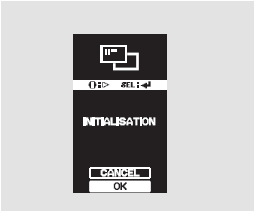
3. To initialize the tire pressure monitoring system, select "OK" by pressing the INFO button, then press the SEL/RESET button.
To cancel initialization, select "CANCEL" by pressing the INFO button, then press the SEL/RESET button. The following symbol will appear on the display again:.
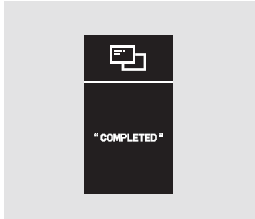
4. When the initialization procedure is complete, the screen shown in the illustration appears on the display for several seconds, then the display returns to setting mode. At the same time, the tire pressure low indicator turns off.
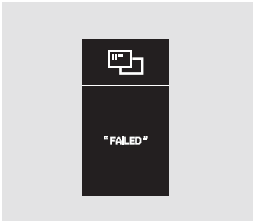
5. If the procedure is not completed successfully, the screen shown in the illustration appears on the display for several seconds, then the display returns to setting mode. Repeat the procedure starting from step 3.

6. To exit setting mode without changing the value, select EXIT by pressing the INFO button, then press the SEL/RESET button.
The display will return to normal operation.
7. After the system initialization is complete, drive the vehicle at a speed above 25 km/h for approximately 10 minutes.
Test yourself
A quick Honda CR-V quiz: every answer comes with an explanation and a link to the manual page.