Radio
Changing the RADIO Mode
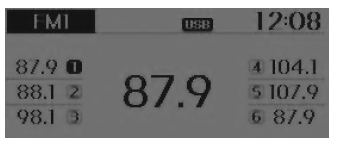
SEEK
Press the button .
- Briefly press (less than 0.8 seconds) the key: Changes the frequency.
- Press and hold (more than 0.8 seconds) the key: Automatically seeks the next frequency.
Preset SEEK
Press the button .
- Briefly press (less than 0.8 seconds) the key: Plays the frequency stored in the corresponding key.
- Press and hold (more than 0.8 seconds) the key: Press and hold the desired key fromIt is possible to store the station currently being received to the selected key and an acoustic signal (BEEP) sounds.
SCAN
Press the button .
- Briefly press (less than 0.8 seconds) the key: The broadcast frequency increases and each station is scanned for 5 seconds.
After all frequencies have been scanned, it returns to the current broadcast frequency and plays it.
- Press and hold (more than 0.8 seconds) the key: Scans the stored preset stationsfor 5 seconds each.
Manual tuning selection
Turn the left/right tuning knob to adjust the frequency.
- AC100B9GG, AC110B9GG
- FM: Changes in 100 kHz steps
- AM: Changes in 9 kHz steps
- AC100B9GN, AC110B9GN
- FM: Changes in 200 kHz steps
- AM: Changes in 10 kHz steps
MENU
Inside the key there are A.Store (Auto Store) and the info functions.
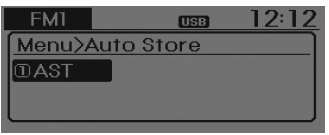
AST (Auto Store)
Press the button. Set [1 AST] using theTUNE knob or the .
Select AST (Auto Store) to save the frequencies with reception stronger than the presets. If no frequency is received, the last received frequency will be broadcast.
Test yourself
A quick Hyundai i10 quiz: every answer comes with an explanation and a link to the manual page.