Voice Command (if equipped)
Starting the Voice Command
- To start the voice command, briefly press the button on the steering wheel remote control.
- If the voice command is in [Normal Mode], the system says "Say a command. Beep"
If the voice command is in [Expert Mode], the system only sounds a "Beep".
Voice Command Settings [Normal Mode]/[Expert Mode]: Press the
 . Select [System] using
 TUNE knob or the
 button. Select [Voice Command Mode] usingTUNE knob. Set [Normal Mode]/[Expert Mode].
- Say a voice command.
NOTE
For correct voice recognition, say the voice command after the guidance message and the "Beep" sound.
Skipping the Guidance Message
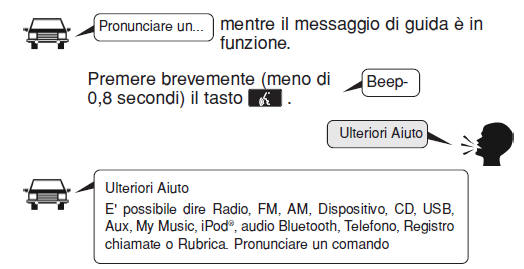
While the guidance message is playing, briefly press the (less than 0.8 seconds) to stop the guidance message and wait for the "beep".
After the "beep", say the voice command.
Ending the Voice Command
- While using the voice command, press and hold the(more than 0.8 seconds) to end the voice command.
- When using the voice command, press the steering wheel remote control or a different button to end the voice command.
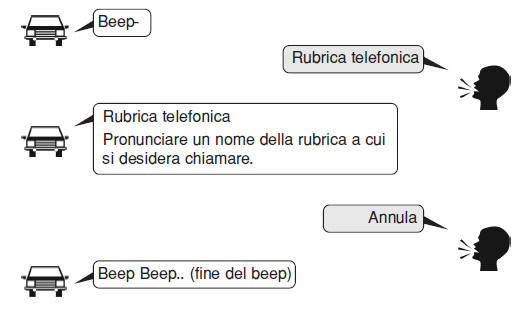
- If the system is waiting for a voice command, say "cancel" or "end" to end the voice command.
- If the system is waiting for a voice command, briefly press the(less than 0.8 seconds) to end the voice command.
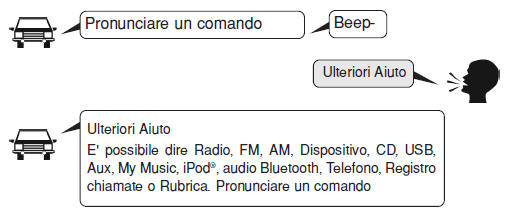
Figure on using voice commands.
- Starting the voice command.
Briefly press (less than 0.8 seconds) the key:
- Voice recognition skip.
Briefly press (less than 0.8 seconds) the key :
- Ending the voice command.
Briefly press (less than 0.8 seconds) the key:
Voice Command List
- Common commands: These commands can be used in most operations (however, some commands may not be available during certain operations).
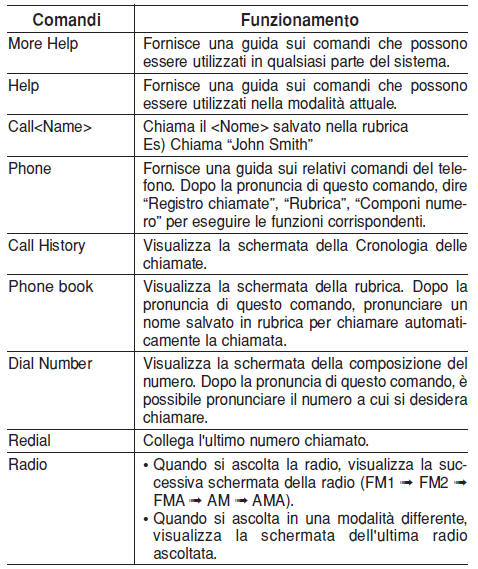
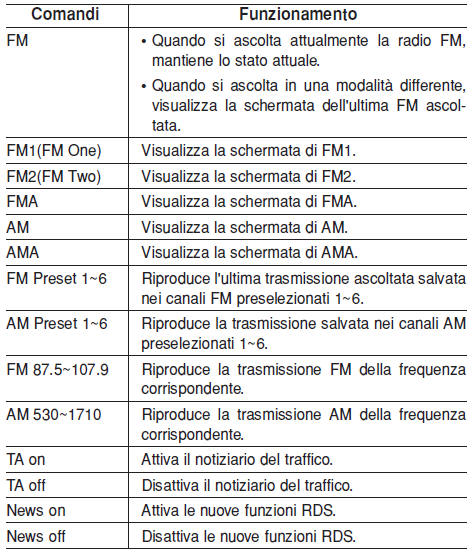
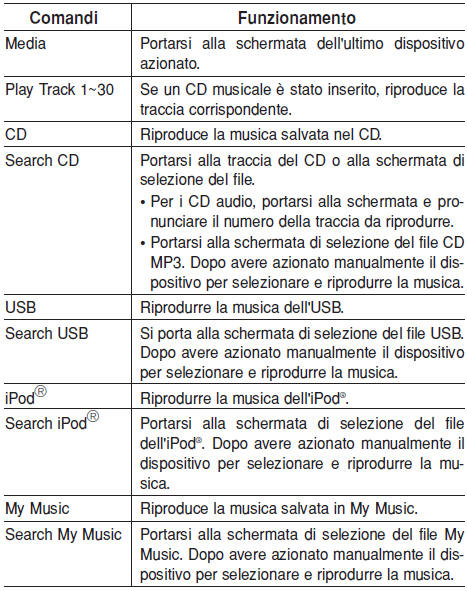
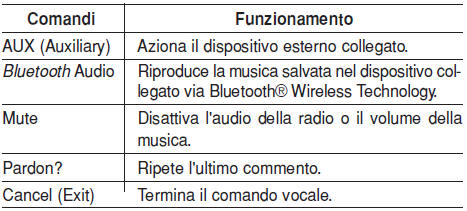
- FM/AM radio commands: commands available while operating the FM or AM radio.
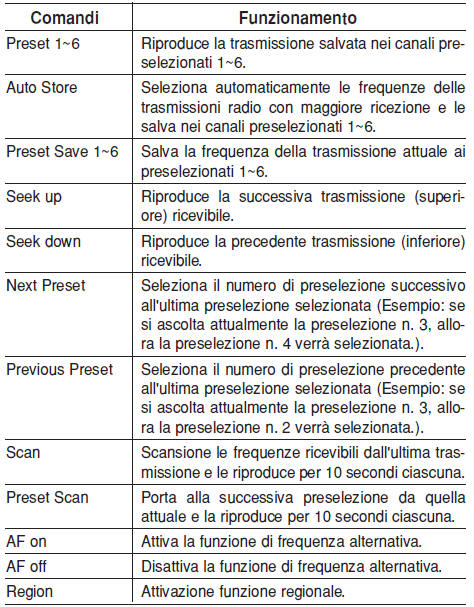
- Audio CD commands: commands that can be used while listening to audio CD.
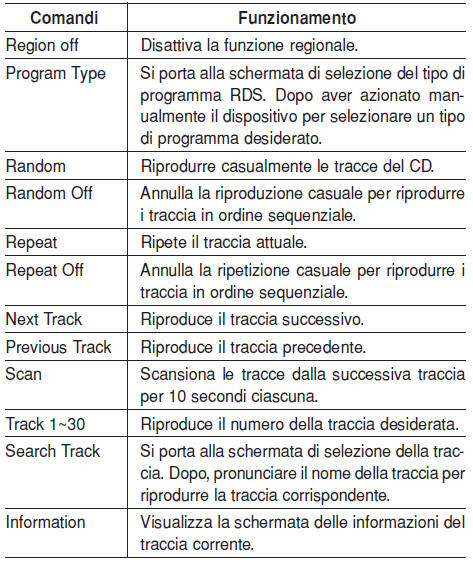
- MP3 CD/USB commands: Commands available while operating USB and MP3 CD.
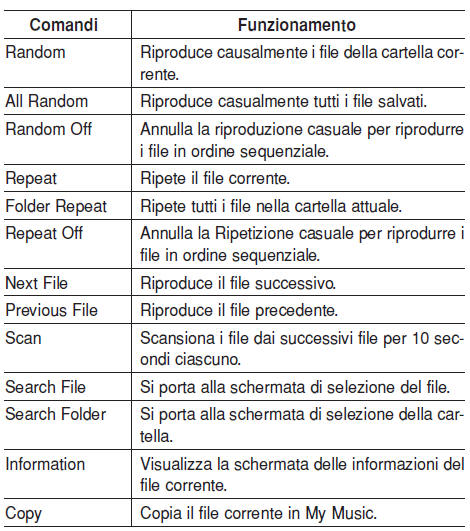
- iPod commands: Commands available while operating iPod.
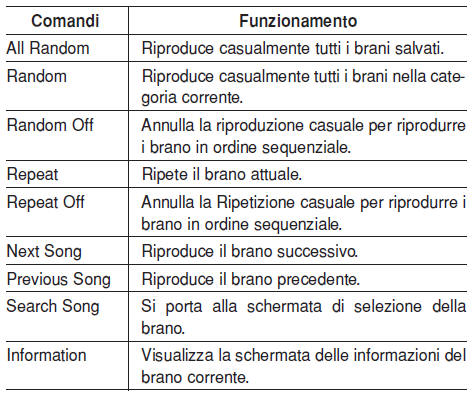
- My Music commands: Commands available while operating My Music.
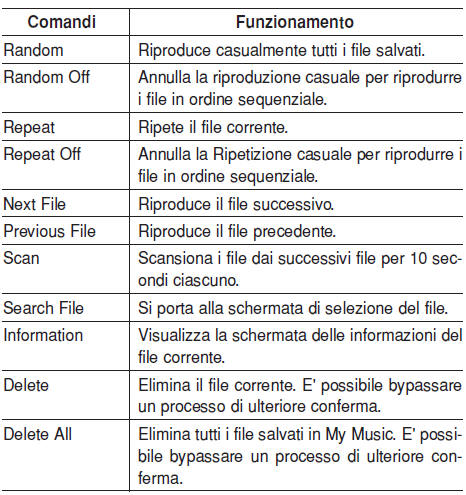
- Bluetooth Wireless Technology Audio commands: Commands available during audio streaming via Bluetooth Wireless Technology from the mobile phone operation.

APPENDIX
Test yourself
A quick Hyundai i10 quiz: every answer comes with an explanation and a link to the manual page.