LDW System Operation
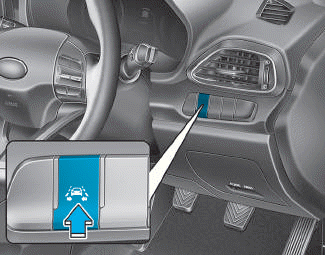
To activate/deactivate the LDW system:
With the ignition switch in the ON position, press the LDW system button located on the instrument panel at the lower left side of the driver.
The indicator on the cluster display will first illuminate white. This indicates the LDW system is in READY state, but NOT ACTIVATED.

The indicator color will change depending on the state of the LDW system.
- White: The sensor does not detect lane lines or vehicle speed is below 60 km/h.
- Green: The sensor detects lane lines.
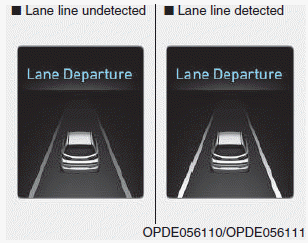
- To view the LDW screen on the LCD display in the cluster, select Assist mode (
 ). For more information, refer to "LCD Display Modes" in chapter 3.
- If the system detects a lane line, the color changes from gray to white.
- If the system detects the left lane line, the color of the left lane line will change from gray to white.
- If the system detects the right lane line, the color of the right lane line will change from gray to white.
- If your vehicle speed exceeds 40 mph (60 km/h) and the LDW system button is on, the system is activated. If your vehicle drifts out of the lane ahead, the LDW system operates as follows:
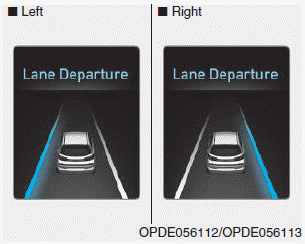
A visual warning will appear on the cluster LCD display. Either the left lane line or the right lane line on the cluster LCD will flash, depending on the direction in which the vehicle is drifting.
Test yourself
A quick Hyundai i30 quiz: every answer comes with an explanation and a link to the manual page.