Driving Your Vehicle
LKA Activation
In this manual: Driving Your Vehicle
~1min read
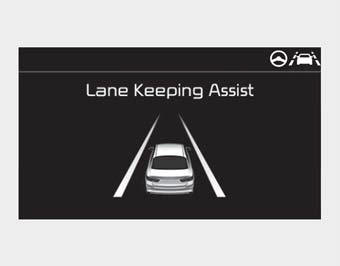
- To display the LKA screen on the LCD in the cluster, tab to Driving Assist mode (
 ).
- After LKA is activated, if lane markings are detected on both sides, vehicle speed exceeds 60 km/h, and all activation conditions are met, the green steering wheel indicator will illuminate and steering will be controlled.
WARNING
The LKA system is designed to help prevent the driver from unintentionally leaving the lane. However, the driver must not rely solely on the system and should always check road and traffic conditions while driving.

If the vehicle speed exceeds 60 km/h and the system detects lane markings, the color changes from gray to white.

If the vehicle leaves the lane, the lane marking being crossed will flash on the LCD and a warning sound will be provided.
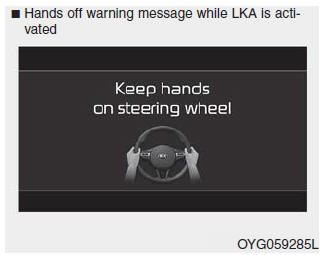
If the driver takes their hands off the steering wheel for several seconds while LKA is activated, the system will warn the driver.
WARNING
- The hands-off warning message may be delayed depending on road conditions. Therefore, always keep your hands on the steering wheel while driving.
- If you hold the steering wheel lightly, the system may display a hands-off warning because LKA may not detect that you are gripping the steering wheel.
- The driver is responsible for proper steering.
- Although steering is assisted by the system, the driver must control the steering wheel.
- Turn off the system and drive the vehicle in the following situations:
- In bad weather
- On poor road conditions
- When the steering wheel needs to be controlled frequently by the driver
- When towing a vehicle or trailer. - The steering wheel may feel heavier when steering with the system than when it is not.
✽ NOTICE
- Although steering is assisted by the system, the driver must control the steering.
- The steering wheel may feel heavier when steering is assisted by the system than when it is not.
Test yourself
A quick Kia Cadenza VG Owner's Manual quiz: every answer comes with an explanation and a link to the manual page.
Was this page helpful?