Driving Your Vehicle
SCC (Smart Cruise Control) Malfunction Message
In this manual: Driving Your Vehicle
~1min read
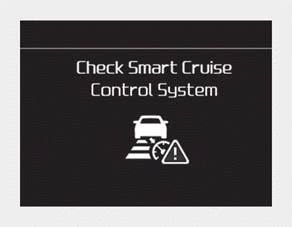
■ Type A
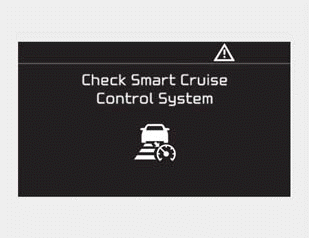
■ Type B
This message appears when the vehicle-to-vehicle distance control system is not operating normally.
In this situation, take your vehicle to an authorized Kia dealer and have the system inspected.
CAUTION
- Do not install accessories around the sensor or replace the bumper yourself. This may interfere with sensor performance.
- Always keep the sensor and bumper clean. • Use only a soft cloth to wash the vehicle. Do not spray water directly onto the sensor or sensor cover under pressure.
- Be careful not to apply unnecessary force to the radar sensor or sensor cover. If the sensor is forced out of proper alignment, the Smart Cruise Control system may not operate correctly. In this situation, a warning message may not be displayed. Have the vehicle inspected by an authorized Kia dealer.
- Do not damage the sensor or the sensor area with a strong impact. If the sensor moves even slightly out of position, the Smart Cruise Control system will not operate correctly without any warning or indicator from the instrument cluster. If this happens, take your vehicle to an authorized Kia dealer and have the system checked.
- Use only an original Kia sensor cover for your vehicle. Do not paint anything on the sensor cover.
- If the front bumper is damaged in the area of the radar sensor, the Smart Cruise Control system may not operate properly.
Test yourself
A quick Kia Forte BD quiz: every answer comes with an explanation and a link to the manual page.
Was this page helpful?