Warning Message
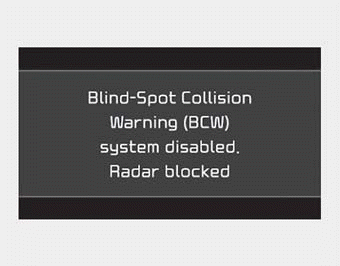
The sensor may be restricted when the following conditions exist.
If there is a problem with the BCW system, a warning message will appear and the indicator light on the switch will go off. The system will turn off automatically.
- One or both of the rear bumper sensors are blocked by mud, snow, or a foreign object.
- Driving in rural areas where the BCW sensor does not detect another vehicle for an extended period of time.
- When severe weather conditions exist, such as heavy snow or rain.
- A trailer or carrier is installed. (To use the BCW system, remove the trailer or carrier from your vehicle.)
Turn off the system by pressing the BCW switch and deselecting Rear Cross-Traffic Collision Warning (RCCW) from the user settings mode on the cluster when using a trailer or carrier behind your vehicle.
If any of these conditions occur, the BCW switch and system light will turn off automatically.
When the BCW cancel warning message is displayed in the cluster, check that the rear bumper is free of mud and snow in the areas where the sensors are located. Remove mud, snow, or foreign objects that may interfere with the radar sensors.
After mud or debris has been removed, the BCW system should operate normally after approximately 10 minutes of driving.
If the system still does not operate normally, have your vehicle checked by an authorized Kia dealer.
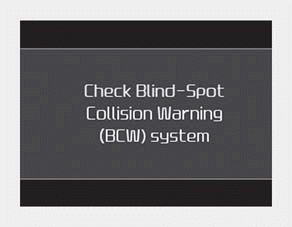
■ Type A
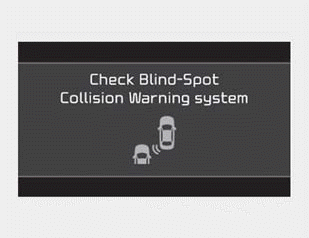
■ Type B
If the system malfunctions, a warning message will appear and the indicator light on the switch will go off. The system will turn off automatically.
In this situation, take your vehicle to an authorized Kia dealer and have the system inspected.
Malfunction
The outside rearview mirror may not warn the driver if:
- The outside rearview mirror housing is damaged or covered with debris.
- The mirror is covered with mud, snow, or debris.
- The window is blocked by debris.
- The windows are tinted.
Test yourself
A quick Kia Forte BD quiz: every answer comes with an explanation and a link to the manual page.