Manual Heating and Air Conditioning
The heating and cooling system can be operated manually by pressing the buttons or turning the knob(s), except the AUTO button. In this case, the system operates in sequence according to the order in which the buttons or knobs are selected.
1. Start the engine.
2. Set the mode to the desired position. For more efficient heating and cooling:
- Heating:
- Cooling:
3. Set the temperature control to the desired position.
4. Set the air intake control to the outside (fresh) air position.
5. Set the fan speed control to the desired speed.
6. If air conditioning is required, turn on the air conditioning system.
Press the AUTO button to switch to fully automatic control of the system.
Mode Selection


The mode selection button controls the direction of airflow through the ventilation system.
The airflow outlet is changed as follows:

Face level (B, D, F)

Airflow is directed to the upper body and face. In addition, each vent can be adjusted to direct the air flowing out of the outlet.
Bi-Level (B, C, D, E, F)

Airflow is directed to the face and floor.
Floor Level (A, C, E, F)

Most of the airflow is directed to the floor, with a small amount directed to the windshield and side window defroster vents.
Floor / Defrost Mode (A, C, D, E, F)

Most of the airflow is directed to the floor and windshield, with a small amount directed to the side window defroster vents.
Defrost Level

Most of the airflow is directed to the windshield, with a small amount directed to the side window defroster vents.
Instrument Panel Vents

The vents can be opened or closed individually using the adjustment ring (if equipped).
You can also adjust the direction of airflow from these vents using the ventilation control lever, as shown in the illustration.
Temperature Control

• Front seat
The temperature will increase to maximum (HI) when the knob is turned fully to the right.
The temperature will decrease to minimum (Lo) when the knob is turned fully to the left.
Turning the knob will increase or decrease the temperature by 0.5 °C/1°F. When the minimum temperature is set, the air conditioner will operate continuously.
• Rear seat
Turn the rear seat temperature control knob to adjust the temperature.
The side temperatures of the front and rear seats are adjusted individually.

Same Temperature Control for Driver and Passenger Sides
- Press the SYNC button to adjust the driver and passenger side temperatures equally. The passenger side temperature will be set to the same temperature as the driver side temperature.
- Turn the driver side temperature control knob. The driver and passenger side temperatures will be adjusted equally.
Independent Temperature Control for Driver and Passenger Sides
- Press the "SYNC" button again to adjust the driver's and passenger's side temperatures independently. The button indicator light goes off.
- Use the driver's side temperature control knob to adjust the driver's side temperature.
- Turn the passenger's side temperature control knob to adjust the passenger's side temperature.
Temperature Unit Conversion
You can change the temperature unit from Celsius to Fahrenheit as follows:
While holding the OFF button, press and hold the AUTO button for 3 seconds or more.
The display will change from the Celsius scale to the Fahrenheit scale, or from Fahrenheit to Celsius.
If the battery is discharged or disconnected, the temperature display will reset to Fahrenheit.
Air Intake Control

Used to select the outside (fresh) air position or the recirculated air position.
To change the air intake control position, press the control button.
Outside (Fresh) Air Position
When the outside (fresh) air position is selected, outside air enters the vehicle and is heated or cooled depending on the selected function.
Recirculated Air Position
When the recirculation position is selected, air from the passenger compartment passes through the heating system and is heated or cooled depending on the selected function.
Operating the heater in recirculation mode for a long time (without air conditioning) may cause the windshield and side windows to fog up and the air inside the vehicle may become stuffy.
In addition, using the air conditioner in the recirculated air position for an extended period will cause the air inside the vehicle to become excessively dry.
Recirculation Mode Inside Air Vent
If the sunroof is opened while the heater or air conditioning system is operating, outside (fresh) air is automatically selected for ventilation. Then, if you select the recirculation position, outside (fresh) air will be automatically selected after 3 minutes.
If you close the sunroof, the intake mode returns to the previously selected mode.
Blower Speed Control
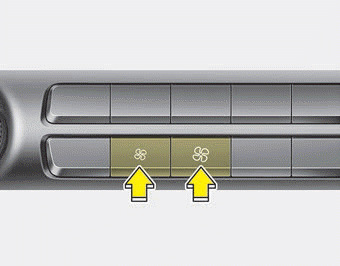
The fan speed can be set to the desired speed using the fan speed button.
To change the fan speed, press ( ) button for a higher speed, or press () button to decrease the speed. To turn off fan speed control, press the front fan OFF button.
Air Conditioning
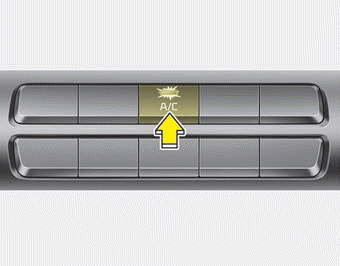
Press the A/C button to turn on the air conditioning system (the indicator will illuminate).
Press the button again to turn off the air conditioning system.
WARNING! Limited Visibility
Continuous use of the climate control system in recirculation mode may increase humidity inside the vehicle, which may cause the windows to fog up and reduce visibility.
WARNING: Recirculated Air
Continued use of the climate control system in the recirculation position may cause drowsiness, and loss of vehicle control. Set the intake control to the outside (fresh) air position as much as possible while driving.
WARNING: Sleeping with the Air Conditioner On
Do not sleep in the vehicle with the air conditioning or heating on, as this may result in serious injury or death due to decreased oxygen levels and/or body temperature.
OFF Mode
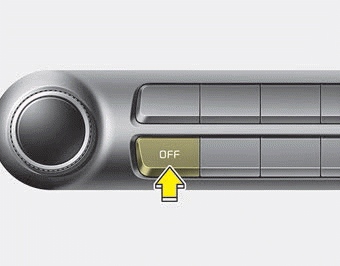
Press the front fan OFF button to turn off the front climate control system. However, you can still operate the mode and air intake buttons while the ignition switch is in the ON position.
Climate Information Display Selection

Press the climate information screen selection button to display the climate information on the screen.
Test yourself
A quick Kia Stinger CK quiz: every answer comes with an explanation and a link to the manual page.