AVN Remote Control
Components and Components Location
COMPONENTS LOCATION
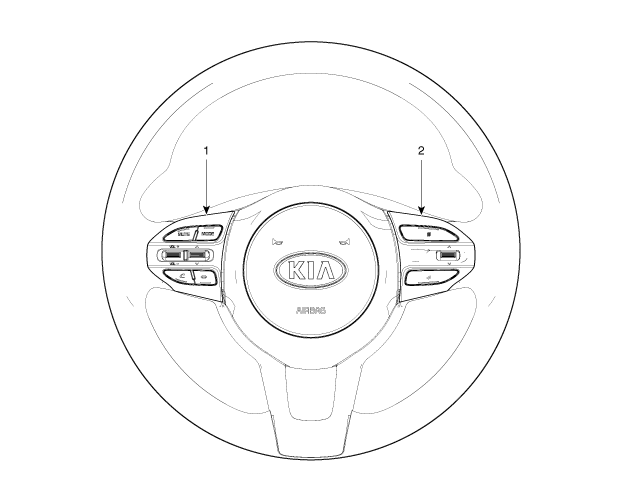
| 1. Left-hand remote control switch (Audio + Hands-free + Voice) |
2. Right-hand remote control switch (Cruise control + Trip computer) |
Schematic diagrams
Circuit diagram
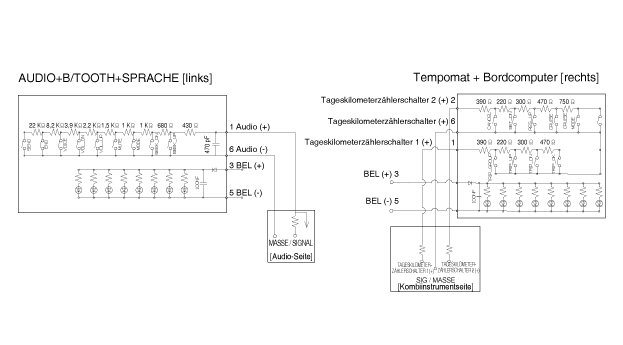
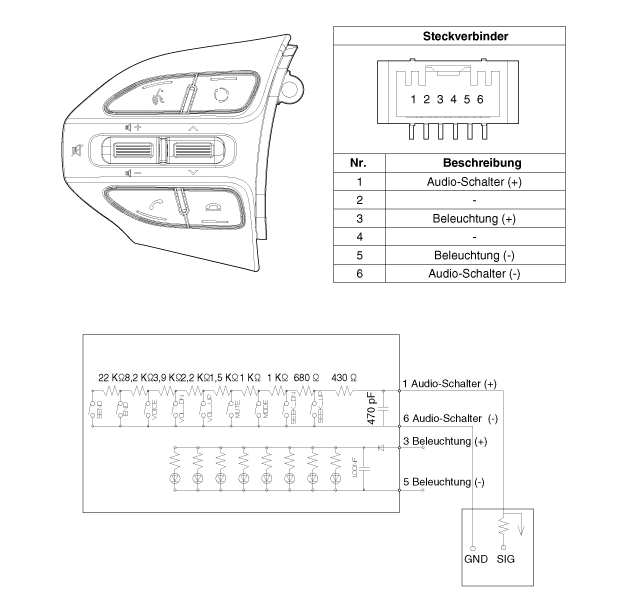
[Audio]
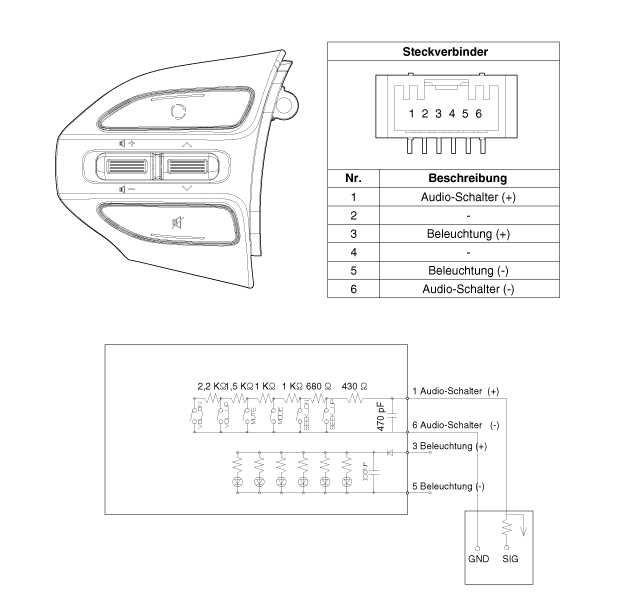
[Audio + Bluetooth]
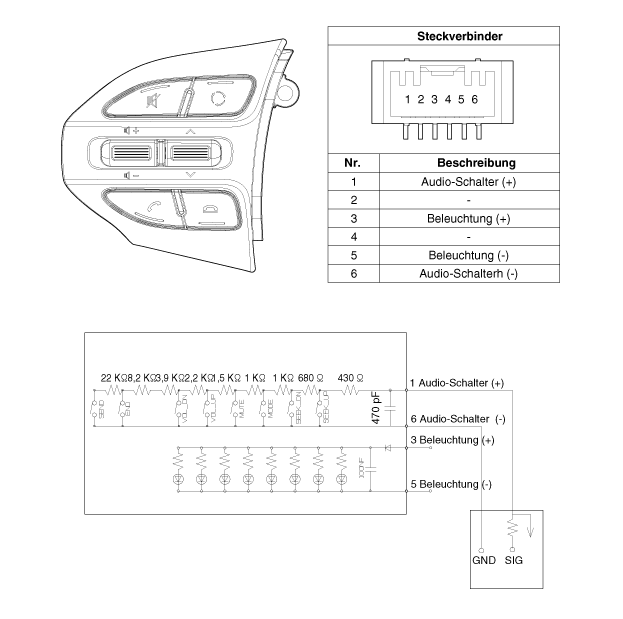
[Audio + Bluetooth + Voice]
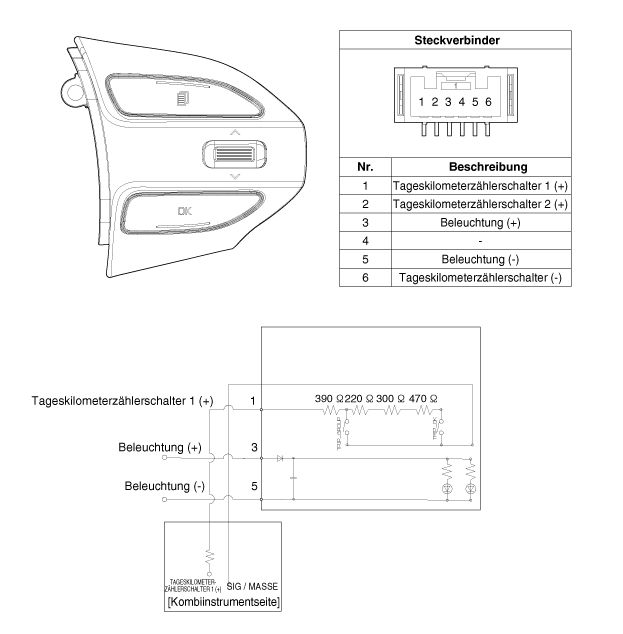
[Trip]
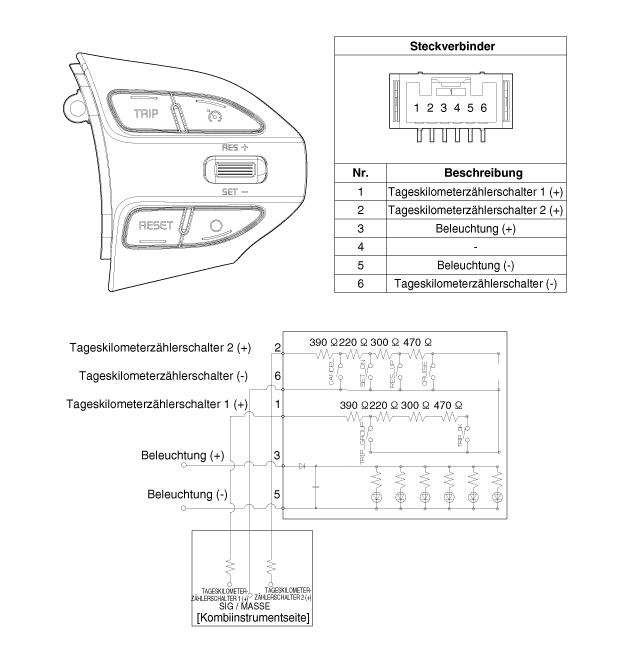
[Trip meter + ACC (2 buttons)]
[Trip meter + ACC + SLD (2 buttons)]
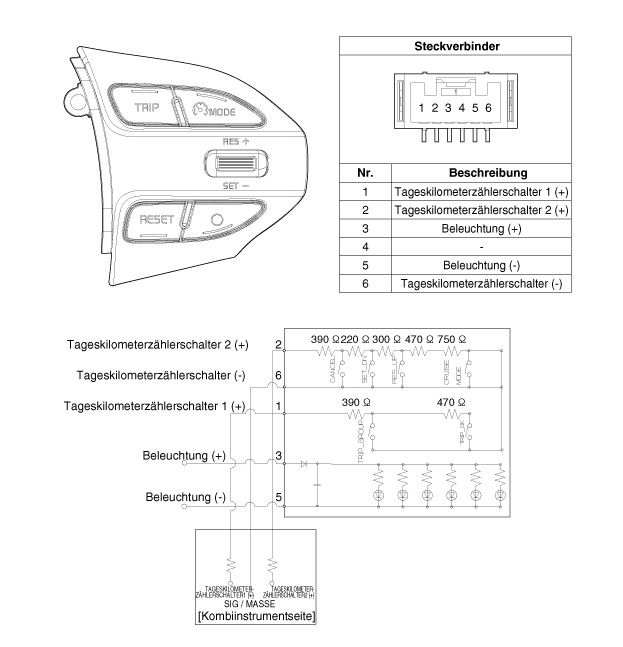
[Trip meter + ACC (4 buttons)]
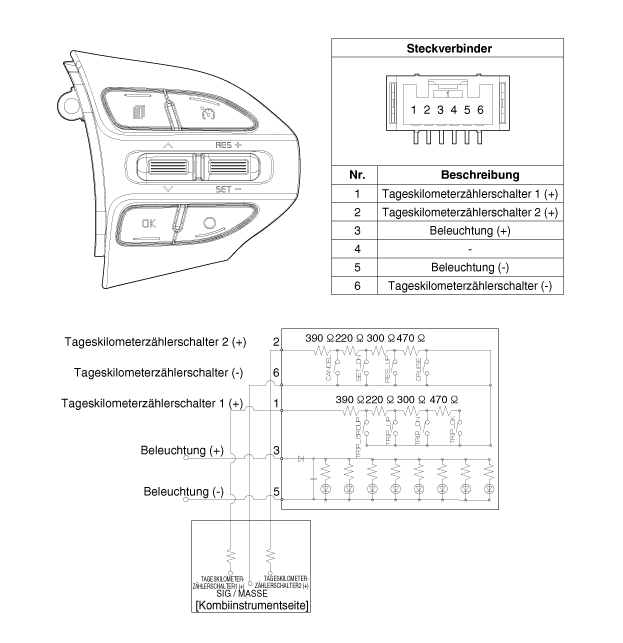
[Trip meter + ACC + SLD (4 buttons)]
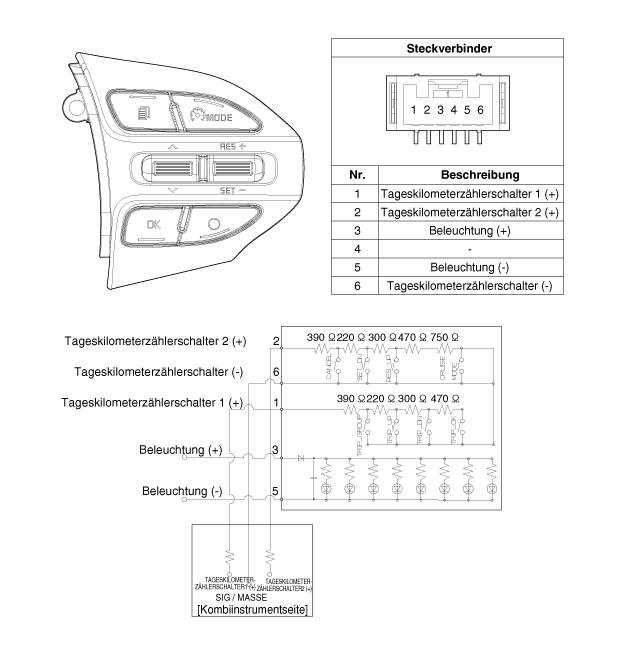
repair procedures
expansion
Disconnect the battery ground cable.
Remove the steering wheel.
(Refer to Steering - "Steering Wheel")
Loosen the mounting screws and remove the steering wheel remote control (A).
(LH)
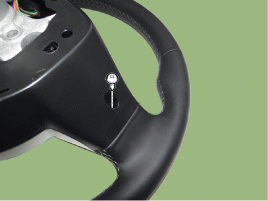
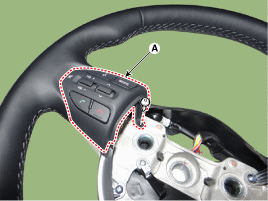
(RH)
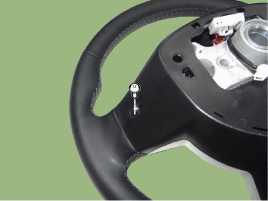
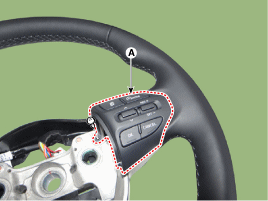
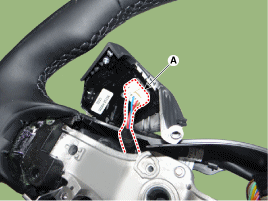
Disconnect the remote control connector on the steering wheel (A).
(LH)
(RH)
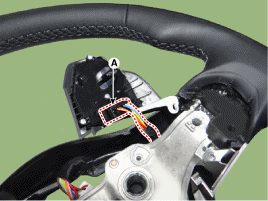
Installation
Connect the remote control switch connector on the steering wheel.
Install the remote control on the steering wheel.
Install the steering wheel and the driver airbag module.
Connect the negative (-) battery terminal.
TEST
Check the resistance between the terminals at each switch position (LH).
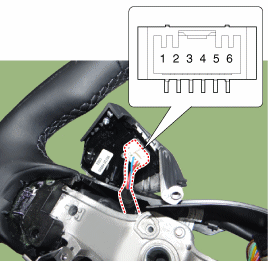
[LH: Audio + Hands-free + Voice]
Switch Clamp Resistance
(±3%)Preset 1,6 430 Ω SEEK 1.11 kΩ MODE 2.11 kΩ MUTE 3.11 kΩ VOL (-) 4.61 kΩ VOL (-) 6.81 kΩ VOICE 10.71 kΩ End 18.91 kΩ SEND 40.91 kΩ Check the resistance between the terminals at each switch position (RH).
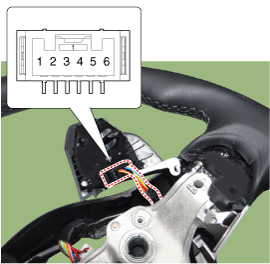
[RH: Cruise control + Trip computer]
Switch Clamp Resistance
(±3%)Cancel 2,6 390 Ω SET/- 610 Ω RES/+ 910 Ω Cruise control ON/OFF 1.38 kΩ Cruise control and speed limiter ON/OFF
Cruise control mode2.13 kΩ Track 1,6 390 Ω Trip meter up 610 Ω Trip meter down 910 Ω OK/Default 1.38 kΩ
Test yourself
A quick Kia Stonic quiz: every answer comes with an explanation and a link to the manual page.