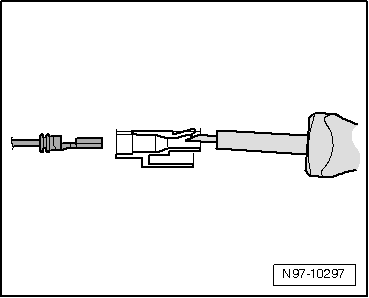
Unlocking and Disassembling Contact Housings
Notes on Unlocking and Disassembling Contact Housings

Note
- Observe the general notes on repairing the vehicle electrical system.
- Always use the release tools provided for unlocking. Under no circumstances may contacts be forced out of the contact housings.
- Damaged contact housings must always be replaced. New contact housings can be ordered through OTC-Kassel.
- Small screwdrivers may be used as an aid for releasing the secondary locks.
- The cavity/pin assignment is partly embossed on the secondary lock or on the back of the connector housing.
- For further information on connector locations, see → Wiring diagrams, Electrical fault finding and Component locations.
The assignment of the correct release tools to the respective locks can be found in the table in the → Operating instructions for VAS 1978/35.
Secondary lock
The secondary lock is a connector position assurance (CPA) device that secures all wires in a connector housing. If a connector housing has a secondary lock, it must always be opened or removed with the specified tool before releasing and removing individual crimp terminals.
The secondary lock is a different color from the rest of the connector housing. This makes the secondary lock easier to identify and shows how it works.
The connector housing designs shown here are only a selection, intended to illustrate the different operating principles of the secondary locks.
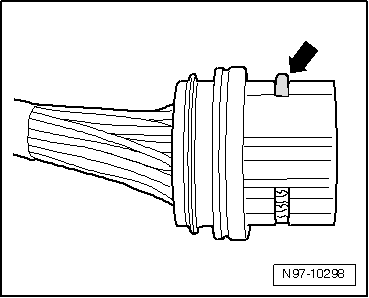
Example 1:
The connector position assurance is released by removing the "comb" -arrow-.
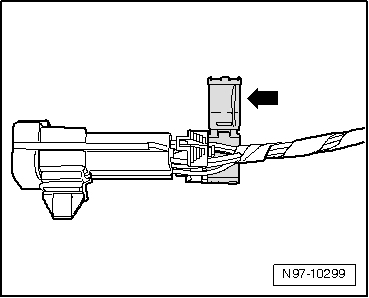
Example 2:
The connector position assurance is released by opening the "flap" -arrow-.
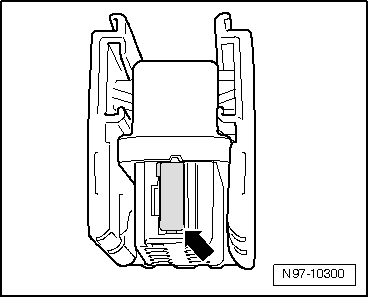
Example 3:
The connector position assurance can be released by unlatching the "slider" -arrow-.
Primary lock
The primary lock is the latching of an individual crimp terminal in the connector housing.
Any secondary locks (connector position assurance devices) must be released or removed with the specified tool before releasing the terminals.
The primary lock designs shown below are only a selection, intended to illustrate the different operating principles of the primary locks.
- Round connector systems
- Flat blade connector systems
- Special connector systems
The assignment of the correct release tool to the respective lock can be found in the table in the → Operating instructions for VAS 1978/35.
Round connector systems

Note
Any secondary locks (connector position assurance devices) must be released or removed with the specified tool before releasing the terminals.
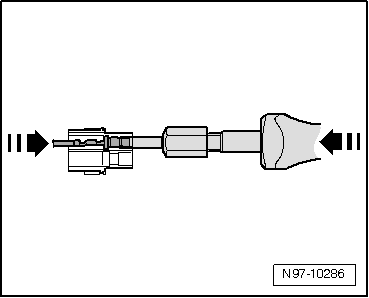
- Insert the release tool that matches the connector housing into the release channel on the connector housing.
- Grip the terminal at the wire and press it lightly into the connector housing -arrow-.

Note
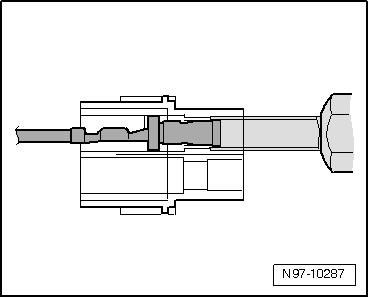
Pressing the terminal toward the connector housing lifts the locking tangs of the terminal off the housing shoulder so they can be released with the release tool.
- At the same time, press the release tool toward the connector housing -arrow- and pull the released terminal out of the connector housing.
- After removing the terminal, the release tool can be pulled out of the connector housing again.
Flat blade connector systems

Note
Any secondary locks (connector position assurance devices) must be released or removed with the specified tool before releasing the terminals.
Flat blade connector system with one locking tang:
- Insert the release tool that matches the connector housing into the release channel on the connector housing.
- Grip the terminal at the wire and press it lightly into the connector housing -arrow-.

Note
Pressing the terminal toward the connector housing lifts the locking tang of the terminal off the housing shoulder so it can be released with the release tool.
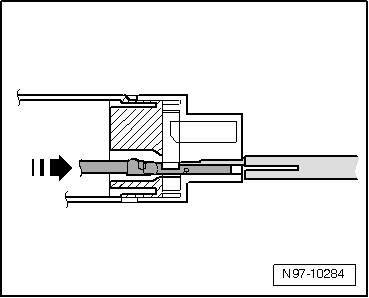
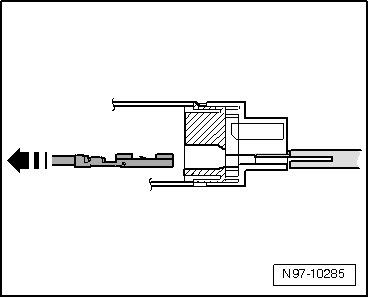
- At the same time, press the release tool toward the connector housing and pull the released terminal out of the connector housing -arrow-.
- After removing the terminal, the release tool can be pulled out of the connector housing again.
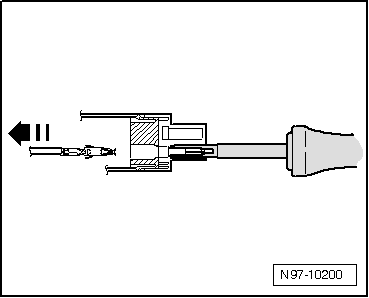
Flat blade connector system with two locking tangs:
- Insert the release tool that matches the connector housing into the release channel on the connector housing.
- Grip the terminal at the wire and press it fully into the connector housing until it stops -arrow-.

Note
Pressing the terminal toward the connector housing lifts the locking tangs of the terminal off the housing shoulder so they can be released with the release tool.
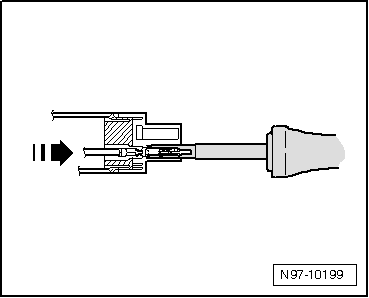
- At the same time, press the release tool toward the connector housing and pull the released terminal out of the connector housing -arrow-.
- After removing the terminal, the release tool can be pulled out of the connector housing again.
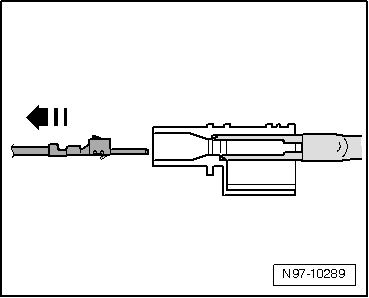
Asymmetrical:
- Insert the release tool that matches the connector housing into the release channel on the connector housing.
- Grip the terminal at the wire and press it lightly into the connector housing -arrow-.

Note
Pressing the terminal toward the connector housing lifts the locking tangs of the terminal off the housing shoulder so they can be released with the release tool.
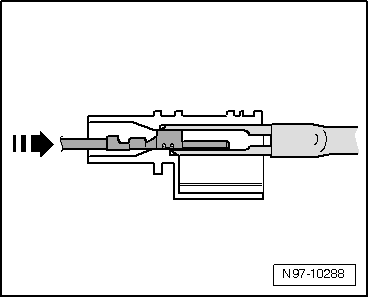
- At the same time, press the release tool toward the connector housing and pull the released terminal out of the connector housing -arrow-.
- After removing the terminal, the release tool can be pulled out of the connector housing again.
Special connector systems

Note
Any secondary locks (connector position assurance devices) must be released or removed with the specified tool before releasing the terminals.
Faston terminals:
- Insert the release tool that matches the connector housing into the release channel on the connector housing.
- Grip the terminal at the wire and press it lightly into the connector housing.

Note
Pressing the terminal toward the connector housing lifts the locking tangs of the terminal off the housing shoulder so they can be released with the release tool.
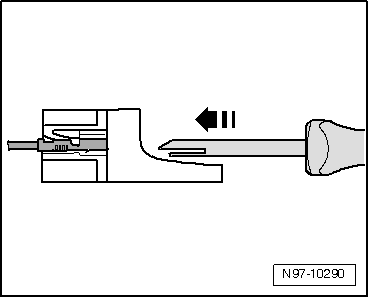
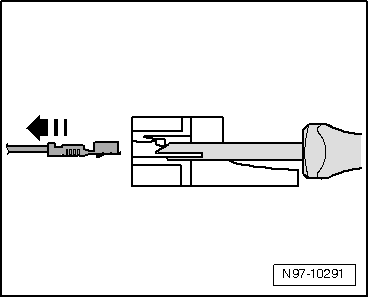
- At the same time, press the release tool toward the connector housing and pull the released terminal out of the connector housing -arrow-.
- After removing the terminal, the release tool can be pulled out of the connector housing again.
GT 150/280 terminals:
- Insert the release tool that matches the connector housing into the connector housing under the locking tang.
- Press the tool into the connector housing until it stops -arrow-.
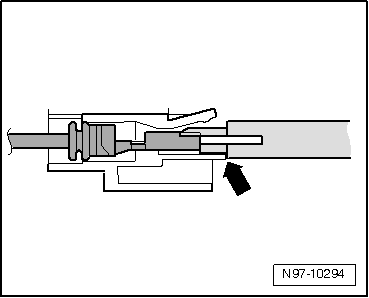
The terminal is ejected from the connector housing.
- After the terminal has been ejected, the release tool can be pulled out of the connector housing again.
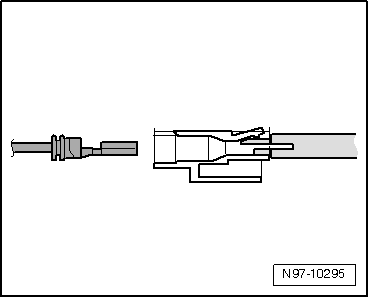
Terminals without locking tangs:
- Insert the release tool under the locking tang of the connector housing.
- Press the release tool through until it stops -arrow-, lifting it slightly.
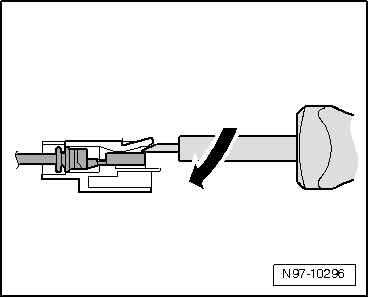
The terminal is ejected from the connector housing.