SYNC™ 3 (if equipped)
AM/FM Radio
In this manual: SYNC™ 3 (if equipped)
~1min read
Tuning to a Station
You can use the tune or seek controls on the radio bezel to select a station.
To tune to a station using the touchscreen, select:
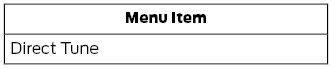
A pop-up window appears allowing you to enter the station frequency. You can only enter a valid station for the source you are currently listening to.
You can press the Backspace button to delete a previously entered number.
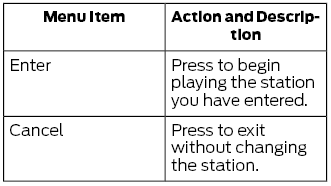
Once you have entered the station number, you can select:
Presets
To set a new preset, tune to a station, then press and hold one of the memory preset buttons. The sound mutes briefly while the system stores the station, then returns.
You can add an additional preset page using the settings option on the function bar.
Test yourself
A quick Ford Escape quiz: every answer comes with an explanation and a link to the manual page.
Was this page helpful?