Display
Display on Cluster
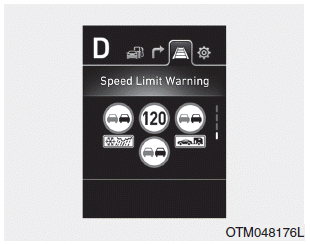
The cluster displays speed limit information, overtaking restriction, detailed conditional speed limit, and detailed overtaking restrictions.
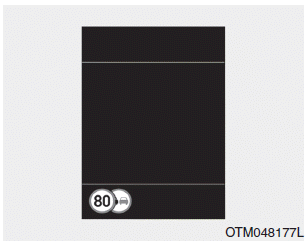
The cluster displays speed limit information, overtaking restriction, and conditional road sign.
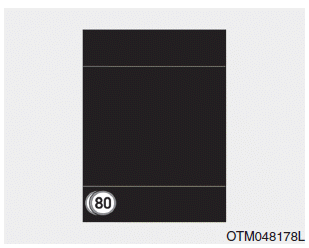
If ISLW detects a conditional road sign, the road sign symbol is overlapped at the bottom or left of the speed limit on the cluster.
There may be signs with different speed limits on the same road. For example, the speed limit is usually 120 km/h, however the speed limit is 55 mph (90 km/h) when it is raining or snowing.
A conditional road sign means that the speed limit and overtaking prohibition apply under certain conditions, for example, during rain or snow.
Supplementary Road Signs
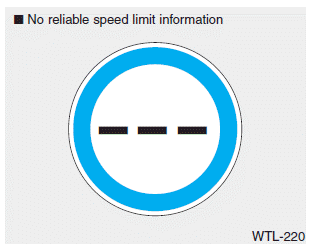
• The symbol is displayed on the instrument cluster and navigation system when ISLW does not have any valid speed limit information.
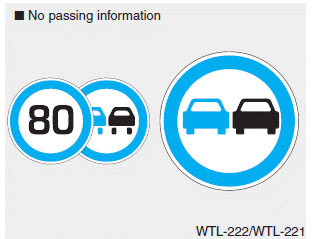
• The symbol is displayed on the instrument cluster and navigation system when ISLW detects a no-overtaking sign.
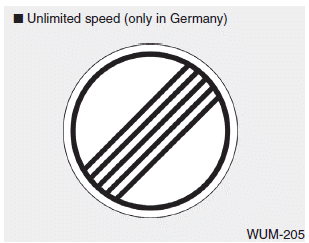
• The "end of limit" symbol is displayed on the instrument cluster for roads in Germany that do not have a speed limit. It is displayed until the vehicle passes another speed limit sign.
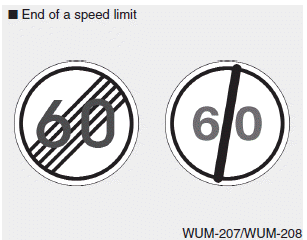
• After the vehicle passes the "end of speed limit" sign, the ISLW system informs the driver of the next applicable speed limit based on information received from the navigation system.
Warning Message
SLW (Speed Limit Warning) System Limited. Camera Obstructed
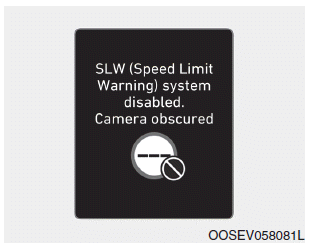
A warning message will appear when the camera lens is obstructed by certain objects. ISLW (Intelligent Speed Limit Warning) will not operate until the objects are removed. Check the windshield around the camera area. If the problem is not resolved after removing the objects, we recommend having the system inspected by an authorized HYUNDAI repairer.
Check SLW (Speed Limit Warning) System
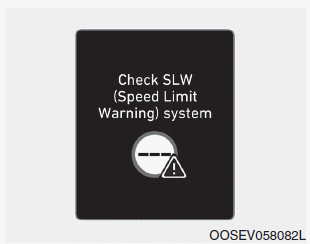
A warning message appears for a few seconds when ISLW does not operate correctly. Then the master warning light ( ) will illuminate.
We recommend having the system inspected by an authorized HYUNDAI repairer.
ISLW may not operate correctly or may not provide correct information in the following situations.
When the condition of the road sign is poor
- The road sign is located on a sharp curve.
- The road sign is installed incorrectly (i.e., upside down, blocked by an object, or damaged).
- Another vehicle blocks the road sign.
- The LED lamp of the road sign is broken.
- Bright light around the road sign.
- If the road signs do not comply with standards, etc.
When external conditions interfere
- Your vehicle is driving directly behind another vehicle.
- A bus or truck with a speed sticker attached passes your vehicle.
- Your vehicle is driving on a road that is not covered by the navigation system.
- A malfunction has occurred in the navigation system.
- Your navigation system has not been updated.
- If the maximum speed limits stored in the navigation system are incorrect.
- As a result of incorrect camera detection.
- When the camera is calibrated immediately after the vehicle is supplied, etc.
- Something is wrong with the GPS.
When forward visibility is poor
- Weather is bad, for example, rain, snow, and fog.
- Dirt, ice, or frost on the windshield where the camera is installed.
- The camera lens is blocked by an object such as a sticker, paper, or fallen leaves, etc.
Test yourself
A quick Hyundai i30 quiz: every answer comes with an explanation and a link to the manual page.