Smart Cruise Control Sensitivity Adjustment
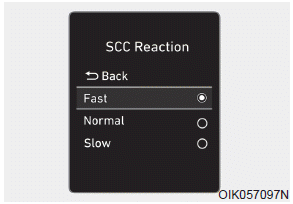
The vehicle speed sensitivity when following a vehicle ahead to maintain the set distance can be adjusted. Go to User Settings → Driver Assistance → SCC Response → Fast/Normal/Slow on the LCD display. You can select one of three levels that you prefer.
• Fast:
The vehicle speed when following the preceding vehicle to maintain the set distance is faster than normal speed.
• Normal:
The vehicle speed when following the preceding vehicle to maintain the set distance is normal.
• Slow:
The vehicle speed when following the preceding vehicle to maintain the set distance is slower than normal speed.
Information
The last selected Smart Cruise Control speed sensitivity remains in the system.
Test yourself
A quick Hyundai Palisade quiz: every answer comes with an explanation and a link to the manual page.