Detection Sensor (Camera and Radar)

■ Front Camera

■ Rear Radar
Front Camera
The front camera works as the lane detection sensor. If the sensor is covered with snow, rain, or foreign substances, the system may be temporarily cancelled and may not operate properly. Always keep the sensor clean.
Refer to the Lane Keeping Assist (LKA) system. Warning system for the front camera sensor.
Rear Radar
The rear radars are located inside the rear bumper to detect the side and rear areas. Always keep the rear bumper clean for normal system operation.
NOTICE
- The system may not operate correctly when the bumper has been damaged, or if the rear bumper has been replaced or repaired.
- The detection range varies slightly depending on the width of the road. When the road is narrow, the system may detect other vehicles in the adjacent lane.
- The system may turn off when interfered with by strong electromagnetic waves.
- Always keep the sensors clean.
- NEVER disassemble the sensor component or apply any impact to the sensor component.
- Be careful not to apply unnecessary force to the radar sensor or sensor cover. If the sensor is forcibly moved out of proper alignment, the system may not operate properly. In this case, the warning message may not be displayed. Have the vehicle inspected by an authorized HYUNDAI dealer.
- Do not attach foreign objects, such as a bumper sticker or bumper guard, near the radar sensor, or paint the sensor area. This may adversely affect sensor performance.
- NEVER install any accessories or stickers on the windshield, or tint the windshield.
- Take extreme care to keep the camera sensor dry.
- NEVER place reflective objects (such as white paper or a mirror) above the dashboard. Any light reflection may prevent the system from functioning normally.
Warning Message

This warning message may appear when:
- One or both of the sensors on the rear bumper are blocked by mud, snow, or a foreign object.
- Driving in rural areas where the sensor does not detect other vehicles for a long period of time.
- In bad weather, such as heavy snow or rain.
If any of these conditions occur, the BCW/BCA switch indicator will illuminate and the system will turn off automatically.
When the BCW cancel warning message is displayed in the cluster, check that the rear bumper is free of mud and snow in the areas where the sensors are located. Remove mud, snow, or foreign objects that may interfere with the radar sensors.
After the mud or debris has been removed, the system should operate normally after approximately 10 minutes of driving the vehicle.
If the system still does not operate normally, have your vehicle checked by an authorized HYUNDAI dealer.
Information
Turn off the BCW, BCA and RCCW systems when a trailer or other vehicle is attached.
- Press the BCW/BCA switch (the indicator light on the switch will turn off).
- Deactivate the RCCW system by deselecting
'User Settings → Driver Assistance → Parking Safety → Rear Cross-Traffic Collision Warning' (if equipped).

Blind-Spot Collision Warning (BCW) System Check
If there is a problem with the BCW system, a warning message will appear and the indicator light on the switch will turn off. The system will turn off automatically. The BCA will also not operate if the BCW system is turned off due to a malfunction. Have your vehicle inspected by an authorized HYUNDAI dealer.
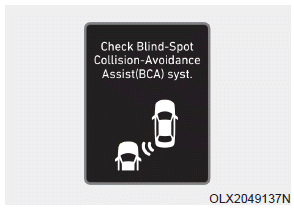
Blind-Spot Collision-Avoidance Assist (BCA) System Check
If there is a problem with the BCA system, a warning message will appear. The system will turn off automatically. The BCW will continue to operate even if the BCA system is turned off due to a malfunction. Have your vehicle inspected by an authorized HYUNDAI dealer to use the BCA system.
Test yourself
A quick Hyundai Palisade quiz: every answer comes with an explanation and a link to the manual page.