FCA Warning Message and Brake Control
FCA provides warning messages, warning sounds, and emergency braking depending on the degree of forward collision risk, for example, when the vehicle ahead brakes suddenly or when the system detects that a collision with a pedestrian is unavoidable.
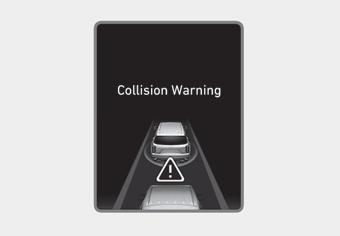
- A warning message appears on the cluster LCD display with a warning sound.
- The speed of your vehicle may be reduced moderately.
- If FCA detects a vehicle ahead, the system operates when your vehicle speed is between 5 mph (8 km/h) and 160 km/h. The maximum vehicle speed may be reduced depending on the condition of the vehicle ahead and the surrounding area.
- If FCA detects a pedestrian ahead, the system operates when your vehicle speed is between 8 km/h and 90 km/h. The maximum vehicle speed may be reduced depending on the condition of the pedestrian ahead and the surrounding area.
- If you select "Warning Only" for the system setting, the FCA system is activated and provides only warning sounds according to the collision risk levels. You should control the brake directly, because the FCA system will not control the brake.
Emergency Braking (Third Warning)
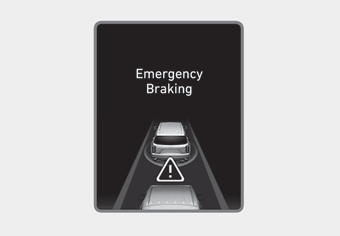
- A warning message appears on the cluster LCD display with a warning sound.
- In addition, on some vehicles, the engine control system intervenes to help decelerate the vehicle.
- Applies maximum braking immediately before a collision, reducing impact when striking the vehicle ahead.
- If FCA detects a vehicle ahead, the system operates when your vehicle speed is above 8 km/h and 80 km/h or below. The maximum vehicle speed may be reduced depending on the condition of the vehicle ahead and the surrounding area.
- If FCA detects a pedestrian ahead, the system operates when your vehicle speed is 5 mph (8 km/h) or higher and below 70 km/h. The maximum vehicle speed may decrease depending on the condition of the vehicle ahead and the surroundings.
- If you select "Warning Only" for the system setting, the FCA system is activated and only issues a warning alarm according to the collision risk level. You must control the brake directly, because the FCA system does not control the brake.
Brake Operation
- In an emergency, the braking system goes into a standby state for a quick response to the driver's brake pedal operation.
- FCA provides additional braking power for optimal braking efficiency when the driver depresses the brake pedal.
- Brake control is automatically canceled when the driver rapidly depresses the accelerator pedal or rapidly turns the steering wheel.
- FCA brake control is automatically cancelled when the risk factors disappear.
CAUTION
- The driver must always use extreme caution when operating the vehicle, regardless of whether there is a warning message or alarm from the FCA system.
- After brake control is activated, the driver must immediately depress the brake pedal and check the surroundings. Brake activation by the system lasts approximately 2 seconds.
- If another warning sound, such as the unbuckled seat belt warning chime, has already sounded, the Forward Collision-Avoidance Assist (FCA) warning may not sound.
- Playing the vehicle audio system at high volume may prevent the occupants from hearing the system warning sound.
WARNING
The FCA brake control system cannot completely stop the vehicle or avoid all collisions. The driver must be responsible for driving safely and controlling the vehicle.
WARNING
The FCA system logic operates based on certain parameters, such as the distance from the vehicle ahead, the pedestrian ahead, the speed of the vehicle ahead, and the speed of the driver's vehicle. Certain conditions such as bad weather and road conditions may affect the operation of the FCA system.
WARNING
Never intentionally drive dangerously to activate the system.
Test yourself
A quick Hyundai Palisade quiz: every answer comes with an explanation and a link to the manual page.