Smart Cruise Control Speed Setting: Set Smart Cruise Control speed
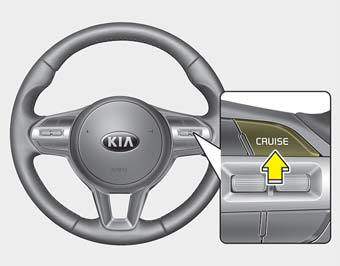
1. Press the CRUISE button to turn the system on. The Cruise indicator ( CRUISE) will illuminate in the instrument cluster.
2. Accelerate to the desired speed. The Smart Cruise Control speed can be set as follows:
- 30 km/h ~ 200 km/h: When there is no vehicle ahead
- 0 km/h ~ 200 km/h: When there is a vehicle ahead
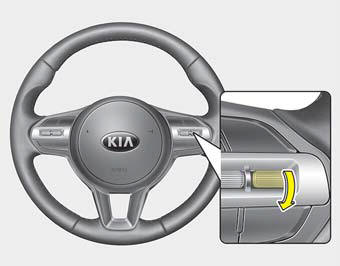
3. Move the SET switch down and release it at the desired speed. The set speed and interval will appear on the LCD screen.
4. Release the accelerator pedal. The set speed will be maintained automatically.
If a vehicle is ahead of you, your vehicle may decelerate to maintain the distance to the vehicle ahead.
On steep hills, the vehicle may slow down or speed up slightly while driving uphill or downhill.
The vehicle speed may decrease on an uphill slope and increase on a downhill slope.
The speed will be set to 20 mph (30 km/h) when there is a vehicle ahead and your vehicle speed is 20 mph (0 ~ 30 km/h).
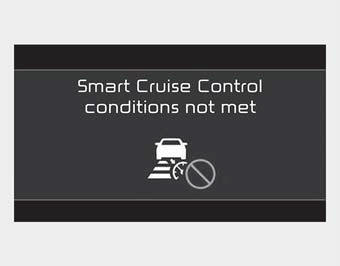
► SCC is not operational
- The driver door is opened.
- The vehicle is in N (Neutral), R (Reverse), or P (Park).
- Parking brake is applied.
- The vehicle speed is not within the specified SCC range.
- ESC (Electronic Stability Control), TCS (Traction Control System), or ABS is operating.
- ESC (Electronic Stability Control), TCS (Traction Control System), or ABS is turned off.
ESC (Electronic Stability Control), TCS (Traction Control System), or ABS is operating.
- The sensor cover is heavily contaminated.
- Engine operation is abnormal.
- Forward Collision-Avoidance Assist is activated.
- Engine speed is in the red zone.
- The front radar is malfunctioning.
Test yourself
A quick Kia Cadenza VG Owner's Manual quiz: every answer comes with an explanation and a link to the manual page.