Rear Wheel Speed Sensor
Components and Component Location
Components
[Torsion Beam Axle Type]
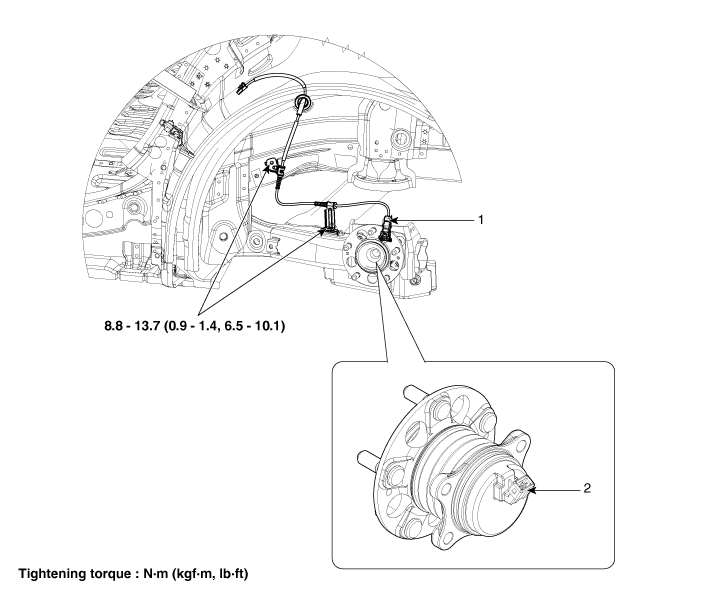
| 1. Rear Wheel Speed Sensor Connector | 2. Rear Wheel Speed Sensor |
[Multi-link Type]
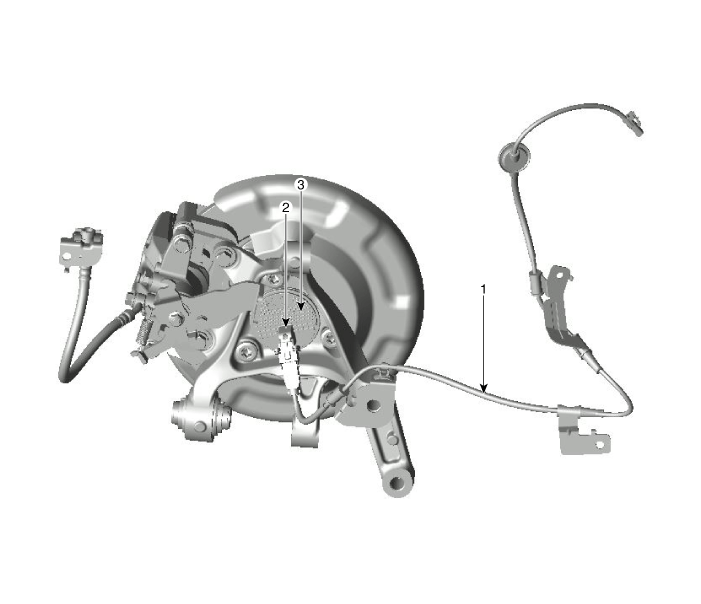
| 1. Rear Wheel Speed Sensor Connector 2. Rear Wheel Speed Sensor Cable |
3. Rear Wheel Speed Sensor |
Repair Procedures
Removal and Installation
Rear Wheel Speed Sensor Connector
[Torsion Beam Axle Type]
Disconnect the negative battery cable.
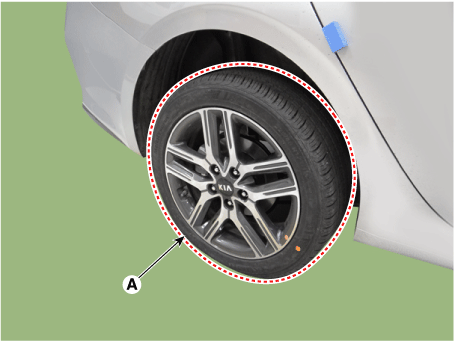
Remove the rear wheel and tire (A).
Tightening torque: 107.9–128 N·m
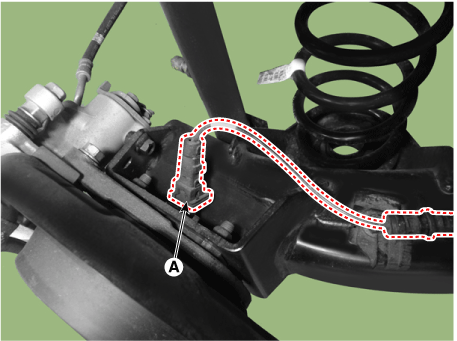
Disconnect the rear wheel speed sensor connector (A).
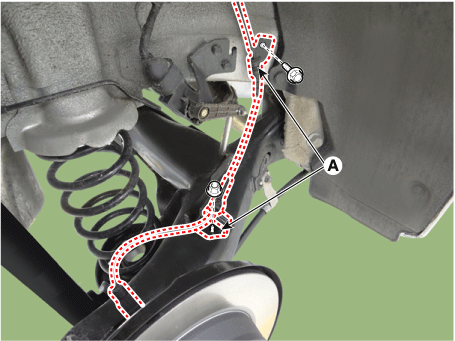
Disconnect the rear wheel speed sensor wiring extension brackets (A) by loosening the bolts.
Tightening torque: 8.8–13.7 N·m
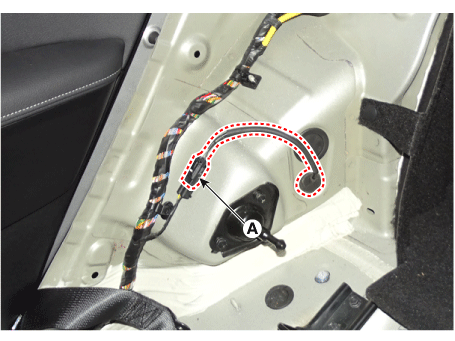
Remove the rear wheel house garnish.
(Refer to Body - "Rear Wheel Housing Cover")
Disconnect the connector (A), then remove the rear wheel speed sensor extension wiring.
Install in the reverse order of removal.
[Multi-link Type]
Disconnect the negative battery cable.
Remove the rear wheel and tire (A).
Tightening torque: 107.9–128 N·m
Disconnect the rear wheel speed sensor connector (A).
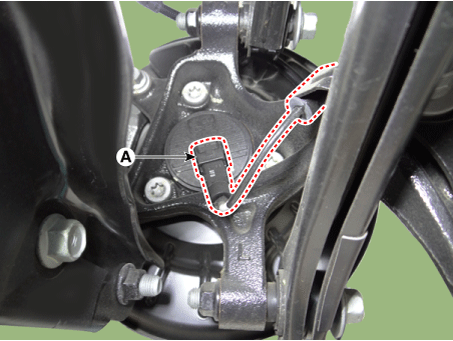
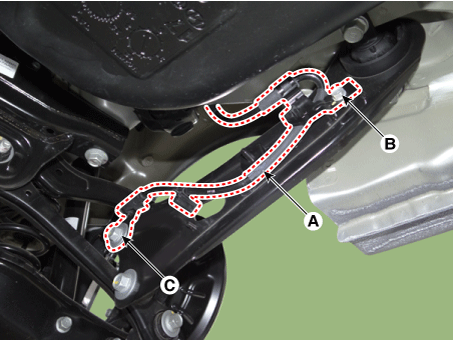
Disconnect the rear wheel speed sensor extension wiring (A) by loosening the bolts.
Tightening Torque
Bolts (B): 8.8–13.7 N·m
Bolt (C): 98.1–118 N·m
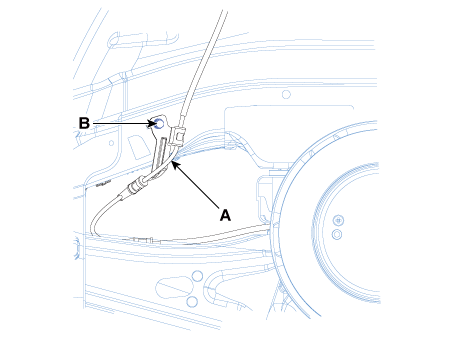
Remove the rear wheel house garnish.
(Refer to Body - "Rear Wheel Housing Cover")
Disconnect the connector (A), then remove the rear wheel speed sensor extension wiring.
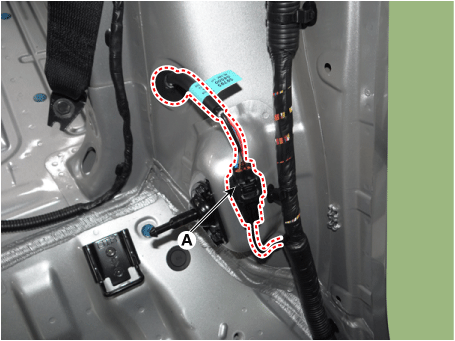
Install in the reverse order of removal.
Rear Wheel Speed Sensor
[Torsion Beam Axle Type]
Remove the rear wheel and tire (A).
Tightening torque: 107.9–128 N·m
Disconnect the wheel speed sensor (A).
Release the parking brake lever. The parking brake cable is slack.
Remove the retaining clip (A), then disconnect the parking brake cable (B).
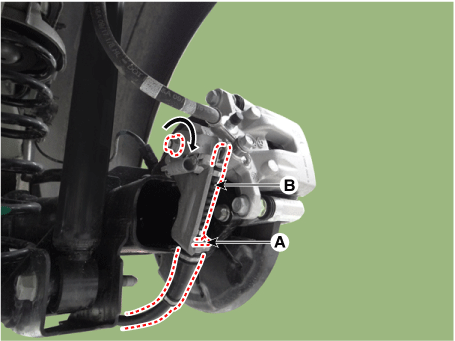
Remove the brake caliper mounting bolts (A) and hang the brake caliper assembly with wire.
Tightening torque: 63.7–74 N·m
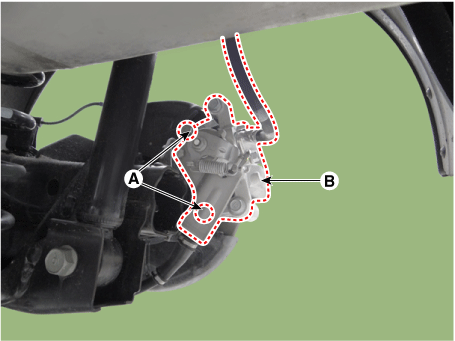
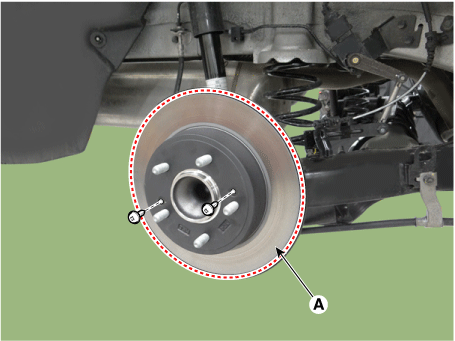
Loosen the screws and remove the rear brake disc (A).
Tightening torque:
4.9–5.9 N·m (0.5–0.6 kgf·m, 3.6–4.3 ft·lbf, 43.4–52.1 in·lbf)
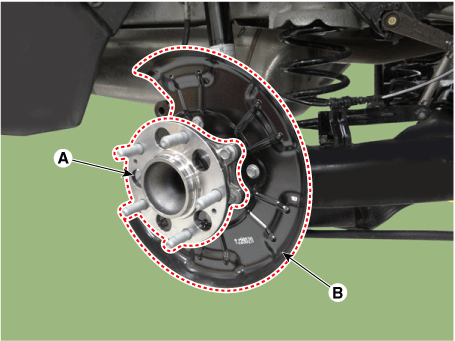
Remove the rear hub bearing (A) and dust cover (B).
Tightening Torque
Rear hub bearing: 49.0–59 N·m lbf·ft
Dust cover: 6.9–10.8 N·m
Install in the reverse order of removal.
[Multi-link Type]
Disconnect the negative battery cable.
Remove the rear brake disc.
(Refer to Brake System - "Rear Disc Brake")
Disconnect the rear wheel speed sensor connector (A).
Loosen the rear wheel speed sensor mounting bolts (A).
Tightening torque: 88.2 - 108 N·m
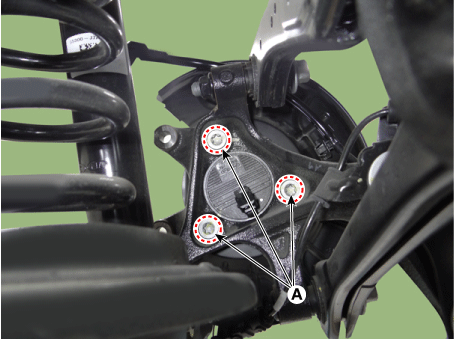
Remove the rear wheel speed sensor (A).
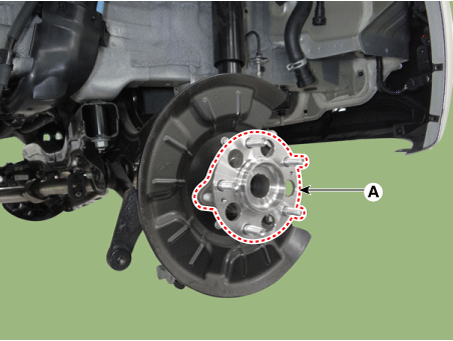
Install in the reverse order of removal.
Inspection
Measure the output voltage between the wheel speed sensor terminal and body ground.
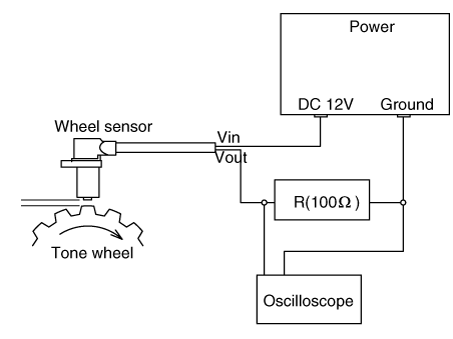
Compare the change in the wheel speed sensor output voltage with the normal output voltage change, as shown below.
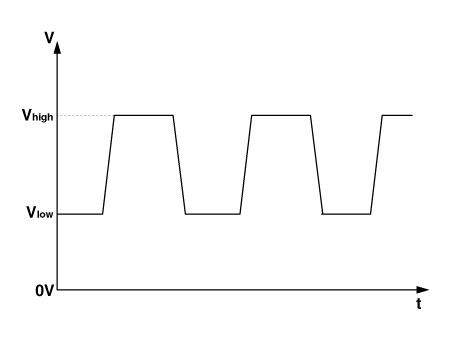
V_low: 0.59–0.84 V V_high: 1.18–1.68 V Frequency range: 1–2,500 Hz
Replacement
Rear Wheel Speed Sensor Cover
Remove the rear wheel hub bearing assembly.
(Refer to Drive Shaft and Axle - "Rear Axle Assembly")
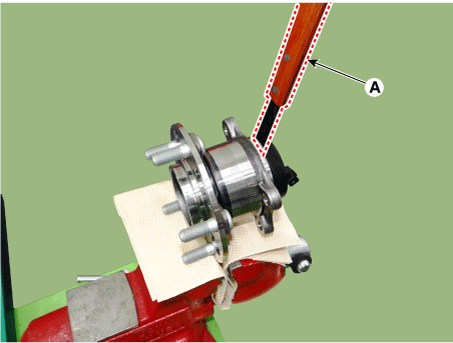
Secure the rear wheel hub bearing assembly (A) in a vise.
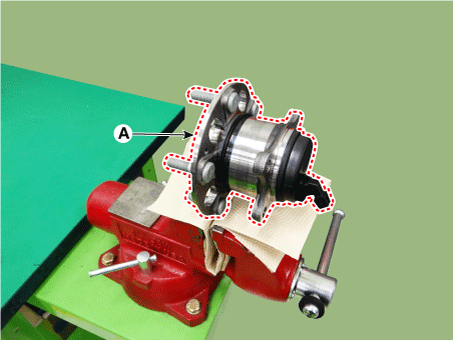
Check the direction of the sensor cover (A).
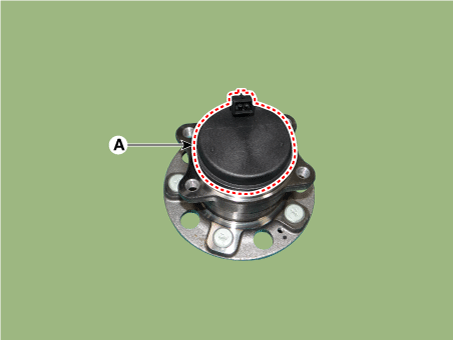
Remove the sensor cover by tapping the gap between the sensor cover and the hub bearing assembly with a scraper (A).
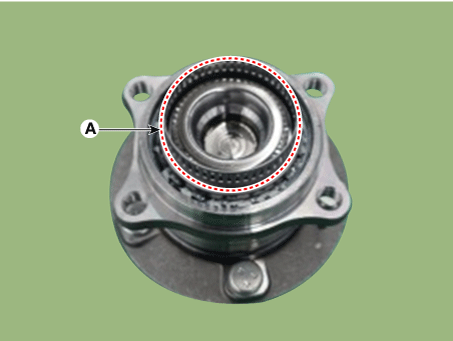
Check the tone wheel or encoder (A) for distortion or damage.
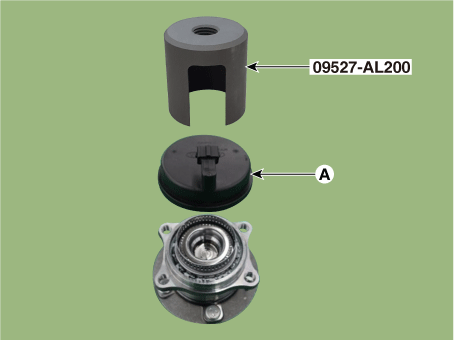
Position the sensor cover in the same direction as the sensor cover connector (A) was positioned before removal.
Install the sensor cover (A) using the special service tool (09527-AL200).
Install the rear wheel hub bearing assembly.
(Refer to Drive Shaft and Axle - "Rear Axle Assembly")
Test yourself
A quick Kia Forte BD quiz: every answer comes with an explanation and a link to the manual page.