Smart Key
Repair Procedures
Smart Key
Saving Smart Key Code
Connect the VCI II KDS to the data link connector (16-pin) in the driver's side lower panel, then turn on the KDS.
Select the vehicle model, then perform "Saving Smart Key Code".
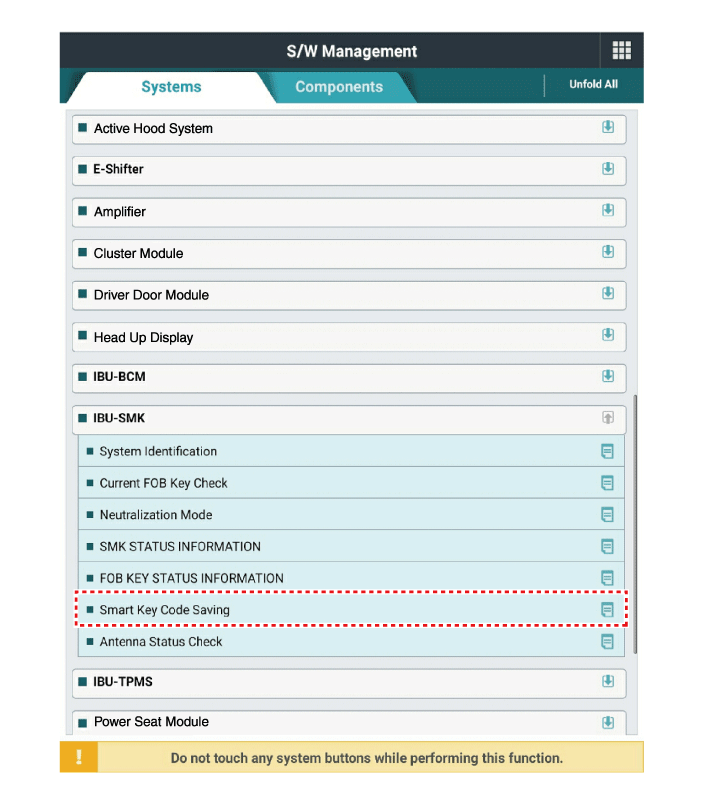
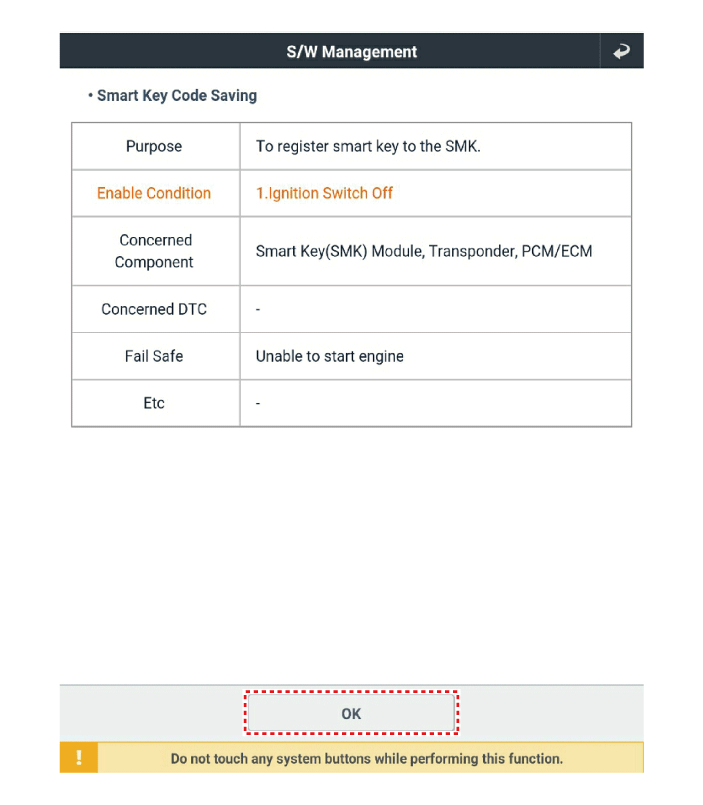
After selecting the "Smart Key Learning" menu, press the "Enter" key. The screen shown below will be displayed.
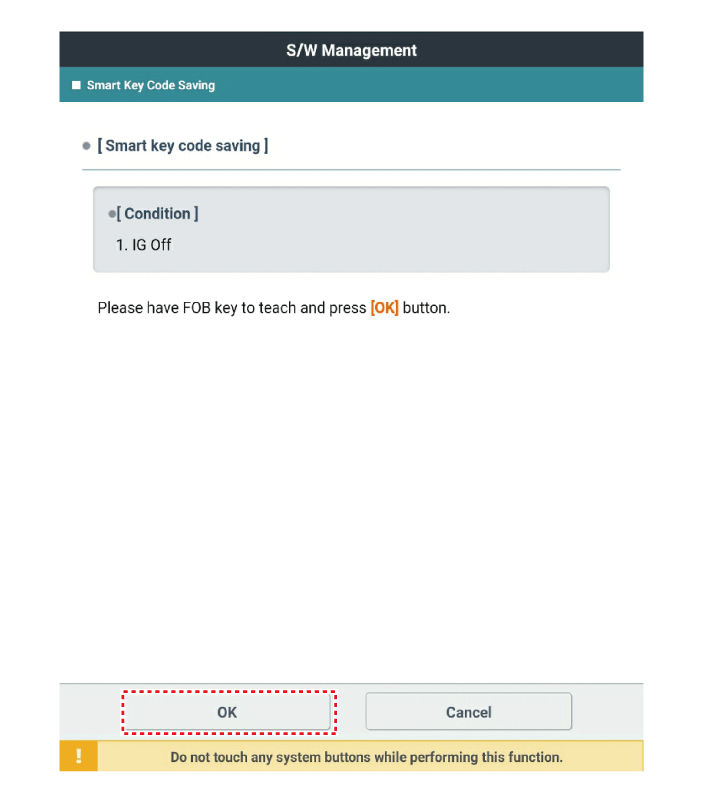
After receiving the learning smart key, press the "ENTER" key.
Enter the "PIN code" to learn the first key.
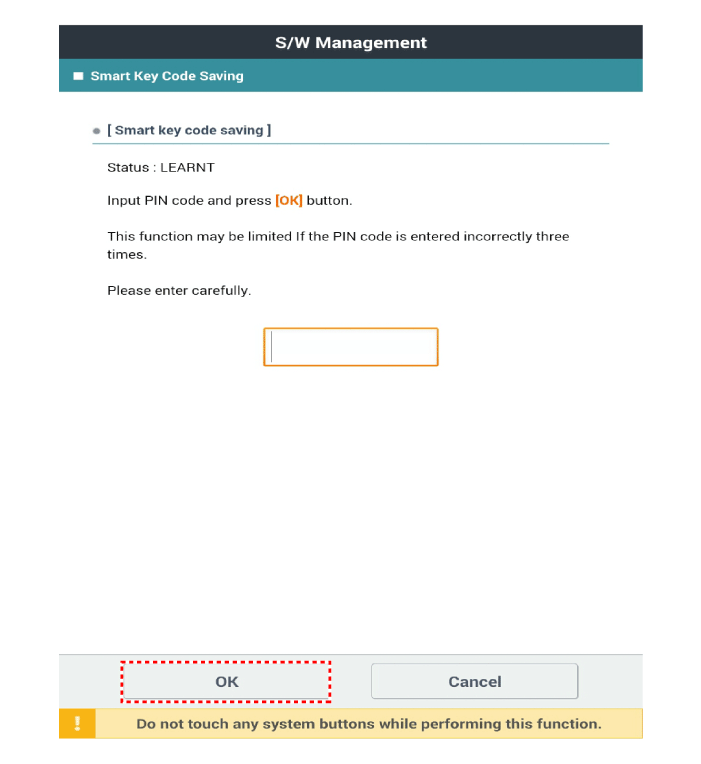
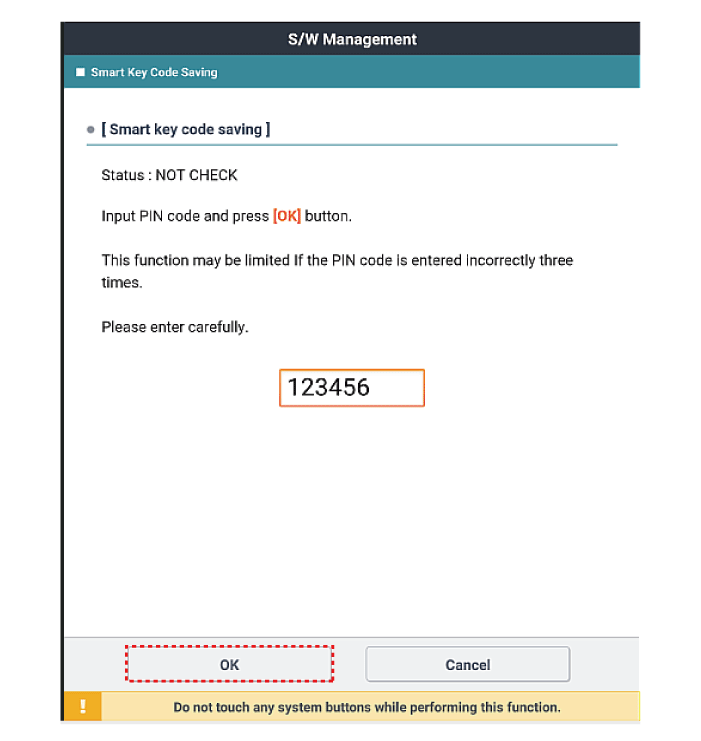
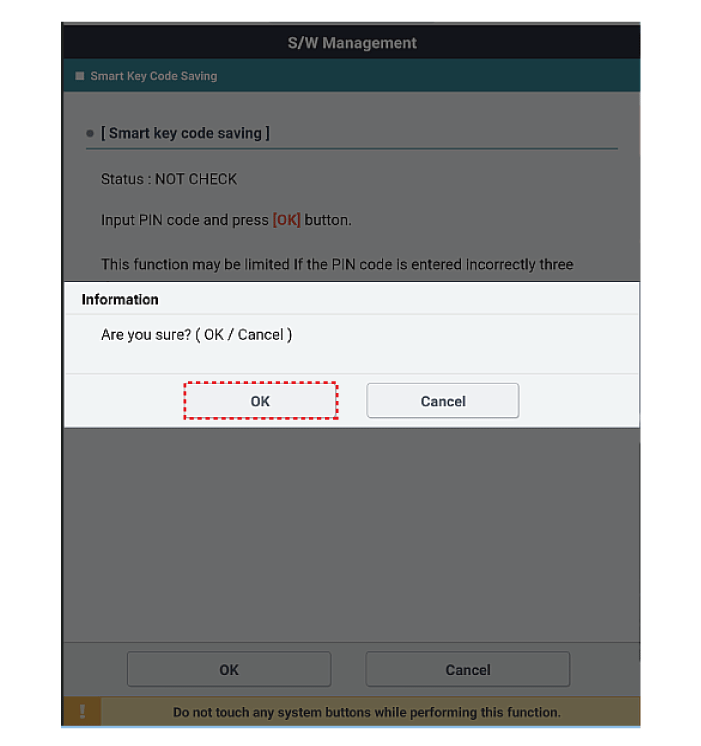
Confirm the message "First key learning completed".
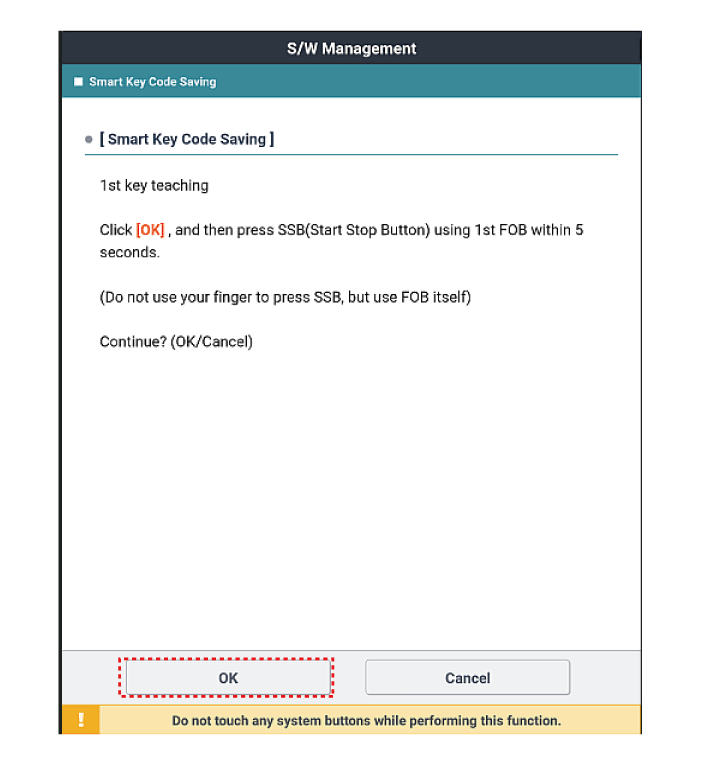
Press the SSB with the smart key within 5 seconds after pressing "OK".
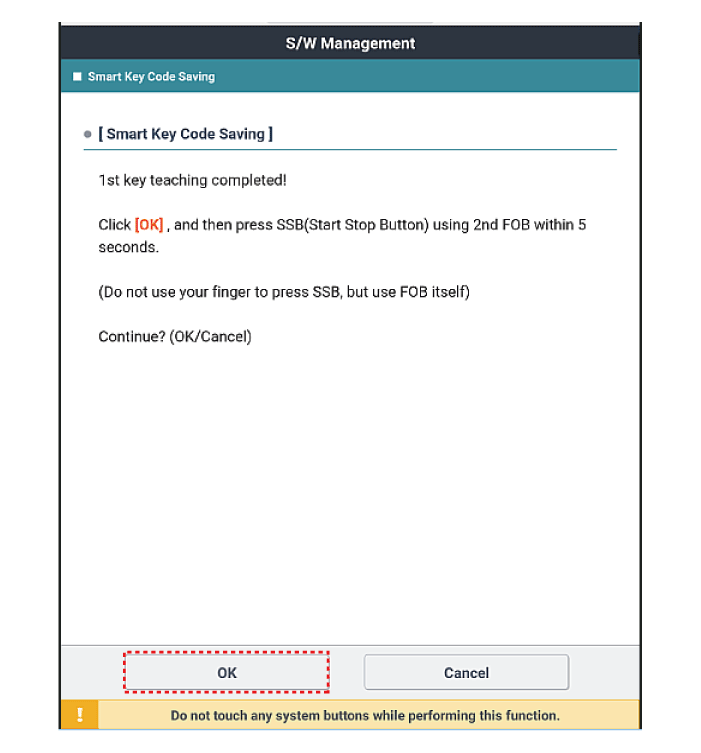
Confirm the message "Second key learning completed".
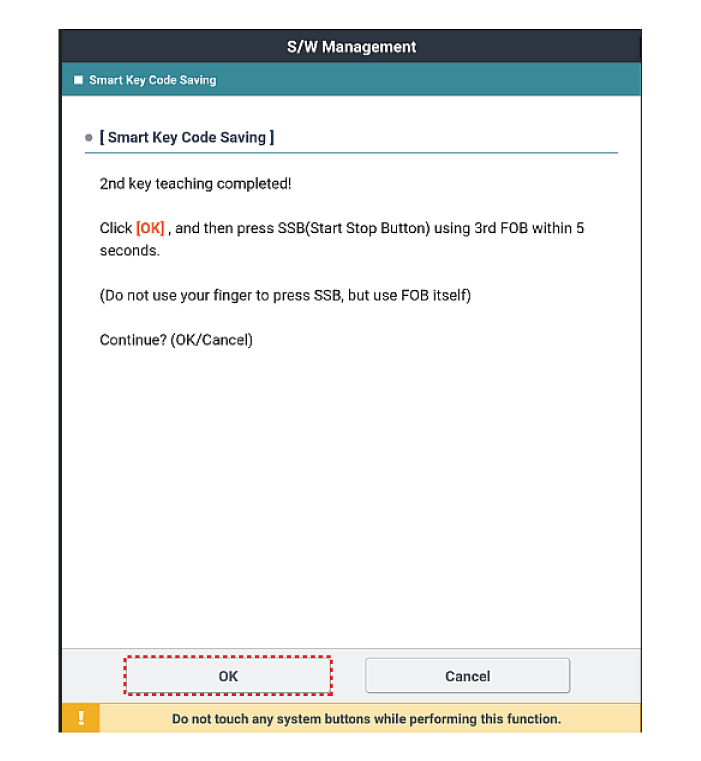
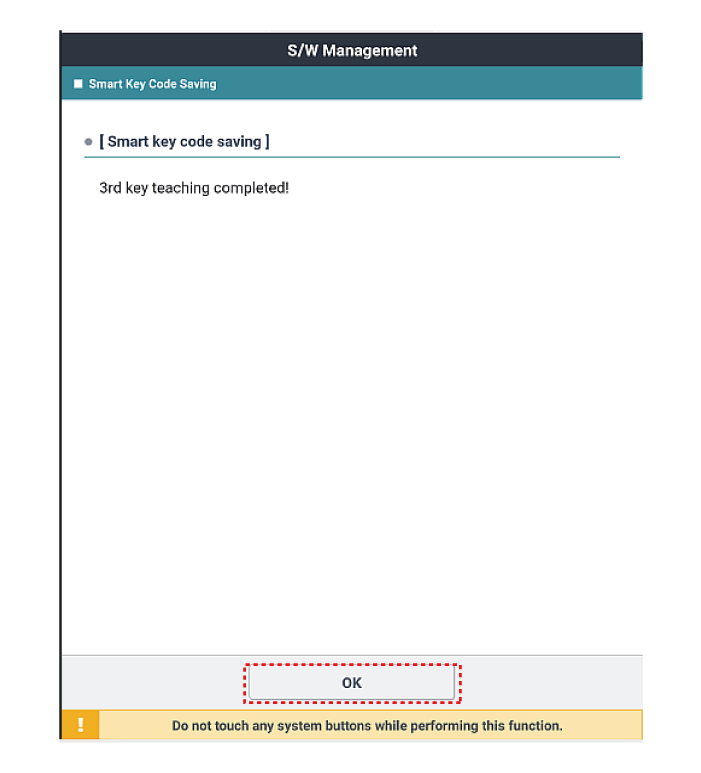
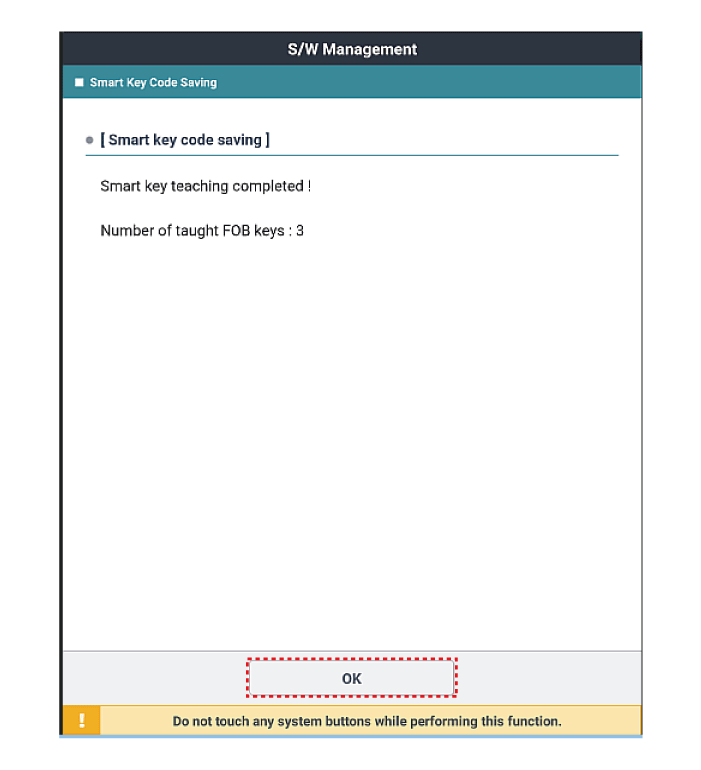
The screen shown below will then appear when the key learning process is completed.
Test yourself
A quick Kia Forte BD quiz: every answer comes with an explanation and a link to the manual page.