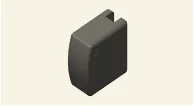
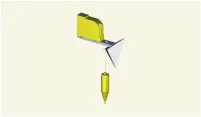
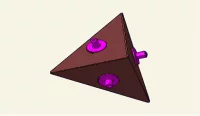
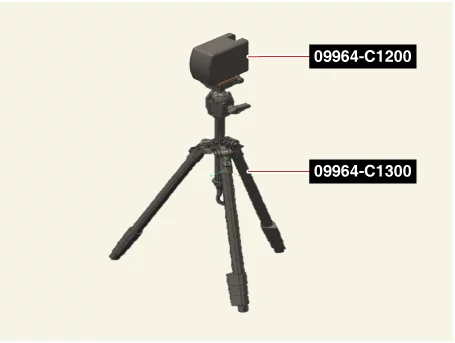
Used for front radar unit setting. Used for front view camera unit setting.
Front Radar Setting Tripod 09964 - C1300
Used for front radar unit setting
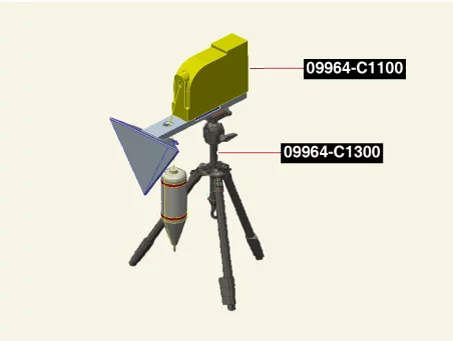
Front Radar Setting Reflector 09964 - C1100
Used for front radar unit setting
Calibration Reflector 0K964 - J5100
Used for front radar unit setting
Adjustment
Front Radar Mounting Angle Inspection / Correction Description
The front radar detects the object in front of the vehicle, and recognizes the distance from the object, comparing speed.
A few functions may malfunction if the inspection and calibration of the front radar are not performed.
Perform the front radar calibration in the following cases.
When the front radar is reinstalled.
When the front radar is replaced.
When DTC occurs for the calibration.
When the front radar detecting function is a failure.
In the case of a damage to the sensor or its periphery.
When driving for aobve 10 minutes at 65 km/h after performing the stop mode, correction accuracy is improved. (drive on straight road which has metallic reflector.)
If the stop mode operation is not possible, the front radar calibration operation is performed by using the driving mode.
Front Radar Mounting Angle Inspection / Correction - Stop Mode
Check the items below before performing the front radar calibration.
Park the vehicle on flat ground.
Check the tire pressure.
Check the tire alignment.
Check that the front radar cover surface is clean.
Check the suspension for damage.
Perform front radar calibration with the exclusive SST and KDS.
Remove objects (metal plates, resins, etc.) that may cause interference of the electric signal.
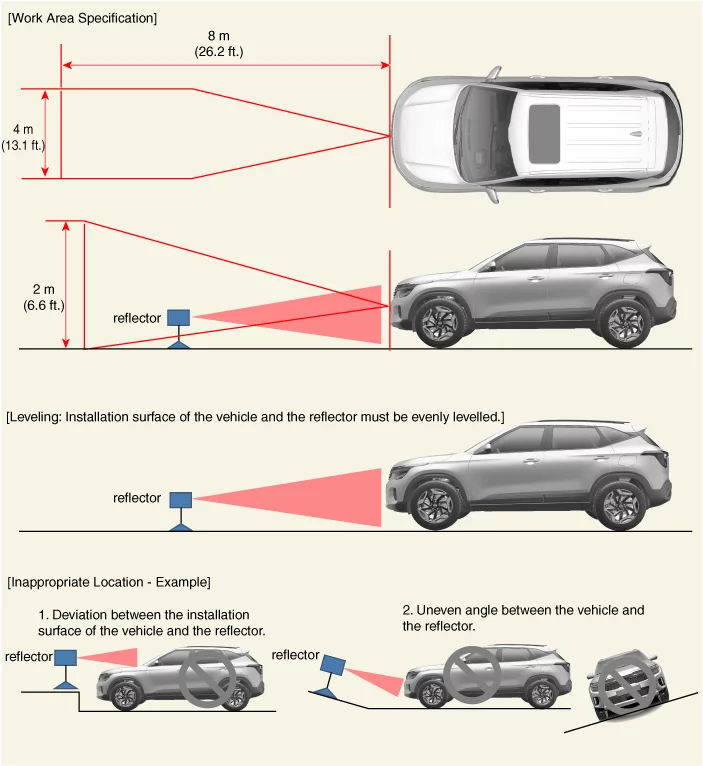
Install the reflector in the correct position. (A calibration of the front radar may fail if the reflector is not installed in the designated area.)
Perform the front radar calibration during the IG ON state. (Not engine running)
Be sure not to move the vehicle when performing the front radar calibration.
Perform the inspection/calibration of the front radar mounting angle in the clearance of 8 m in front of the front bumper, 4 m in width, and 2 m in height.
Park the vehicle in a flat ground.
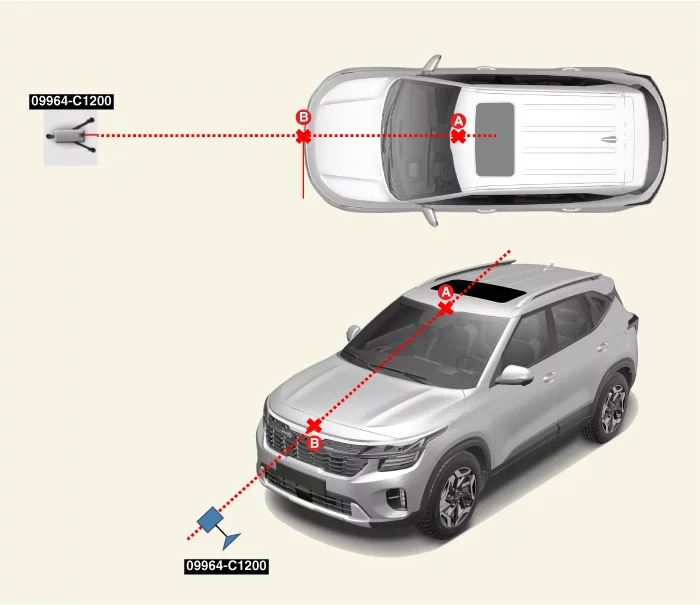
Mark the center point (A) after measuring the distance on top of the windshield glass.
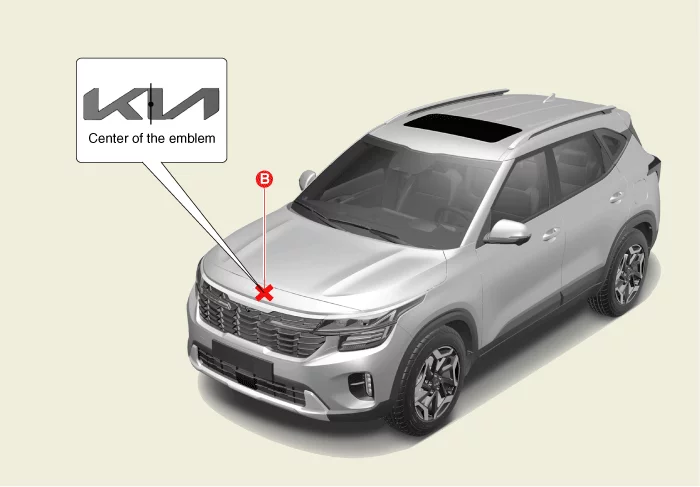
Mark the center point of emblem (B).
Mount the SCC setting beam (09964 - C1200) on the front radar setting tripod (09964 - C1300).
Place the SCC setting beam (09964 - C1200) more than 2.5 m (8.2 ft) away from the front of the vehicle.
Match the vertical laser line to points (A) and (B) using the SCC setting beam (09964 - C1200).
Mark the point (C) at a distance 2.4 - 2.5 m (7.87 - 8.2 ft) away from (B) point.
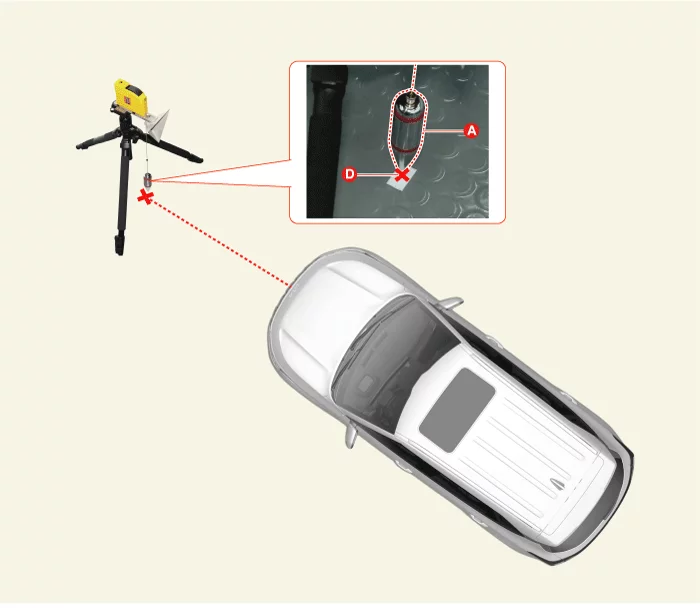
Mark the location (D) as shown below at 13 mm (0.51 in) away from (C) to the left (passenger's side) of the vehicle.
Remove the SCC setting beam (09964 - C1200) from the front radar setting tripod (09964 - C1300).
Mount the front radar setting reflector (09964 - C1100) to the front radar setting tripod (09964 - C1300).
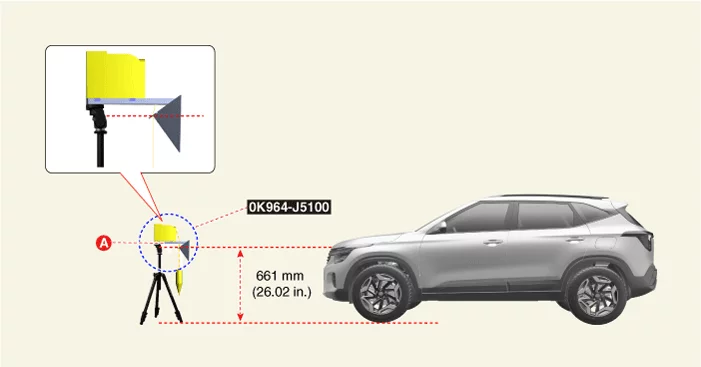
Mount the calibration reflector (0K964 - J5100) to the front radar setting reflector (09964 - C1100).
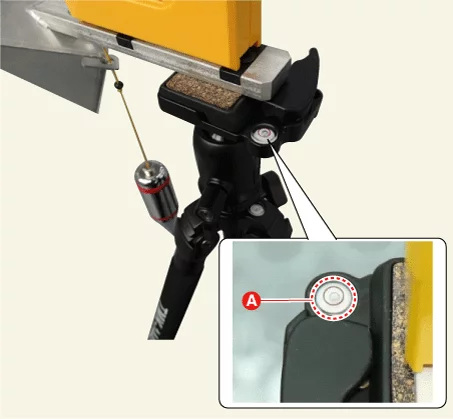
Set the reflector horizontal using the leveler (A) which is built in the front radar setting tripod (09964 - C1300).
Align the plumb (A) of the front radar setting reflector (09964 - C1100) with point (D).
Set the height of the calibration reflector (0K964 - J5100) (A) to 362 mm (14.25 in).
Remove the plumb from the front radar setting reflector (09964 - C1100).
If the vertical weight is not removed it can affect the adjustment.
Visually check again the front radar and the surface of front bumper for the following items.
Make sure that there is no debris, or reflecting object on the surface of the radar.
Make sure that there is no debris, or reflecting object on the radiator grille.
Perform the order below with the KDS. (S/W Management → Front Radar → Inspection / correction of the front - radar mounting angle → C1 (Stop mode))
Refer to the KDS screen for operating conditions and details.
In case of front radar inspection / correction failure, check the inspection / correction conditions.
Front Radar Mounting Angle Inspection / Correction - Driving Mode
If the stop mode operation is not possible, the front radar calibration operation is performed by using the driving mode.
Check the items below before performing the front radar calibration.
Check the tire pressure.
Check the tire alignment.
Check the suspension for damage.
Check the front bumper or front radar cover bracket is deformed and damaged.
Perform the order below with the KDS. (S/W Management → Front Radar → Inspection / correction of the front - radar mounting angle → C2 (Driving mode))
Refer to the KDS screen for operating conditions and details.
In case of front radar inspection / correction failure, check the inspection / correction conditions.