LKA System Operation
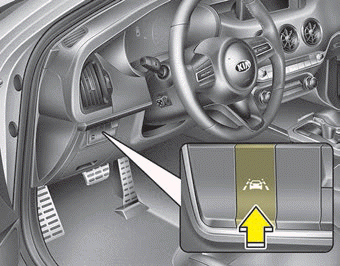
To turn the LKA system on/off:
When the ignition key is in the ON position, press the LKA button located on the lower left side of the instrument panel, next to the driver.
The indicator on the instrument cluster display will illuminate white first.
When the indicator (white) was activated in the previous ignition cycle, the system turns on without any control.
If you press the LKA system button again, the indicator on the instrument cluster display will turn off.
The indicator color will change depending on the state of the LKA system.
- White: The sensor does not detect lane markings or the vehicle speed is below 64 km/h.
- Green: The sensor detects lane markings, and the system can control the steering wheel.
Activating the LKA System
- To view the LKA system screen on the LCD display in the cluster, press Tab to the Assist mode (
 ).
- For more details, refer to "User Settings Mode" in Chapter 4.
- After the LKA system is activated, if both lane markings are detected, the vehicle speed exceeds 64 km/h, and all activation conditions are met, the green indicator on the steering wheel will illuminate and the steering wheel will be under control.
WARNING
The Lane Keeping Assist system is a system that helps the driver avoid leaving the lane. However, the driver must not rely only on the system and must always check road conditions while driving.
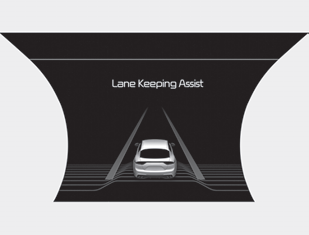
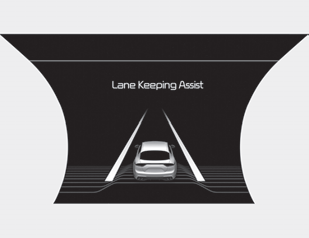
- If the vehicle speed exceeds 64 km/h and the system detects lane markings, the color changes from gray to white.
When the conditions listed below are met, the LKA system will be enabled to assist steering.
- Vehicle speed is above 64 km/h.
- Both lane markings are detected by the LKA system.
- The vehicle is positioned between the lane markings.
If the LKA system can assist with steering, the green indicator on the steering wheel will illuminate.
Warning
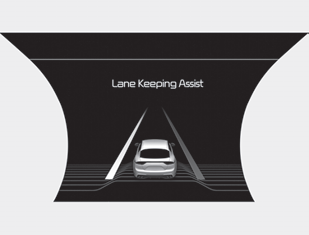
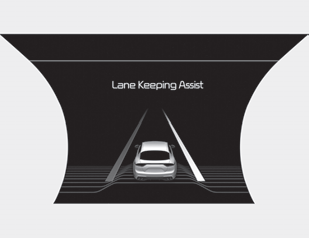
- If the vehicle is leaving its lane, the lane marking that you are crossing will flash on the LCD display.
- If the vehicle drifts out of its lane because the steering assist torque is insufficient, the lane indicator will flash.
- If all conditions for LKA activation are not met, the system switches to the LDW (Lane Departure Warning) system and only warns the driver when the vehicle crosses a lane marking. In this case, the LDW system does not provide any steering control to the vehicle. Accordingly, you must take the necessary actions to maintain control of the vehicle and keep it within the lane.
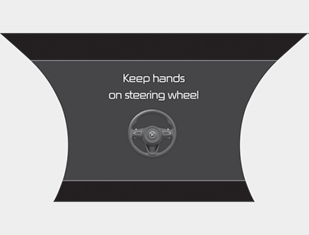
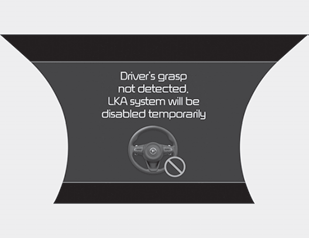
If the driver removes their hands from the steering wheel for several seconds while LKA is active, the system will warn the driver.
✽ NOTICE
- Always keep your hands on the steering wheel while driving.
- If you hold the steering wheel tightly, the system may also generate a Hands Off warning.
If the driver still does not have their hands on the steering wheel after several seconds, the system will warn the driver only when the vehicle crosses lane markings. In this case, the system does not provide any steering control for the vehicle. Accordingly, you must take the necessary actions to maintain control of the vehicle and keep it within the lane.
However, if the driver again holds the steering wheel with their hands, the system will resume steering assistance if it detects that the vehicle is leaving the lane.
WARNING
- The LKA system is a supplementary system only. It is the driver's responsibility to drive the vehicle safely and keep it within its lane.
- Although the system assists steering, the driver can override steering control.
- Turn off the LKA system and drive without using the system in the following situations:
- In bad weather
- In poor road conditions
- When the driver must frequently steer the steering wheel. - The steering wheel may feel heavier when the system is operating than when it is not.
✽ NOTICE
- Although the system assists steering, the driver can override steering control.
- The steering wheel may feel heavier when the system is operating than when it is not.
The system will be cancelled when:
- You change lanes using the turn signal.
- Use the turn signal when changing lanes.
- If you change lanes without the turn signal on, steering control may be affected by LKA. - The LKA system may switch to steering assist mode when the vehicle approaches the center of the lane after the system is turned on or after a lane change.
- The LKA system cannot assist steering if the vehicle keeps following the lane marking continuously before switching to steering assist mode.
- ESC (Electronic Stability Control) or VSM (Vehicle Stability Management) control is activated.
- Steering assistance will not work when driving quickly through a sharp curve.
- Steering assistance will not operate if the vehicle speed is below 64 km/h (mph) and above 180 km/h. Always observe all traffic laws and drive safely.
- Steering assistance will not be provided during rapid lane changes.
- Steering assistance will not be provided during sudden braking.
- Steering assistance will not be provided if the lane is very wide or very narrow.
- Steering assistance will not be provided if only one lane marker on the side is detected.
- There are more than two lane markers, such as at a construction zone.
- The radius of the curve is too small.
- When the steering wheel is turned sharply, the LKA system will be temporarily deactivated.
- Driving on a steep slope or hill.
Test yourself
A quick Kia Stinger CK quiz: every answer comes with an explanation and a link to the manual page.