Integrated Drive Mode Control System
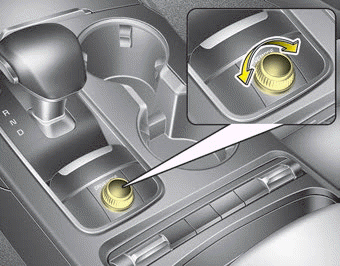
The drive mode can be selected according to driver preference or road conditions.
The mode changes each time the DRIVE MODE button is turned.
- SMART mode: SMART mode automatically adjusts the drive mode (ECO ↔ COMFORT ↔ SPORT) according to the driver's driving style.
- COMFORT mode: COMFORT mode provides smooth driving and a comfortable ride.
- SPORT mode: SPORT mode provides sporty yet controlled driving.
- CUSTOM mode: CUSTOM mode allows the driver to combine various driving mode settings to create a personalized mode.
- ECO mode: ECO mode improves fuel efficiency for eco-friendly driving.
If the vehicle is in ECO mode, ECO mode will be set when the engine is restarted. (However, if the vehicle is in SMART/COMFORT/SPORT/CUSTOM mode, the drive mode will be set to COMFORT mode after the engine is restarted.)
SMART Mode
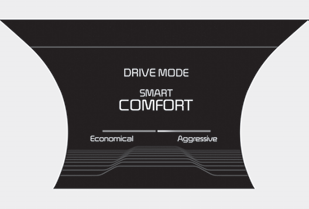
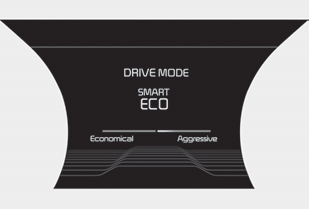
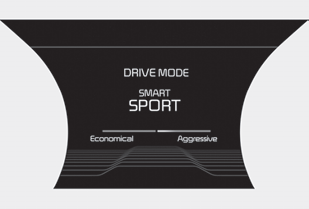

SMART mode selects the appropriate drive mode among ECO, COMFORT, and SPORT by evaluating the driver's driving style (i.e., gentle or dynamic) from the brake pedal application or steering wheel operation.
• Turn the DRIVE MODE dial to activate SMART mode. When SMART mode is activated, the indicator illuminates on the instrument cluster. • The indicator illuminates blue when the driver's driving is evaluated as moderate. It illuminates white when the driver's driving is considered normal. It illuminates red when the driver's driving is classified as dynamic, such as sudden braking or sharp curves. • The vehicle starts in COMFORT mode if the engine was turned OFF in SMART mode. • SMART mode automatically controls vehicle characteristics such as shift patterns, engine torque, ride comfort (if equipped with electronic suspension), and power distribution (if equipped with All-Wheel Drive (AWD) system) according to the driver's driving habits.
mode if the engine was turned OFF in SMART mode. • SMART mode automatically controls vehicle characteristics such as shift patterns, engine torque, ride comfort (if equipped with electronic suspension), and power distribution (if equipped with All-Wheel Drive (AWD) system) according to the driver's driving habits.
✽ NOTICE
- When you drive smoothly in SMART mode, the drive mode changes to ECO mode to improve fuel efficiency. However, actual fuel economy may vary depending on your driving conditions (i.e., uphill/downhill grades, deceleration/acceleration of the vehicle).
- When you drive aggressively in SMART mode, such as sudden deceleration or sharp cornering, the drive mode changes to SPORT mode. However, this may adversely affect fuel economy.
Various driving situations you may encounter in SMART mode
- The drive mode automatically changes to ECO mode after a certain period of time when you depress the accelerator pedal smoothly (your driving is classified as smooth).
- The drive mode automatically changes from SMART ECO mode to SMART COMFORT mode after a certain period of time when you depress the accelerator pedal abruptly or repeatedly.
- The drive mode automatically changes to SMART COMFORT mode with the same driving pattern when the vehicle starts traveling uphill at a certain angle. The drive mode automatically returns to SMART ECO mode when the vehicle returns to a level road.
- The drive mode automatically changes to SMART SPORT mode when you accelerate rapidly, decelerate sharply, or repeatedly steer the steering wheel (your driving is classified as sporty). In this mode, your vehicle downshifts for quick acceleration/deceleration and enhances engine braking performance.
- You may still feel the engine braking effect even when you release the accelerator pedal in SMART SPORT mode. This is because your vehicle remains in a lower gear for a certain period of time.
- The drive mode automatically changes to SMART SPORT mode only in dynamic driving situations. In most normal driving situations, the drive mode is set to either SMART ECO mode or SMART COMFORT mode.
SMART Mode Limitation
SMART mode may be limited in the following situations. (The OFF indicator illuminates in these situations.)
- When the driver manually moves the shift lever, SMART mode is deactivated.
- Cruise control activated: The cruise control system may deactivate SMART mode. (SMART mode is not automatically deactivated when the cruise control system is turned on.)
- Transmission fluid temperature is either very low or very high: SMART mode may be active in most normal driving situations. However, extremely high or low transmission fluid temperature may temporarily deactivate SMART mode, because transmission conditions are not within normal range.
SPORT Mode

SPORT mode enhances driving dynamics by automatically adjusting steering effort as well as the engine and transmission control logic to improve driver performance.
- When SPORT mode is selected by pressing the DRIVE MODE button, the SPORT mode indicator (orange) will illuminate.
- Whenever the engine is restarted, the drive mode returns to COMFORT mode. If SPORT mode is required, select SPORT mode again using the DRIVE MODE button.
- When SPORT mode is activated:
- Engine speed will remain elevated for a certain period of time, even after the accelerator pedal is released
- Upshifts are delayed during acceleration
✽ NOTICE
Fuel economy may decrease in SPORT mode.
CUSTOM Mode

CUSTOM mode allows the driver to create a personalized drive mode. The driver can select from various engine/transmission, steering, suspension, all-wheel drive, and active sound design settings.
- To access the CUSTOM mode settings, turn the drive mode knob until CUSTOM mode appears. A graphic image of the Kia Stinger with a setup button will appear on the main screen. Press the setup button and change the various settings to create your own mode.
- After the CUSTOM mode settings are selected, they will be saved and remain as such until changed again in the settings.
- Whenever the engine is restarted, the drive mode returns to COMFORT mode. If CUSTOM mode is required, select CUSTOM mode again using the DRIVE MODE button.
ECO Mode

When the drive mode is set to ECO mode, the engine and transmission control logic is changed to maximize fuel efficiency.
- When ECO mode is selected by pressing the DRIVE MODE button, the ECO indicator (green) will illuminate.
- If the vehicle is in ECO mode, the drive mode setting will remain in ECO mode when the engine is stopped and restarted.
✽ NOTICE
Fuel efficiency depends on the driver's driving habits and road conditions.
When ECO mode is activated:
- The acceleration response may be slightly reduced if the accelerator pedal is depressed moderately.
- Air conditioning performance may be limited.
- The automatic transmission shift pattern may change.
- Engine noise may become louder.
The above situations are normal operating conditions when ECO mode is activated to improve fuel efficiency.
ECO Mode Operation Limitation:
If the following conditions occur while ECO mode is operating, system operation is limited, even if the ECO indicator has not changed.
- When the engine coolant temperature is low: system operation will be limited until engine performance returns to normal.
- When driving uphill: The system will limit the power increase when driving uphill, because engine torque is limited.
- When driving the vehicle with the automatic transmission shift lever in manual mode, the system will be limited depending on the shift location.
Test yourself
A quick Kia Stinger CK quiz: every answer comes with an explanation and a link to the manual page.