Parking Collision-Avoidance Assist (PCA) System
Components and Component Location
Component Location
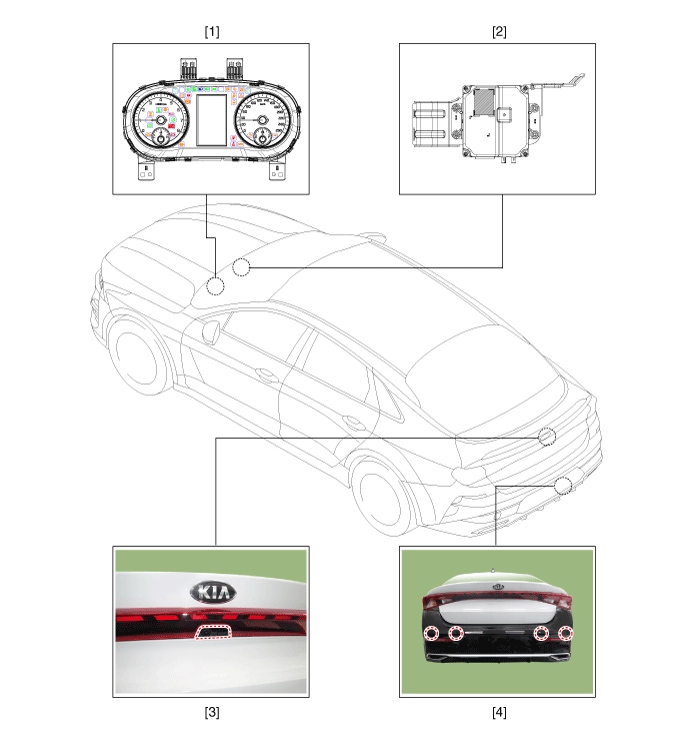
| 1. Instrument Cluster (UCM) 2. Parking Collision-Avoidance Assist (PCA) Unit |
3. Rear View Camera 4. Rear Parking Distance Warning Sensor (PDW-R) |
Description and Operation
Description
Rear Parking Collision-Avoidance Assist (PCA-R): When the vehicle is moving in reverse, to prevent a collision and reduce possible damage, the system warns the driver or controls the brakes in case of a collision risk with pedestrians or objects.
PCA-R Activation Condition
PCA ON: can be turned on/off using the user settings menu (USM) on the cluster.
Vehicle condition: trunk closed, PDW switch on.
Shift lever position: R range
PCA-R Operation
Shift lever position: R range
Vehicle speed: less than 10 km/h
When a pedestrian or object is detected behind the vehicle, the system warns and controls the brakes in case of a collision risk (maintain for approx. 2 seconds).
If the system brakes once after R range is entered, subsequent braking will occur. Repeat the operation when R range is entered after other range changes (P, N, D).
System components
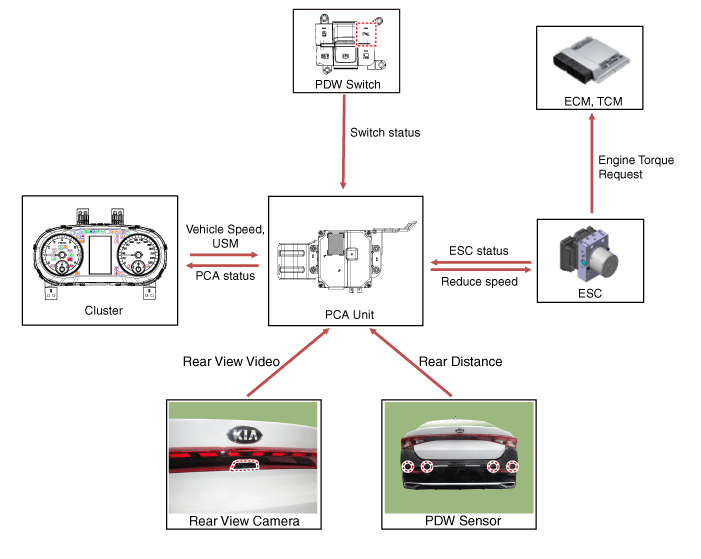
System Block Diagram
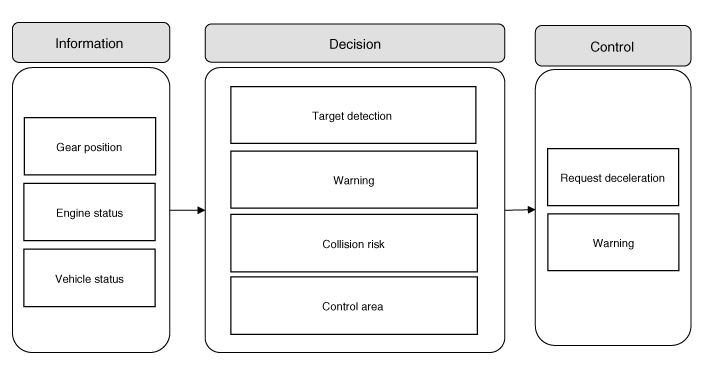
Circuit Diagrams
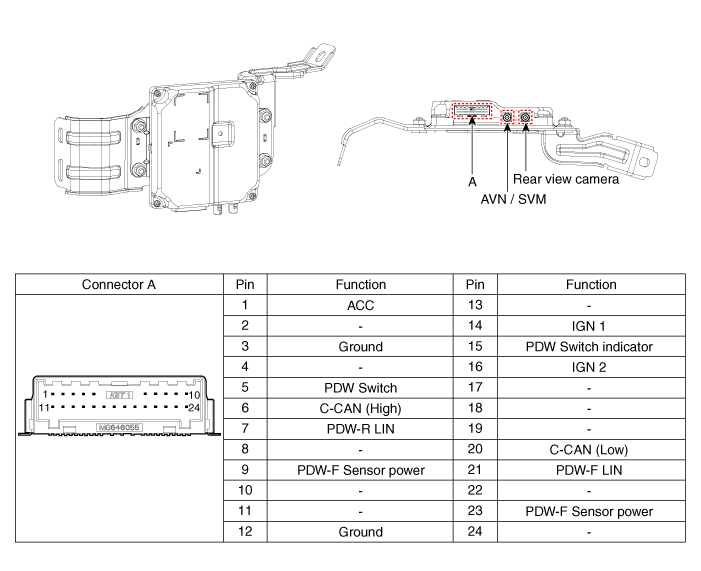
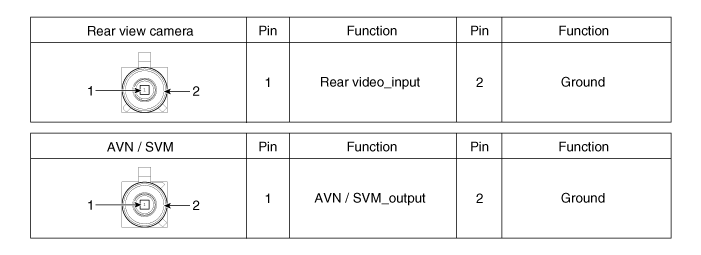
Connector and Terminal Function
Parking Collision-Avoidance Assist Unit (PCA-R)
Repair Procedures
Inspection
In the electrical body system, malfunctions can be quickly diagnosed using the Kia Diagnostic System (KDS).
The Diagnostic System (KDS) provides the following information.
Self-diagnosis: check for malfunction and diagnostic trouble code (DTC).
Current Data: Check the system input/output status.
Operation check: Check the operating status of the system.
Special Function: Control of other functions, including parameter setting and zero point adjustment.
Removal
Parking Collision-Avoidance Assist Unit (PCA-R)
Disconnect the negative (-) battery terminal.
Remove the airbag lower panel.
(Refer to Body - "Under Cover Panel")
Remove the knee airbag (KAB) module.
(Refer to Body - Knee Airbag (KAB) Module.)
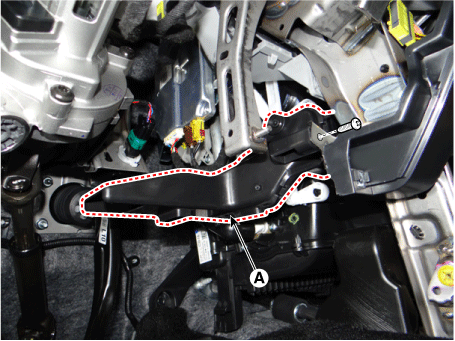
Remove the driver side air vent duct (A) after loosening the screw.
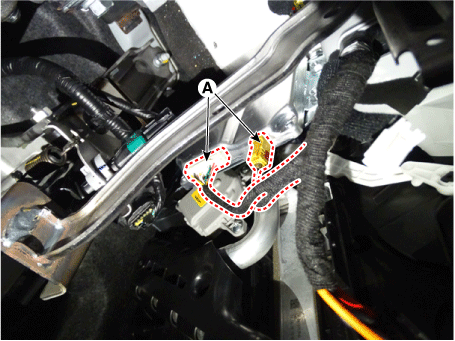
Disconnect the PCA-R unit (A) connectors.
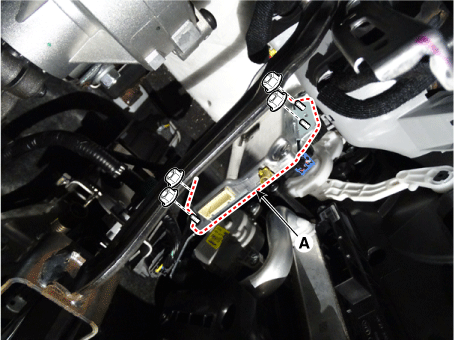
Remove the PCA-R unit (A) after loosening the mounting nuts.
Rearview Camera
Remove the rear view camera.
(Refer to Rear View Monitor (RVM) - Repair Procedures)
Parking Distance Warning - Rear Sensor
Remove the PDW-R sensor.
(Refer to Parking Distance Warning (PDW) - Parking Distance Warning (PDW) Sensor)
Installation
Install in the reverse order of removal.
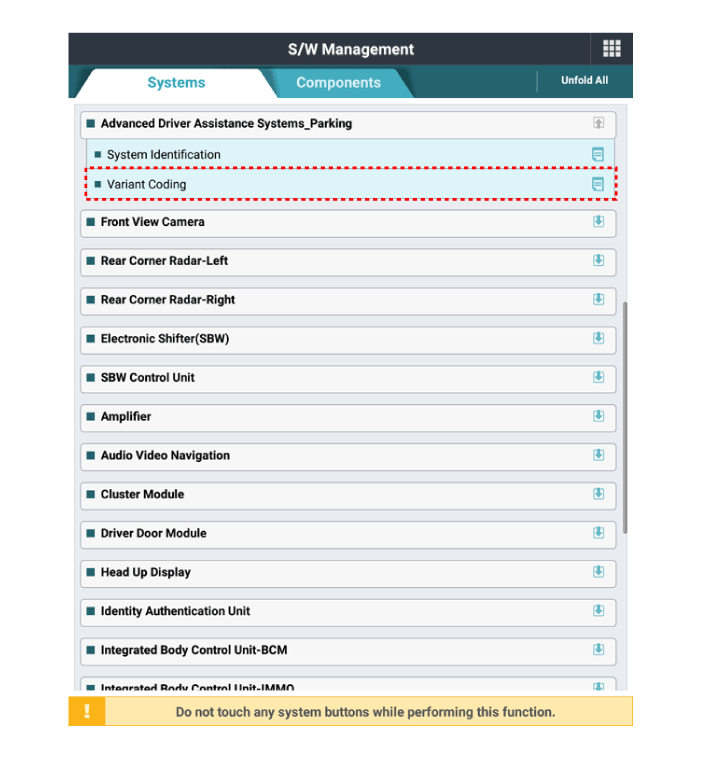
When replacing the PCA unit with a new one, perform the option coding procedure using KDS.
Test yourself
A quick Kia Optima DL3 quiz: every answer comes with an explanation and a link to the manual page.