Rear Corner Radar System
Components and Component Location
Components
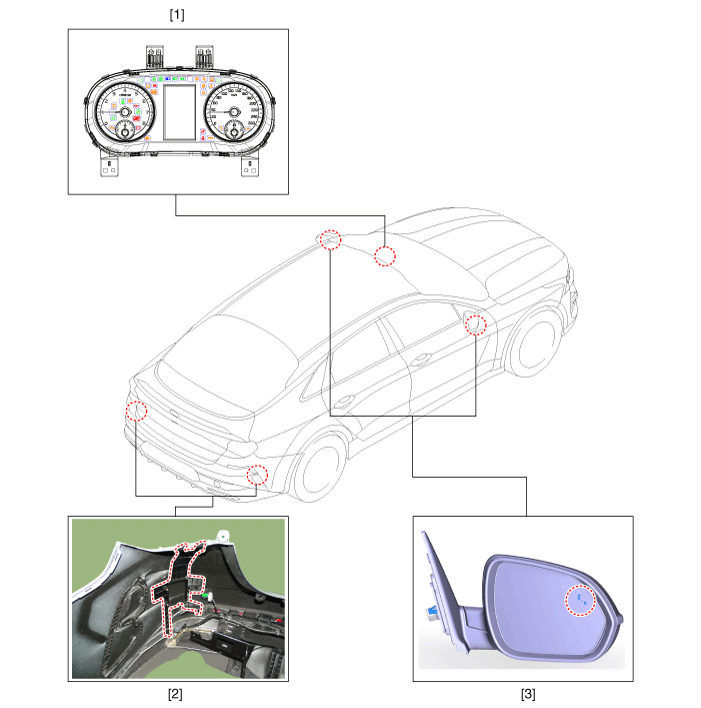
| 1. Cluster (user settings menu) 2. Rear corner radar |
3. Rear corner radar indicator |
Description and Operation
Description
System interface
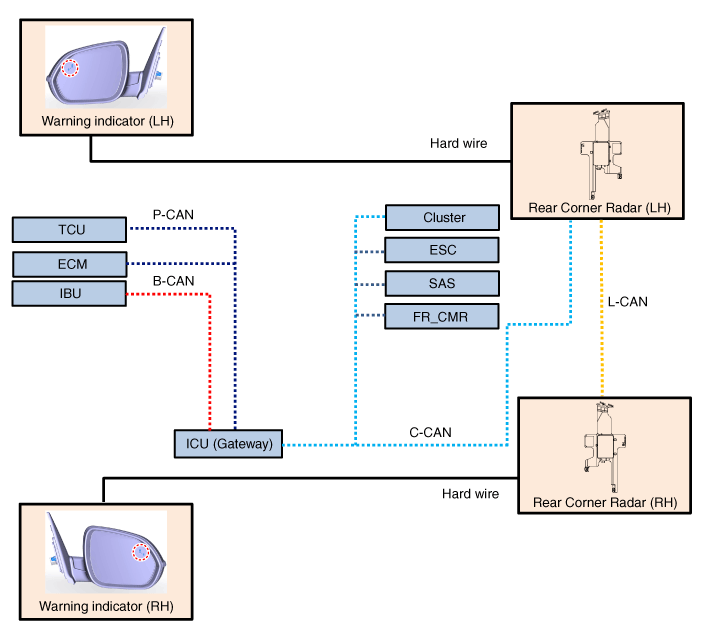
System Features
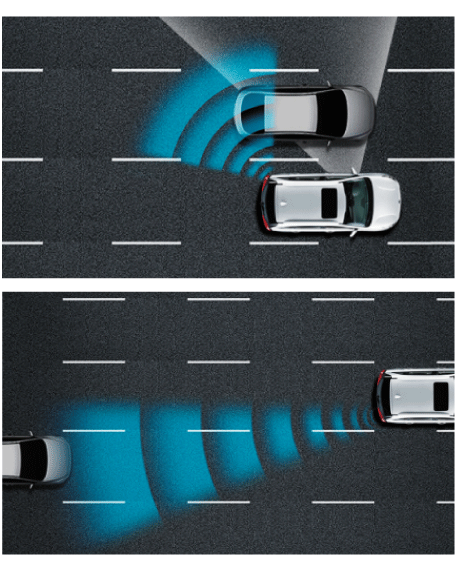
Blind-Spot Collision Warning (BCW)
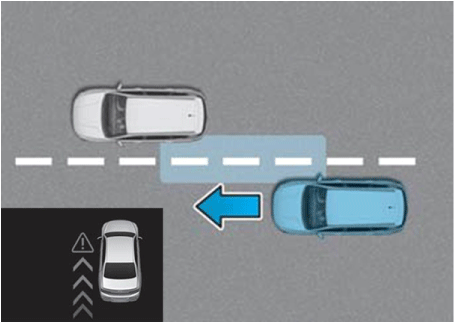
This system uses an audible warning and a BCW indicator on the mirror when a vehicle is detected in the blind spot or when a vehicle is approaching at high speed.
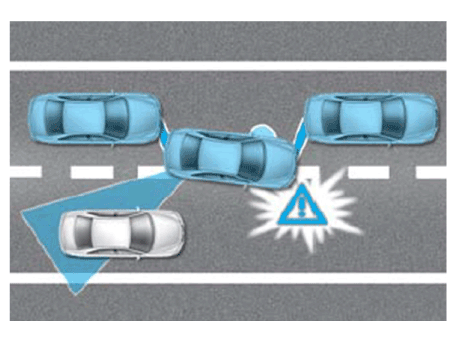
Blind-Spot Collision-Avoidance Assist (BCA) System
If lane departure occurs, BCA immediately activates to perform differential braking on the front wheel on the opposite side.
Safe Exit Assist (SEA)
When exiting the vehicle, SEA generates a warning to alert the approaching vehicle from behind.
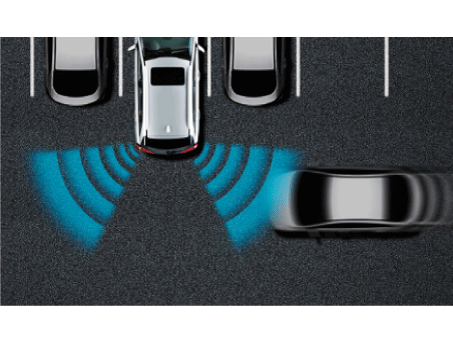
Rear Cross-Traffic Collision Warning (RCCW)
When the vehicle is reversing, RCCW alerts the driver to another vehicle approaching from behind.
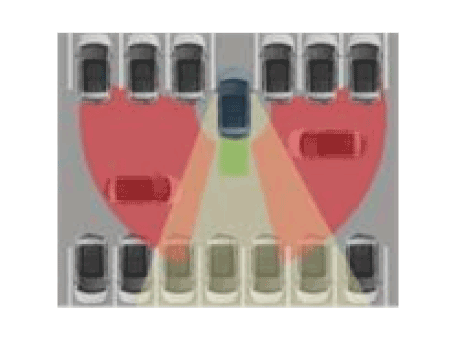
Rear Cross-Traffic Collision-Avoidance Assist (RCCA)
Warns the driver when a vehicle approaching from behind is detected within range while the vehicle is in reverse (R).
The collision-avoidance system applies the brakes in case of collision risk.
Alarm
Blind-Spot Collision Warning (BCW)
| Warning | Description | |
| 1-1 | 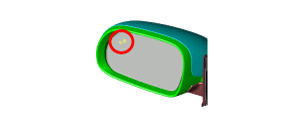 |
If a moving vehicle enters the warning zone |
| 1-2 | 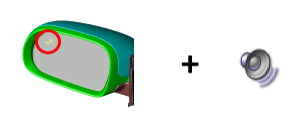 |
If driver attention to a lane change is detected during the first warning: Turn on the turn signal lamp |
| 2 | |
If driver attention to a lane change is detected during the first warning |
Blind-Spot Collision-Avoidance Assist (BCA)
| Level | Warning | Description |
| 2 | 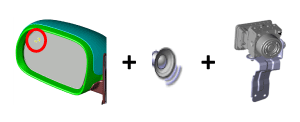 |
In case of lane departure, differential braking of the front wheel on the opposite side. |
Rear Cross-Traffic Collision Warning (RCCW)
| Level | Warning | Description |
| 1 | 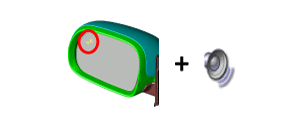 |
If a moving vehicle enters the warning zone |
Rear Cross-Traffic Collision-Avoidance (RCCA)
| Level | Warning | Description |
| 2 | |
Braking control in case of collision danger |
Warning Status
Blind-Spot Collision Warning (BCW)
BCW activation condition
USM: "Driver Assistance > Blind-Spot Safety > Active Assist or Warning Only"
Vehicle speed: 20–255 km/h
Relative vehicle speed: from -15 to 255 km/h
(A negative value refers to the distance to the vehicle ahead.)
Warning Zone
From A to B: Blind spot
B to C: Vehicle closing zone
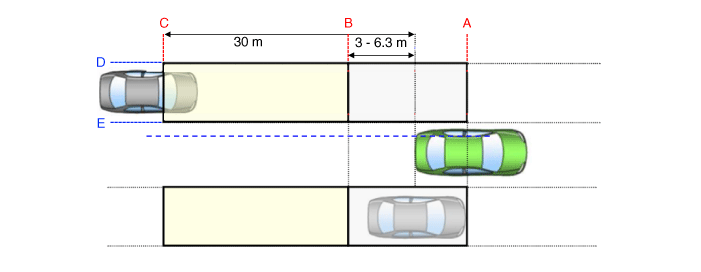
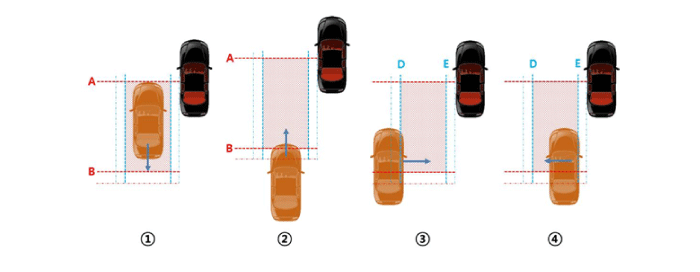
Blind-spot warning activation conditions
① The entire body of the target vehicle is behind line A.
② Any part of the target vehicle crosses line B.
③ Any part of the target vehicle crosses line D and enters it.
④ The entire target vehicle passes E.
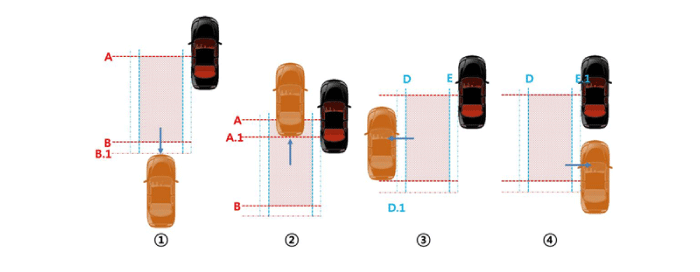
Blind-spot warning deactivation conditions
① The entire body of the target vehicle moves beyond line B.1.
② The entire body of the target vehicle crosses line A.1.
③ The entire body of the target vehicle crosses line D.1.
④ The entire body of the target vehicle crosses line E.1.
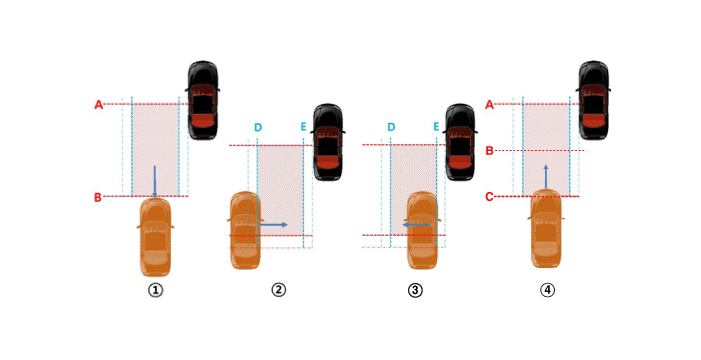
Rear vehicle closing zone warning activation conditions
① The entire body of the target vehicle is ahead of line B.
② Any part of the target vehicle crosses line D.
③ The entire body of the target vehicle crosses line E.
④ Under all of the above conditions, the Time To Collision (TTC) is less than 4.5 seconds.
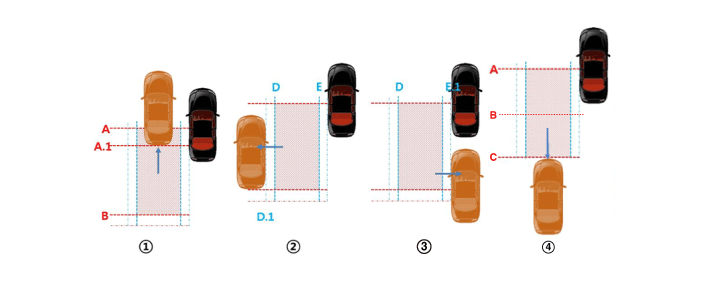
Conditions for Rear Cross Traffic Area Closing Warning OFF.
① The target vehicle fully crosses line A.1.
② The entire body of the target vehicle crosses line D.1.
③ The entire body of the target vehicle crosses line E.1.
④ Under all of the above conditions, the Time To Collision (TTC) is less than 4.5 seconds.
Blind-Spot Collision-Avoidance Assist (BCA)
BCA Activation Conditions
USM: 「Driver Assistance > Blind-Spot Safety > Active Assist」
Vehicle speed: 60–200 km/h
Same operating conditions as the Front View Camera
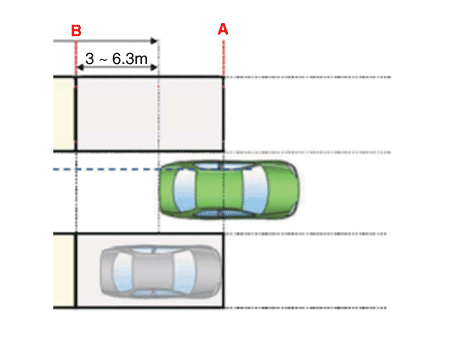
Safe Exit Assist (SEA)
SEA Activation Conditions
USM: Check 「Driver Assistance > Parking Safety > Safe Exit Assist」
Vehicle speed: 0 to 3 km/h
(Operate for 10 minutes after the ignition is turned off, before locking the door.)
Relative vehicle speed: more than 5 km/h
Operating distance: 0–25 m (0–82.0 ft)
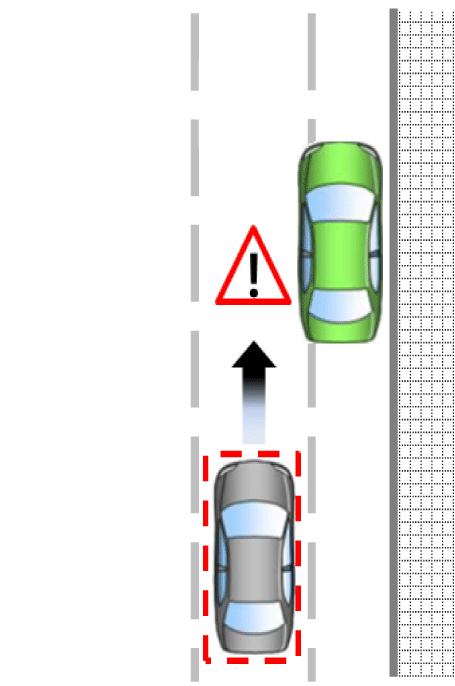
Rear Cross-Traffic Collision Warning (RCCW)
RCCW Activation Conditions
USM: Check 「Driver Assistance > Parking Safety > Rear Cross-Traffic Safety」
Shift lever position: R range
Vehicle speed: -10 to 0 km/h
Relative vehicle speed: more than 5 km/h
Operating distance: 0.5–25 m (1.6–82.0 ft)
Warning Zone
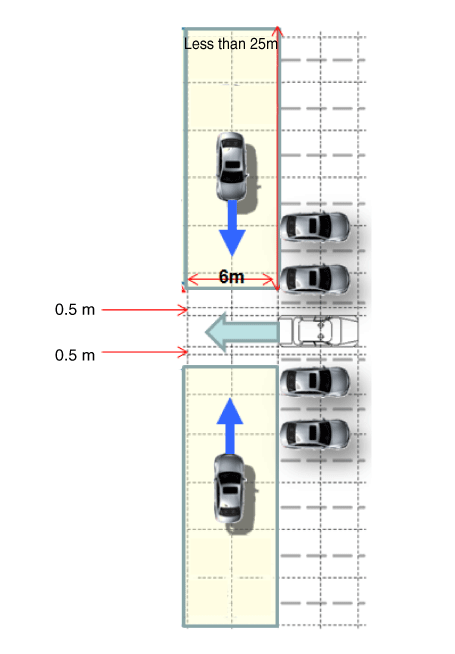
RCCW Activation Conditions
① Conditions: Shift lever in the "R" position and vehicle speed of 10 km/h or less, relative vehicle speed more than 5 km/h, operating distance 0.5–25 m (1.6–82.0 ft).
② A warning is generated for the target vehicle if it is within 2.1–3.5 seconds, depending on the Time To Intervention (TTI), when the target vehicle enters the warning zone.
Rear Cross-Traffic Collision-Avoidance (RCCA)
RCCA Activation Conditions
USM: Check 「Driver Assistance > Parking Safety > Rear Cross-Traffic Safety」
Shift lever position: R range
Vehicle speed: -10 to 0 km/h
Relative vehicle speed: more than 5 km/h
Operating distance: 0.5–10 m (1.6–32.8 ft)
Warning Zone
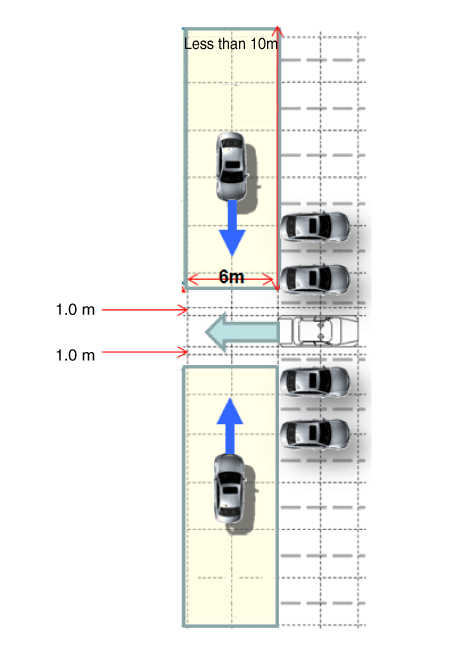
RCCA Activation Conditions
① Conditions: Shift lever in the "R" position and vehicle speed of 10 km/h or less, relative vehicle speed more than 5 km/h, operating distance 0.5–10 m (1.6–32.8 ft).
② A warning is generated for the target vehicle if it is within 2.1–3.5 seconds, depending on the Time To Intervention (TTI), when the target vehicle enters the warning zone.
③ The target vehicle is braked within 2 seconds, depending on the TTI.
Troubleshooting
Troubleshooting
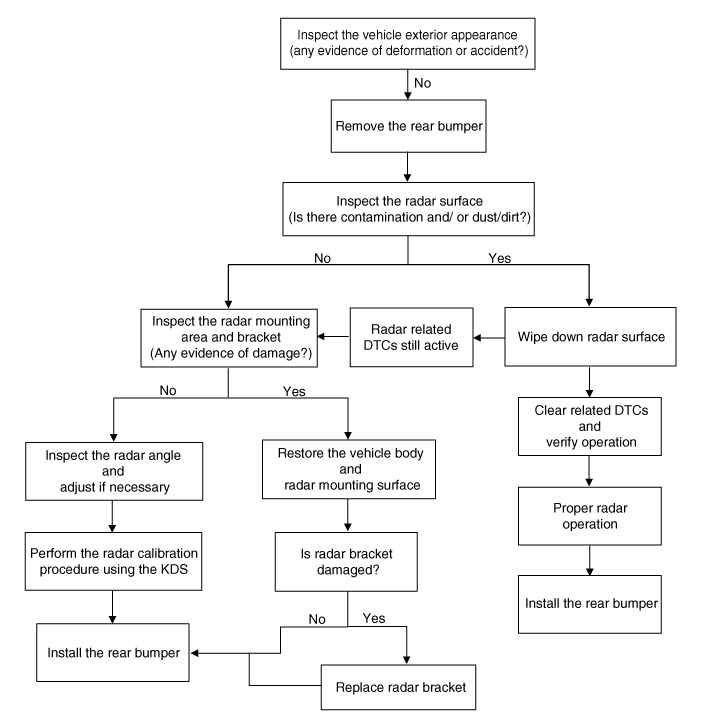
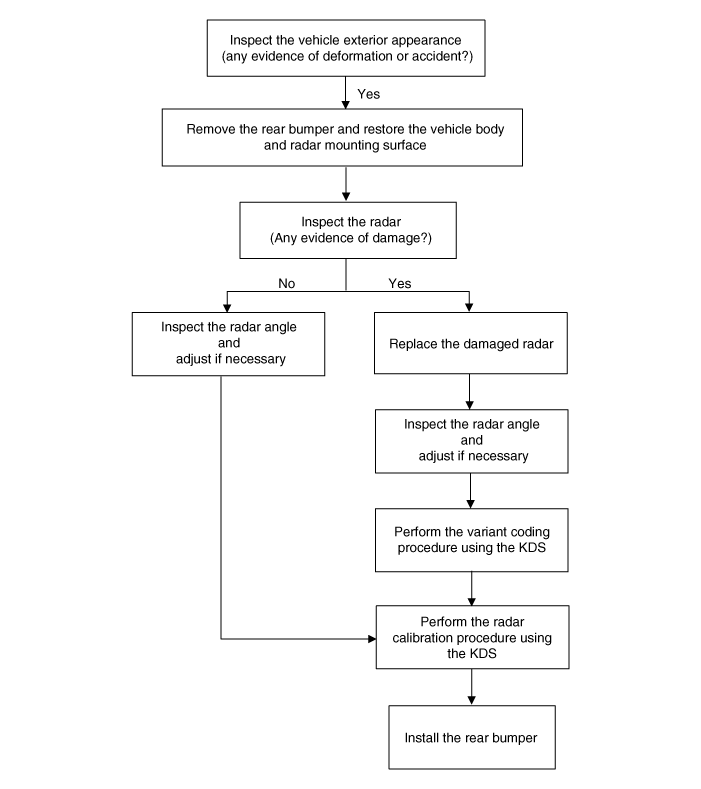
If calibration DTCs are present, follow the troubleshooting flow chart below.
If there is no evidence of deformation or collision
If there is evidence of deformation or collision
Test yourself
A quick Kia Optima DL3 quiz: every answer comes with an explanation and a link to the manual page.