Trip computer (if equipped)
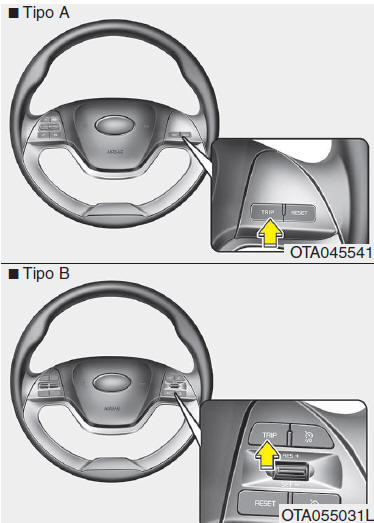
The trip computer is a microcomputer-controlled system that provides useful driving information on the display when the ignition is on.
All stored information (except the total odometer) is reset when the battery is disconnected.
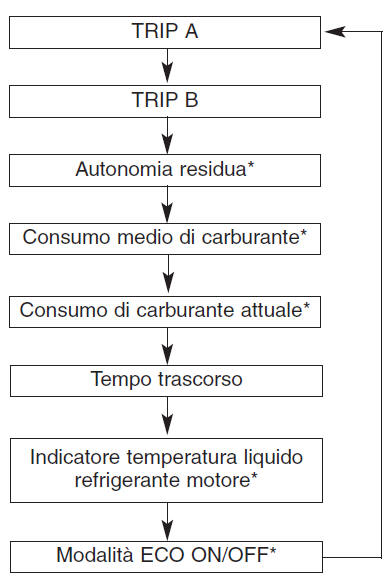
*: if equipped
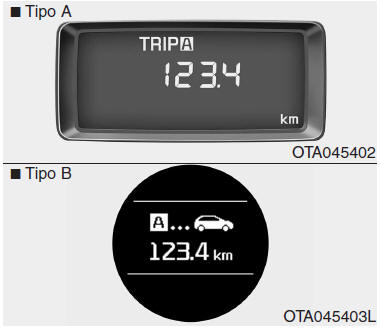
Trip odometer (km) TRIP A: Trip odometer A TRIP B: Trip odometer B This mode shows the distance travelled on each selected trip since the trip odometer was last reset.
The gauge has a display range from 0.0 to 999.9 km.
Pressing the RESET button for more than 1 second while a trip odometer (TRIP A or TRIP B) is displayed resets it (0.0).
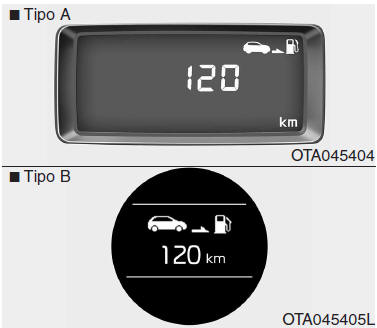
Driving range (km) (if equipped) This mode shows the estimated driving range, based on the amount of fuel currently in the tank and the fuel consumed by the engine.
When the driving range is less than 50 km, “----” is displayed and the driving range indicator flashes.
The gauge has a display range from 1 to 9999 km.
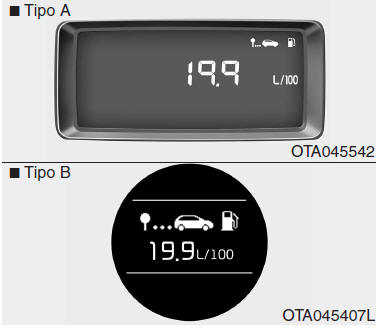
Average fuel consumption (if equipped) (L/100 km) This mode calculates the average fuel consumption based on the total amount of fuel used and the distance travelled since the average consumption was last reset. The total amount of fuel used is calculated from the consumption data. For an accurate calculation, drive at least 300 m.
Pressing the RESET button for more than 1 second while the average consumption is displayed resets it (--.-).
If the vehicle speed exceeds 1 km/h after refuelling at least 6 l, the average fuel consumption is reset (--.-).
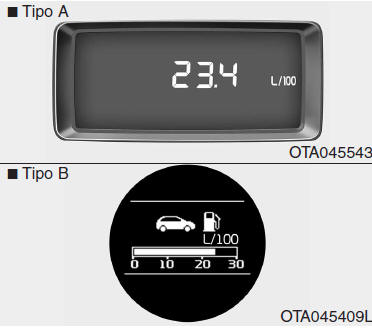
Instant fuel consumption (if equipped) (L/100 km)
Type A This mode calculates the instant consumption every 2 seconds based on the distance travelled and the amount of fuel injected.
Type B This mode calculates the instant consumption every 0.2 seconds based on the distance travelled and the amount of fuel injected.
NOTE To calculate the instant fuel consumption, the vehicle must be driven at a speed above 10 km/h.
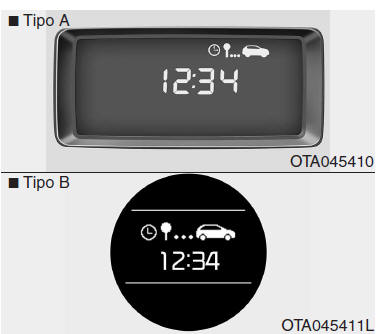
Elapsed time This mode shows the total duration of the trip since the trip time was last reset to zero.
The total trip duration includes the time the engine is running, even when the vehicle is stationary.
The display range is from 00:00 to 99:59.
Press and hold the RESET button for more than 1 second while the trip time is displayed to reset it (00:00).
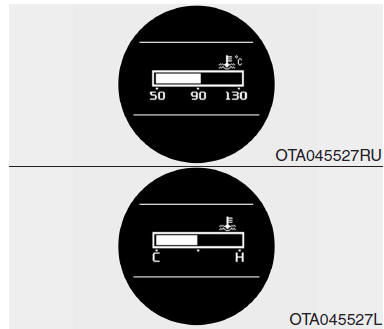
Engine coolant temperature gauge (if equipped, for instrument cluster type B) Do not continue driving with an overheated engine. If the vehicle overheats, refer to "If the engine overheats" in Section 6.
WARNING If the gauge needle goes beyond the normal range toward “130/H”, the engine is overheating and may be damaged.CAUTION Do not remove the radiator cap when the engine is hot.
The engine coolant is under pressure and may spray out violently, causing serious injury. Let the engine cool down before adding coolant to the reservoir.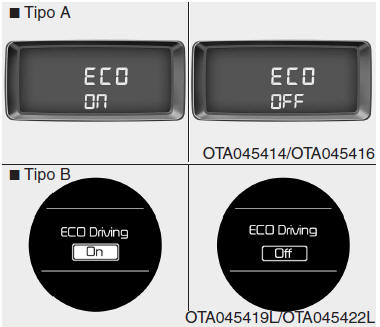
ECO mode ON/OFF (if equipped)
- Automatic transaxle In this mode, you can turn the ECO indicator ON or OFF on the instrument cluster.
If the RESET button is pressed for more than 1 second in ECO ON mode, ECO OFF is shown on the display and the ECO indicator is deactivated while driving.
To display the ECO indicator again, press and hold the RESET button for more than 1 second in ECO OFF mode; ECO ON will then appear on the display.
When the TRIP button is pressed for less than 1 second in ECO mode, the display switches to the trip mode.NOTE
- If the vehicle is not on level ground, or if the battery has been disconnected, the "Driving range" reading may not be accurate.
The trip computer may not record fuel refills if the quantity added is less than 6 litres.
Test yourself
A quick Kia Picanto JA quiz: every answer comes with an explanation and a link to the manual page.