Fuel Consumption Monitor
On vehicles with the Type C/Type D audio system, options such as the control status display, fuel consumption and efficiency are turned on and displayed by selecting the corresponding icon on the display.
In addition, after the trip ends, the total energy efficiency up to that point is displayed on the final screen, if the final screen is turned on.
1. Select the icon on the
home screen and display the application screen.
2. Select "Fuel Consumption Monitor".
3. Use the control panel or touch the screen to display the desired menu.
CAUTION
When a menu is displayed by touching the screen, the display automatically disappears after 6 seconds.
4. Select an icon in the menu and perform the operation. The individual icons correspond to the following functions:
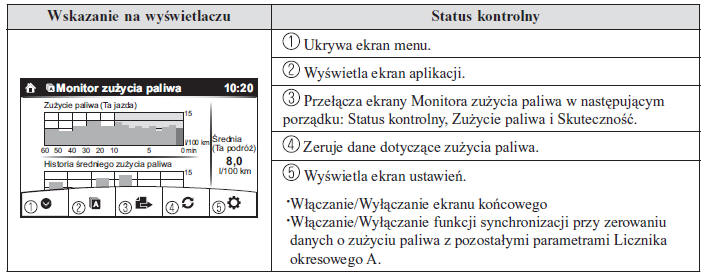
Fuel Consumption Display
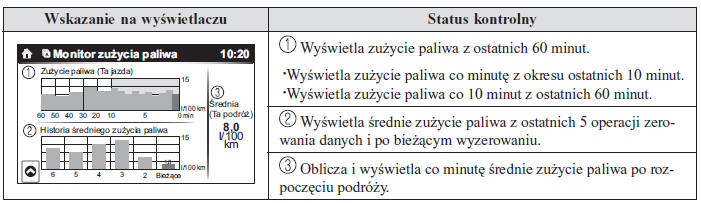
Fuel consumption information is displayed.
CAUTION
Fuel consumption data can be reset as follows:
On the menu screen, press the reset button.
If the fuel consumption monitor and odometer synchronization function is turned on, reset trip meter A of the odometer.
Clear the average fuel consumption information displayed in the computer.
After resetting the fuel consumption data, "-- -" is displayed while the average fuel consumption is recalculated.
Control Status Display
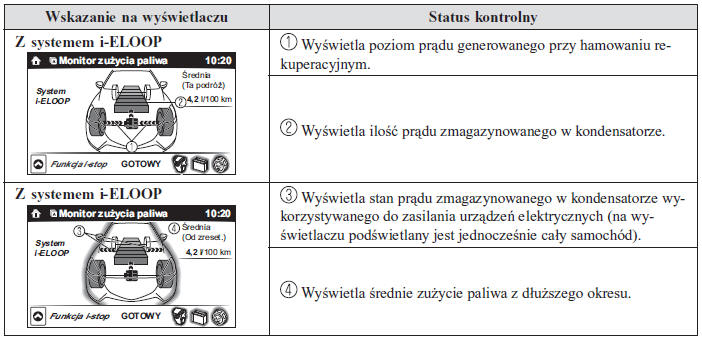
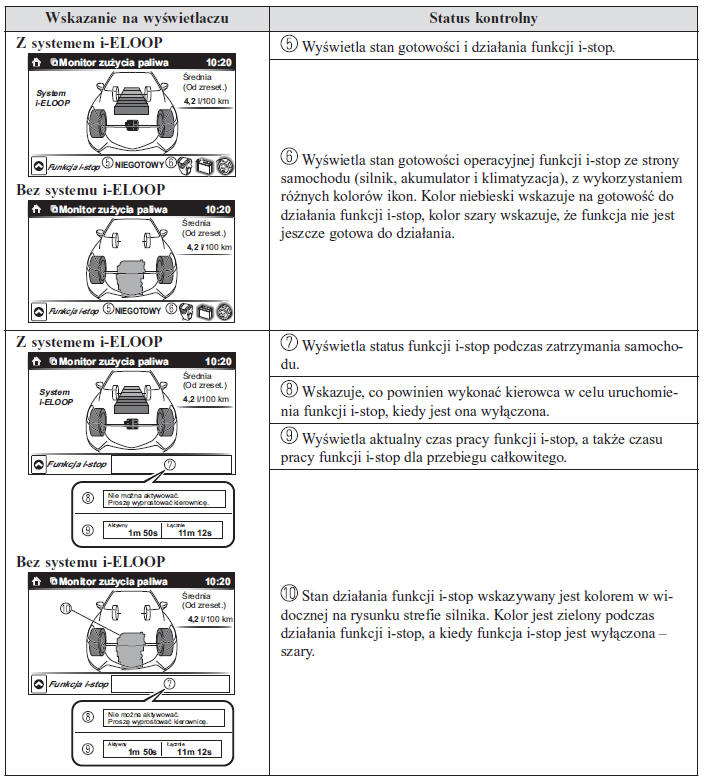
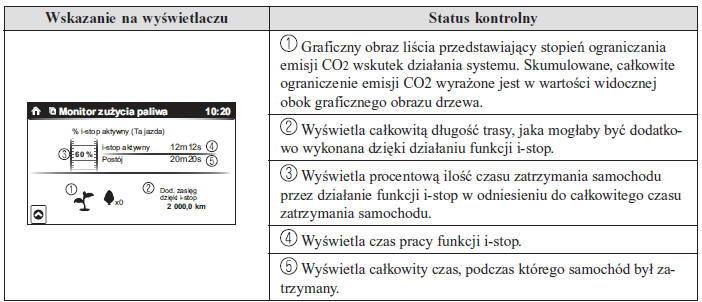
The operating status of the i-stop function and the power generation status of the i-ELOOP system are displayed.
Efficiency Display
The current energy efficiency achieved is displayed.
Final Screen Display
After the ignition is switched off at the end of a trip, the actual fuel consumption efficiency results are displayed for 5 seconds.
Test yourself
A quick Mazda 2 quiz: every answer comes with an explanation and a link to the manual page.