Audio, Visual, Telematics
Screen Flicker or Color Distortion
In this manual: Audio, Visual, Telematics
~1min read
PROCEDURE
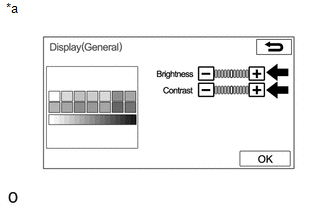
(b) Reset display settings (contrast, brightness) and check that the screen appears normal. OK: The display returns to normal. Text in Illustration
|

Was this page helpful?