Audio, Visual, Telematics
Touch Panel Switch does not Function
In this manual: Audio, Visual, Telematics
~1min read
PROCEDURE
(a) Check for foreign matter on the display. OK: The display is clean.
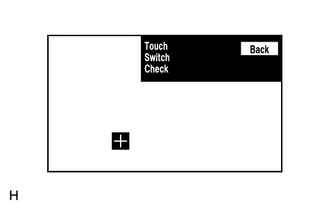
(b) Touch the display in the area where the switch malfunction occurs. OK: A "+" mark appears at the touched position. Result
|


 )]
Was this page helpful?