Activating or Deactivating Connected Safety
For Connected Safety to be able to share information about road conditions with other drivers, the function must be activated. If you do not wish to share information, the function can be deactivated.
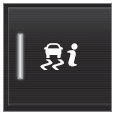 Activate or deactivate the function using this button in the center display's Function view.
- Button indicator lit - the function is activated.
- Button indicator off - the function is deactivated.
At activation, the driver must accept the special terms and conditions shown in the display before an Internet connection1 can be established. The driver must, for example, accept that data is sent from the vehicle using the driver's cellular phone.
Even when your vehicle is not connected to the Internet, you will still be notified if the system in your own vehicle detects slippery road conditions. For Connected Safety to function at full capacity, your vehicle needs to be connected to the Internet.
1 There may be a charge for transmitting data over the Internet, depending on your service plan.
Test yourself
A quick Volvo XC90 quiz: every answer comes with an explanation and a link to the manual page.