Activating or Deactivating Road Sign Information Warnings
(Option/accessory)
The Road Sign Information (RSI1) subfunction Speed Limit Warning is optional – the driver can choose to have the subfunction activated or deactivated.
Activating the Speed Limit Warning
- Select Settings
 My Car
 IntelliSafe
 Road Sign Information in the center display's Top view.
- Select Speed Limit Warning.
- The function is activated and the speed limit selector is displayed.
Adjusting the Speed Limit Warning Threshold
The driver can adjust the settings to be alerted at a higher speed than the posted speed limit.
- Select Settings
 My Car
 IntelliSafe Road Sign Information in the center display's Top view.
- Select Speed Limit Warning.
- The function is activated and the speed limit selector is displayed.
- Tap the up/down arrows on the screen to adjust the speed at which the Speed Warning will be given.
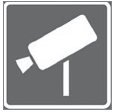 Please note that the set warning limit will not be used when a speed camera symbol is displayed in the instrument panel.
Activating the Audible Speed Limit Warning
- Select Settings
 My Car
 IntelliSafe
 Road Sign Information in the center display's Top view.
- Select/deselect Road Sign Information Audio Alert to activate/deactivate the audible alert.
When Road Sign Information Audio Alert is activated, the driver will also be alerted if the vehicle is approaching a one-way/"no-entry" road or entrance.
Activating Speed Camera Alerts
If the vehicle is equipped with Sensus Navigation* and map data contains information on speed cameras, the driver can choose to receive an audible alert if the vehicle is approaching a speed camera.
- Select Settings
 My Car
 IntelliSafe
 Road Sign Information in the center display's Top view.
- Select/deselect Speed Camera Audio Control to activate/deactivate the speed camera audible alert.
1 Road Sign Information
* Option/accessory.
Test yourself
A quick Volvo XC90 quiz: every answer comes with an explanation and a link to the manual page.