Driver Support
Leaving a Parallel Parking Space with Park Assist Pilot
In this manual: Driver Support
3steps
~18min
2/5difficulty
Done 0 of 3
(Option/accessory.
The Park Out function can help the driver to pull out of a parking space when the vehicle is parallel-parked.
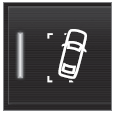 The Park Out function is activated in the center display's Function view or in Camera view.
- Green button indicator - the function is activated.
- Gray button indicator - the function is deactivated.
- Tap Park Out in Function view or in Camera view.
- Move the gear selector to the appropriate position (e.g. D or R) for the direction in which you will be pulling out of the parking space.
- Be prepared to stop the vehicle when instructed to do so by a graphic and message in the center display. Follow the instructions in the same way as for the parking procedure.
Note that the steering wheel can "spring" back when the procedure is completed and the driver may need to turn the steering wheel back to the maximum position in order to pull out of the parking space.
If the function determines that the driver can pull out of the parking space without any extra maneuvers, the function will be deactivated, even if it seems as though the vehicle is not completely out of the parking space.
Test yourself
A quick Volvo XC90 quiz: every answer comes with an explanation and a link to the manual page.
Was this page helpful?