Maintenance indicator
The service information is expressed in terms of distance (kilometres or miles) and time (months or days).
The alert is given when the first of these two limits is reached.
The service information is displayed in the instrument panel.
Depending on the vehicle version:
- The odometer display line shows the distance remaining before the next service, or the distance driven since the due date, preceded by the "-" sign.
- A warning message shows the distance remaining as well as the time before the service is due or the time since it was overdue.
The value displayed is determined by the mileage driven and the time elapsed since the last service.
The alert may also be triggered when a service due date is approaching.
Service spanner
 Comes on briefly as soon as the ignition is switched on.
The service is due within 3,000 km to 1,000 km.
 Steady, as soon as the ignition is switched on.
The service is due in less than 1,000 km.
Have the service carried out very soon.
Flashing service spanner
 Flashing, then steady, as soon as the ignition is switched on.
(With BlueHDi Diesel engines, together with the Service indicator.) The service is overdue.
Have the service carried out as soon as possible.
Resetting the service indicator
After each service, the service indicator must be reset.
► Switch off the ignition.
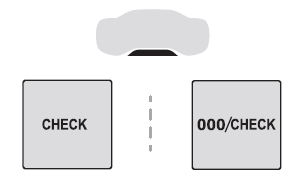
► Press and hold this button.
► Switch on the ignition; the odometer display starts a countdown.
► When the display shows =0, release the button; the key disappears.
If the battery must be disconnected after this procedure, lock the vehicle and wait at least 5 minutes for the reset to be taken into account.
Recalling service information
Service information can be accessed at any time in the instrument cluster.
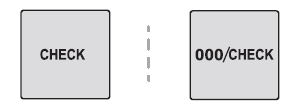
► Press this button to display the service information briefly.
Test yourself
A quick Citroen C5 Aircross quiz: every answer comes with an explanation and a link to the manual page.