Turn the ignition switch OFF and disconnect the negative (-) battery cable.
Remove the engine compartment fuse and relay box (B) after removing the cover (A).
Disconnect the brake tubes (A) from the HECU by loosening the nuts counterclockwise with a flare nut wrench. Tightening torque: Wheel port: 13.7 - 16.7 N·m Master cylinder port: 18.6 - 23 N·m
Disconnect the ESC control module connector.
Loosen the HECU bracket bolts, then remove the HECU and bracket.
Tightening torque: 19.6 - 29 N·m
Remove the bolts, then remove the bracket from the HECU.
Never attempt to disassemble the HECU.
The HECU must be transported and stored in.
Never subject the HECU to impact.
Installation
Install in the reverse order of removal.
Tighten the HECU mounting bolts and nuts to the specified torque.
After installation, bleed the brake system. (Refer to Brake System - Brake System Bleeding)
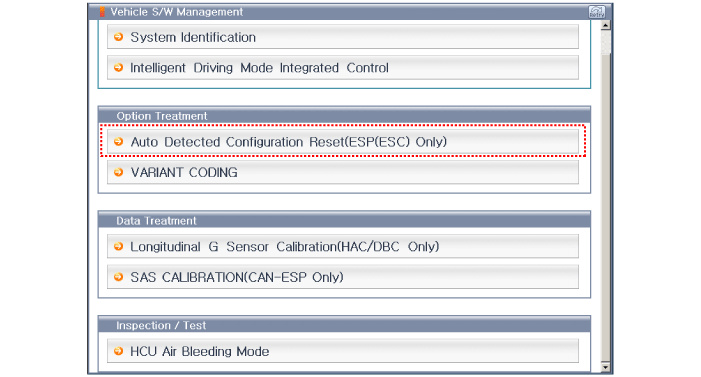
Connect the GDS to the Data Link Connector (DLC) located under the instrument panel.
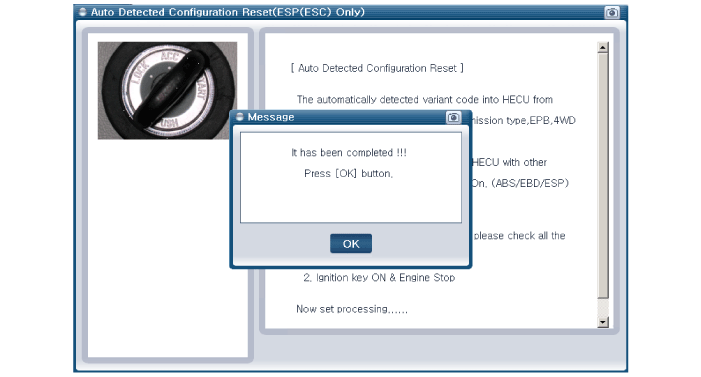
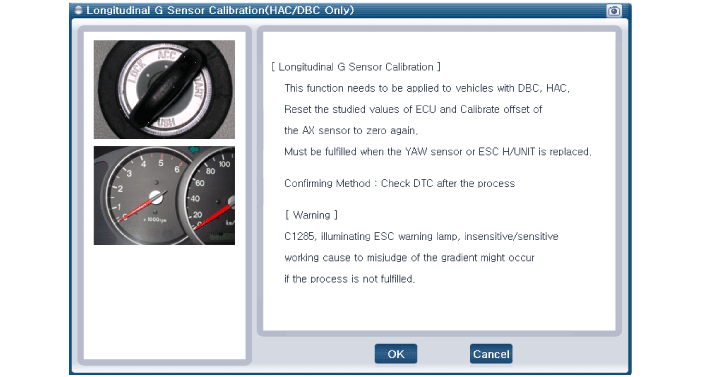
Select and proceed according to the instructions on the GDS screen. [Automatic Configuration Reset][CODING OPTION][Longitudinal Acceleration Sensor Calibration][SAS CALIBRATION]
?
Test yourself
A quick Hyundai Genesis DH quiz: every answer comes with an explanation and a link to the manual page.