USB Charger
Specifications
Specifications
| Items | Specification |
| Operating Voltage | 9 - 16.0 V |
| Operating Temperature | -30 - +75 °C |
| Control Method | USB |
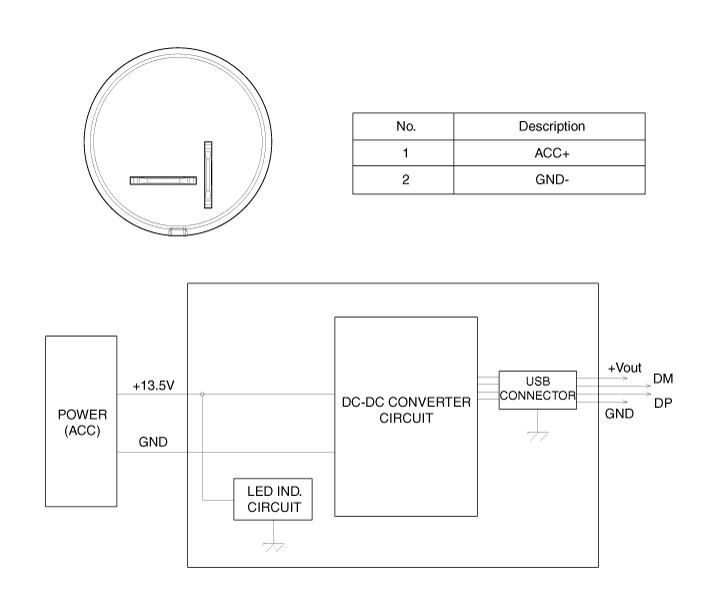
Circuit Diagrams
Connector and Terminal Function
Repair Procedures
Removal
Front USB Charger
Disconnect the negative (-) battery terminal.
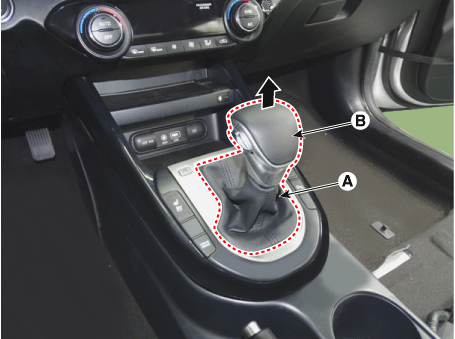
Remove the handle (B) by pulling it in the direction of the arrow after separating the dust covers (A) from the upper console cover.
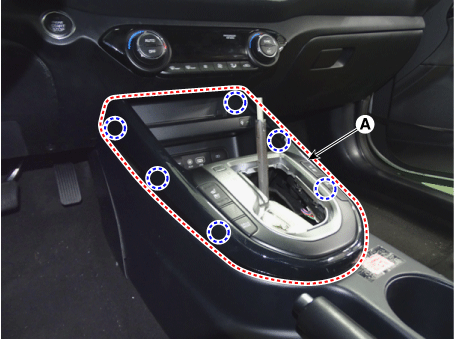
Remove the upper console cover (A).
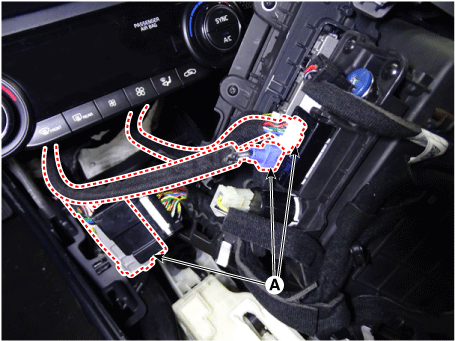
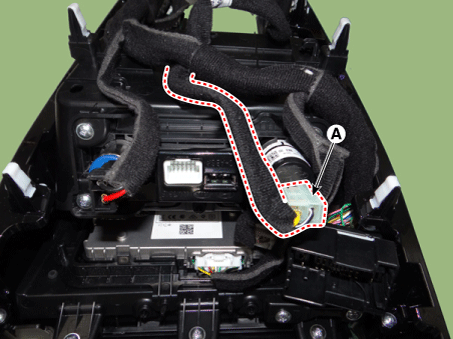
Disconnect the connector (A) from the upper console cover.
Disconnect the connector (A) from the USB charger.
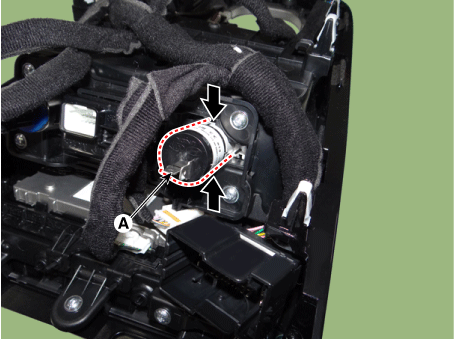
Remove the USB charger (A) by pressing the retaining hooks.
Rear Panel USB Charger
Remove the floor console assembly.
(Refer to Body - Floor Console Assembly)
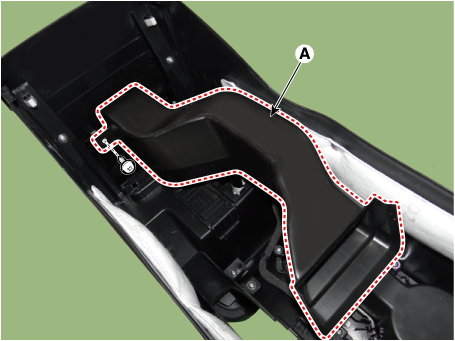
Remove the air duct (A).
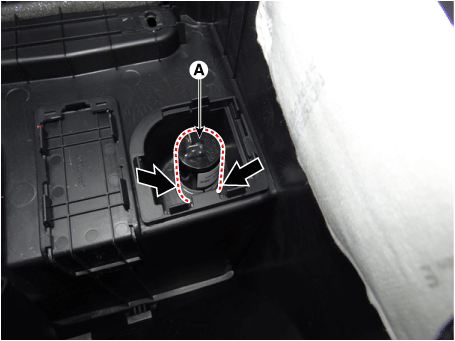
Disconnect the connector (A) from the USB charger.
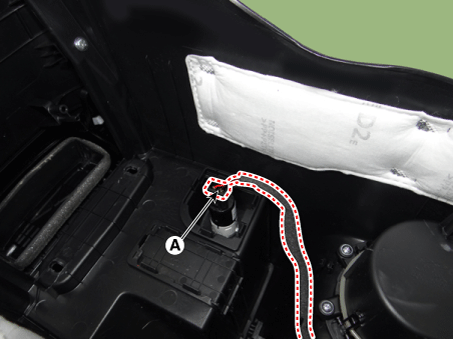
Remove the USB charger (A) by pressing the retaining hooks.
Installation
Install in the reverse order of removal.
Test yourself
A quick Kia Forte BD quiz: every answer comes with an explanation and a link to the manual page.