Crash Pad Garnish
Components and Component Location
Component Location
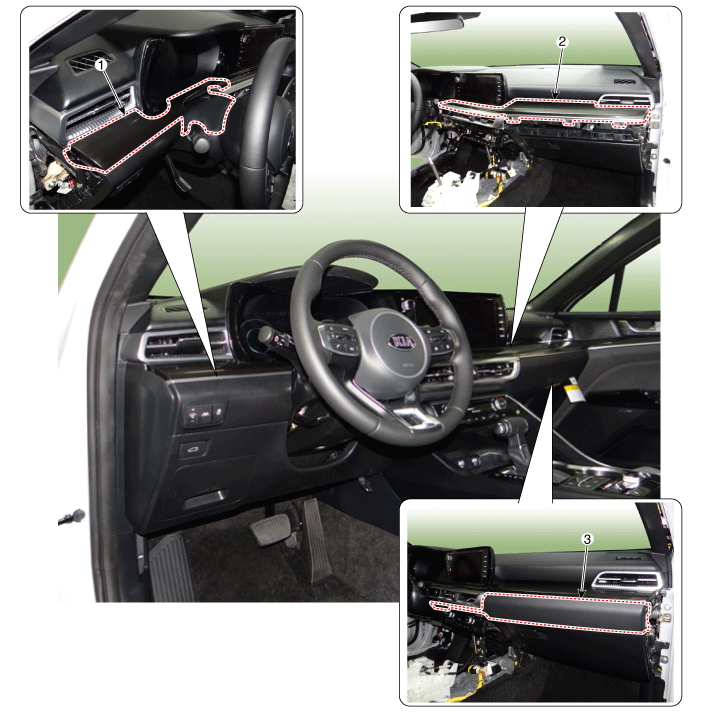
| 1. Crash Pad Trim [LH] 2. Crash Pad Trim [RH] |
3. Crash Pad Center Trim |
Repair Procedures
Replacement
[Crash Pad Center Garnish]
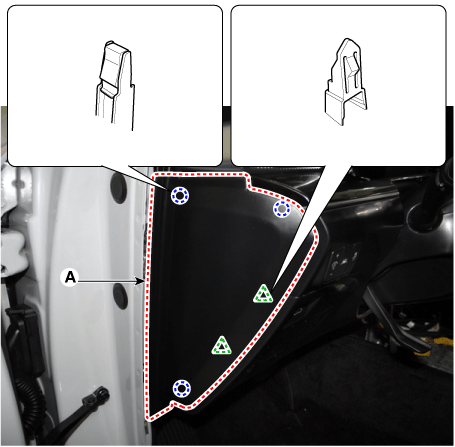
Using a screwdriver or a trim removal tool, remove the airbag side cover [LH] (A).
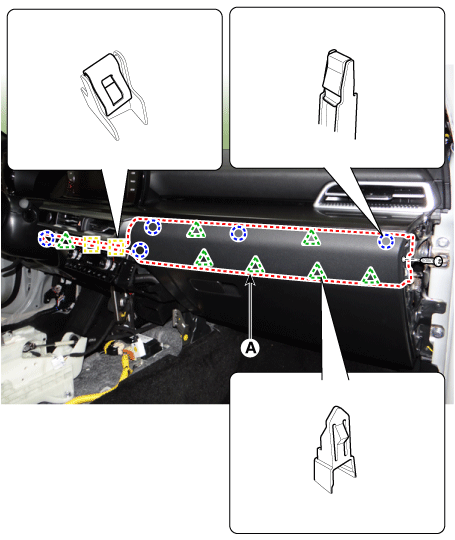
Loosen the mounting screw using a flat-blade screwdriver and remove the crash pad center trim (A).
To install, reverse the removal procedure.
Crash Pad Trim [LH]
Using a screwdriver or a trim removal tool, remove the airbag side cover [LH] (A).
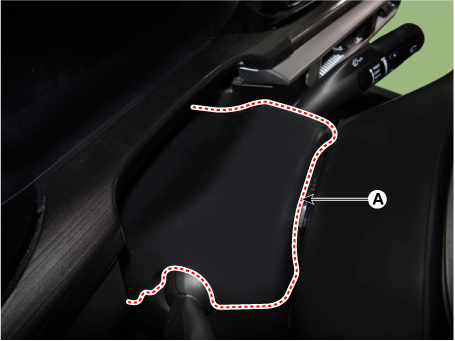
Using a screwdriver or a trim removal tool, remove the upper steering column shroud panel (A).
Loosen the mounting screw and remove the [LH] trim panel (A).
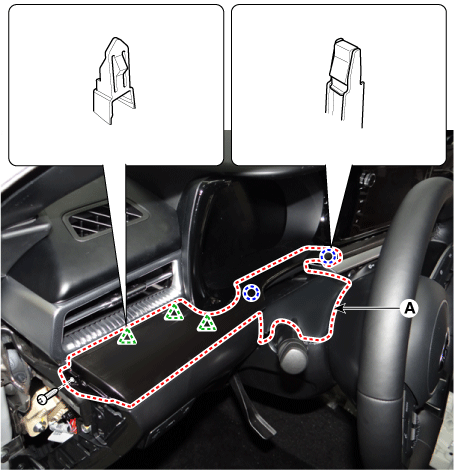
To install, reverse the removal procedure.
Crash Pad Trim Garnish [RH]
Using a trim remover, remove the [RH] airbag side cover (A).
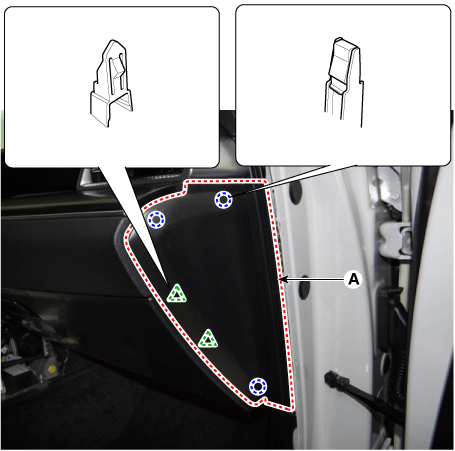
Loosen the mounting screw and remove the airbag center trim panel (A).
Loosen the mounting screws and remove the [RH] trim panel (A).
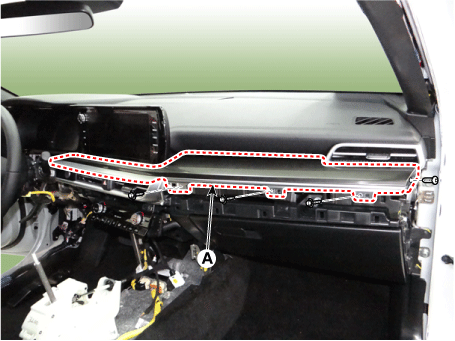
To install, reverse the removal procedure.
Test yourself
A quick Kia Optima DL3 quiz: every answer comes with an explanation and a link to the manual page.