Surround View Monitor (SVM) Camera
Circuit Diagrams
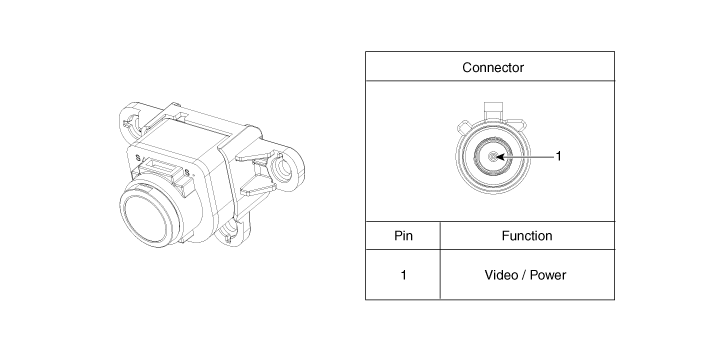
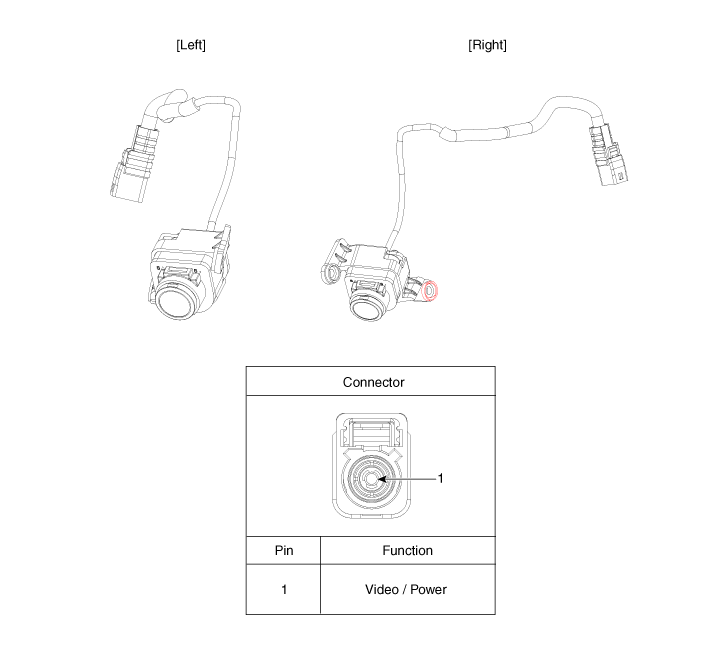
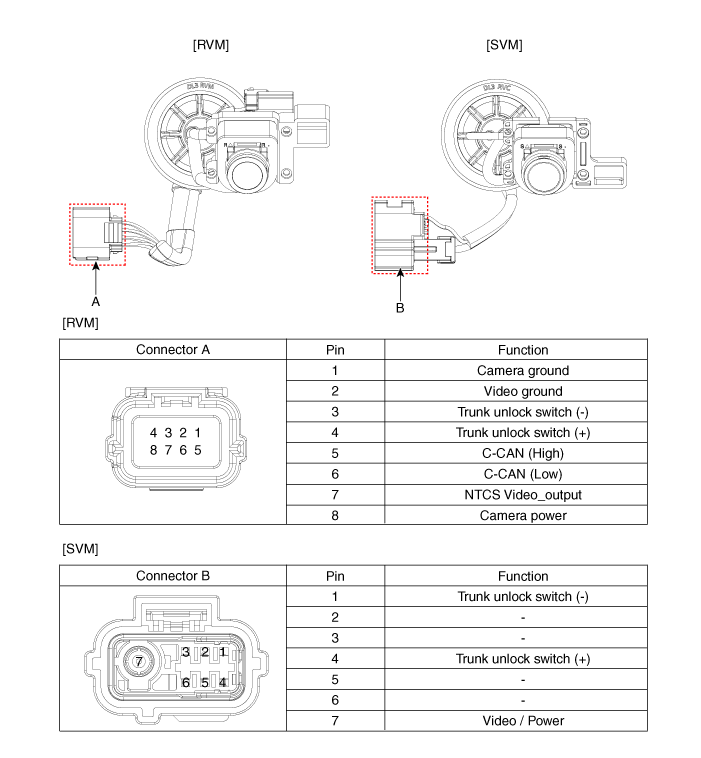
Connector and Terminal Function
Front View Camera
Side View Camera
Rearview Camera
Repair Procedures
Removal
Front View Camera
Disconnect the negative battery cable.
Remove the front bumper assembly.
(Refer to Body - "Front Bumper Assembly")
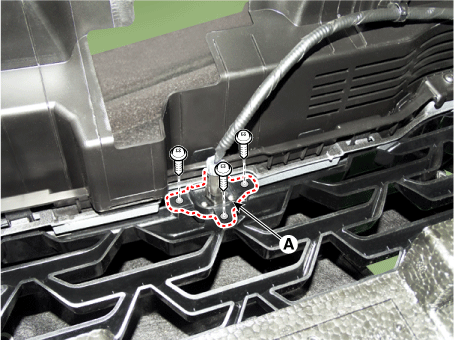
Disconnect the front view camera connector (A).
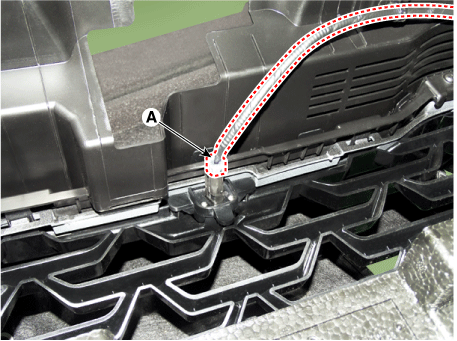
Remove the front view camera (A) after loosening the mounting screws.
Side View Camera
Disconnect the negative (-) battery terminal.
Remove the outside rearview mirror cover and housing cover.
(Refer to Body - "Outside Rear View Mirror")
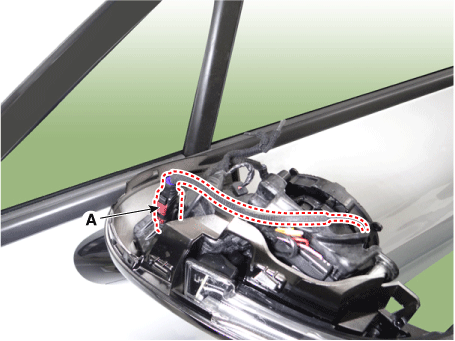
Disconnect the side view camera connector (A).
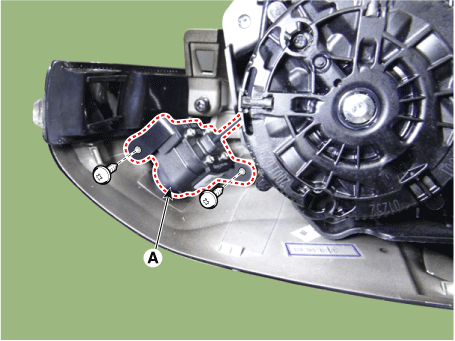
Remove the side view camera (A) after loosening the screws.
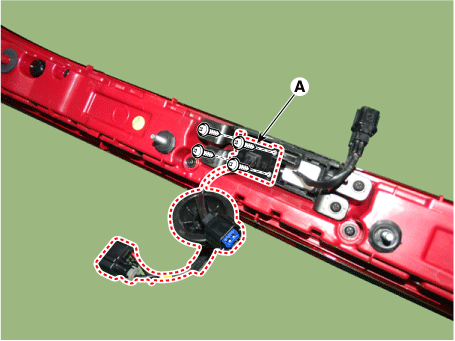
Rearview Camera
Disconnect the negative (-) battery terminal.
Remove the center rear combination lamp.
(Refer to Body Electrical System - "Rear Combination Lamp")
Disconnect the trunk switch connector (A).
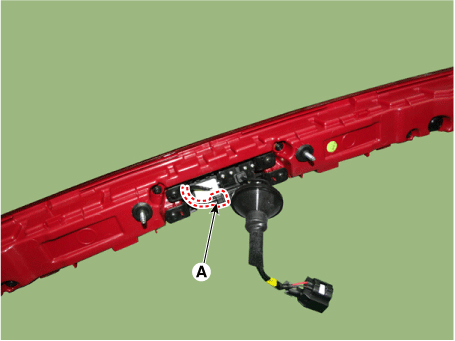
Remove the rear view camera (A) after loosening the screws.
Installation
Install in the reverse order of removal.
Test yourself
A quick Kia Optima DL3 quiz: every answer comes with an explanation and a link to the manual page.