Driving
Selecting the assist mode
In this manual: Driving
~2min read
■ Selecting with the S-IPA button
Press the
This allows you to switch between functions and cancel or resume the assist modes.
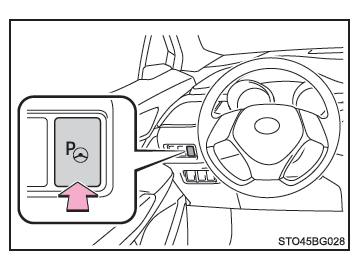
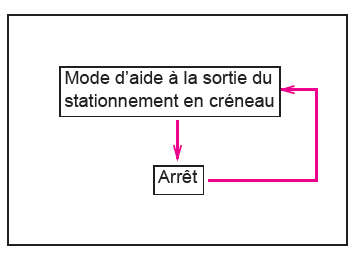
When the ignition switch is in "ON" (vehicles without a smart entry & start system), or in START mode (vehicles with a smart entry & start system), while the vehicle is traveling below approximately 40 km/h, each time you press the S-IPA button, the system selects the functions in the order shown below.
The selected function is shown on the function display of the multi-information display.
■ Selecting the assist mode
- Settings for the parallel and perpendicular parking assist modes
You can select the setting on the following occasions:
- The vehicle has traveled a short distance after the ignition switch has been turned to "ON" (vehicles without a smart entry & start system) or to START mode (vehicles with a smart entry & start system)
- The vehicle has traveled a short distance after parallel parking
- While the vehicle is moving
- No vehicle is parked in front of yours
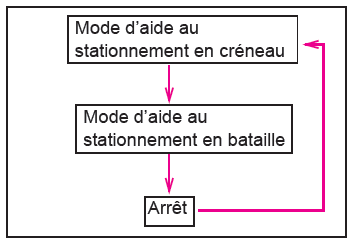
- Settings for the parallel parking exit assist mode
You can select the setting on the following occasions:
- Immediately after the ignition switch has been turned to "ON" (vehicles without a smart entry & start system) or to START mode (vehicles with a smart entry & start system), while the vehicle is stopped and a vehicle is parked in front of yours
- Immediately after parallel parking using the system, while the vehicle is stopped and a vehicle is parked in front of yours
Was this page helpful?