Interior features
Customizing the startup and screen off images (if equipped)
In this manual: Interior features
20steps
~120min
4/5difficulty
Done 0 of 20
An image can be copied from a usb memory and used as the startup and screen off images.
When the engine switch is in the “acc” or “on” position (vehicles without a smart key system) or accessory or ignition on mode (vehicles with a smart key system), the initial screen will be displayed.
When “screen off” on the “setup” screen is selected, the screen is turned off and the desired screen off image that is set is displayed.
Transferring images- Open the cover and connect a usb memory.
Turn on the power of the usb memory if it is not turned on.
- Press the “menu” button.
- Select “setup”.
- Select “general”.
- Select “customize startup image” or “customize screen off image”.
- Select “transfer”.
- Select “yes”.
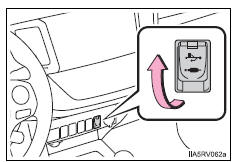
- When saving the images to a usb, name the folder that the startup image is saved to “startupimage” and name the folder that the screen off image is saved to “displayoffimage”. If these folder names are not used, the audio system cannot download the images. (The folder names are case sensitive.)
- The compatible file extensions are jpg and jpeg.
- Image files of 5 mb or less can be transferred.
- Up to 3 images can be transferred to the audio system.
- Display the “general settings” screen.
- Select “customize startup image”.
- Select the desired image.
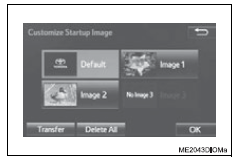
- Select “ok”.
- Display the “general settings” screen.
- Select “customize screen off image”.
- Select the desired image.
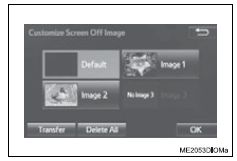
- Select “ok”.
- Display the “general settings” screen.
- Select “customize startup image” or “customize screen off image”.
- Select “delete all”.
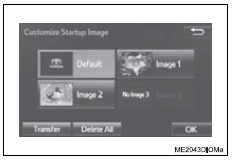
- Select “yes”.
- Select “delete personal data” on the “general settings” screen.
- Select “delete”.
Check carefully beforehand, as data cannot be retrieved once deleted.
- A confirmation screen will be displayed. Select “yes”.
The following personal data will be deleted or changed to its default settings.
- General settings
- Audio settings
- Phone settings
Test yourself
A quick Toyota RAV4 quiz: every answer comes with an explanation and a link to the manual page.
Was this page helpful?